Noto Onboarding Resources - Getting onto Noto
Last updated: August 6, 2026
Welcome to Noto! We are glad you are here!
Switching to a new system is a big step, but your Noto Success Partner will be with you through every step.
⭐ Important Information
Log in: You should have received an invitation email to set up your account at app.withnoto.com.
If your email is linked to a Google account, we recommend logging in through Google. Otherwise, you can log in with a password.
Finix is Noto’s payments technology provider and is required for your business to accept payments through Noto.
Completing the Finix onboarding form is required for payment processing and takes 5–10 minutes to complete. Approval takes a few business days, but in some cases, Finix may request additional documentation such as your Secretary of State Registration letter. To avoid any delays in your go-live, please complete this at your earliest convenience.
Noto Success Partner Calendly: https://calendly.com/aj-noto/30min?back=1
You will be meeting with your Noto Success Partner several times throughout the process. Use this link to book training sessions.
✅ Onboarding Tutorial
The Account Setup Tutorial is a set of self-guided tasks that will help you get familiar with the day-to-day workflows in Noto.
This “homework” is designed to be practical, bite-sized, and directly tied to how you’ll actually use Noto once you’re live.
Please complete this before our onboarding meeting as this allows your Customer Success Manager to answer questions that came up, and focus the session on advanced workflows specific to your business, rather than basics.
If anything feels unclear while you’re working through it, don’t worry, that’s expected. Make a note of your questions and we’ll address them together in the next session.
📖 How to Get Support
You'll likely have questions during the transition and beyond. Here are three ways to get help, depending on the situation.
1. Live training sessions with your Noto Success Partner
The best place for bigger questions, walkthroughs, or anything you'd rather talk through. Jot them down in the Meeting Notes section of this guide so you can bring them to your Noto Success Partner and cover them live.
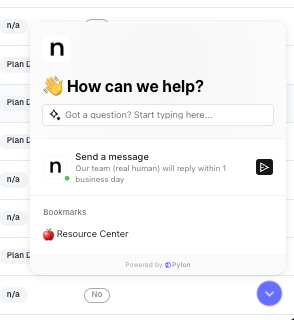
2. The Support Widget (best for in-the-moment questions) Found in the bottom-right of the app, the widget is your fastest path to an answer. Our AI based Q&A system is tied to our Knowledge Base and can resolve many common questions on the spot. When you need more, it connects you directly to our support team for human input. Start here whenever a question comes up while you're working in Noto.
3. Email your Noto Success Partner
For questions tied to your specific setup, onboarding plan, or anything your partner is already helping with, email them and CC support@withnoto.com. The CC ensures our product support team also sees it, so you get a timely answer even if your partner is unavailable.
One more resource: the Admin Manual covers Noto's features at a high level and is a good introduction to specific areas of the platform—handy for self-serve reference anytime.
🔢 Data Migration
During the transition, you will be migrating your existing data such as student contact information, classes, and instructors into Noto.
We’ll use a shared Google Drive folder to securely collect and review your data. Please upload or share access to any relevant data you have. It does not need to be perfect or fully cleaned. We’ll work with you to:
Review what you’ve shared
Clarify how your existing data maps to Noto
Clean and organize the data as needed before ingestion
If your data is already in spreadsheets, please upload them to the shared folder. If your data lives in another system, please export it from that system and upload the export files. Your Noto Success Partner will review everything with you before anything is imported, so you’ll have a chance to confirm accuracy and ask questions.
Stripe Migration Guide (optional)