Tracking non-teaching hours
Last updated: September 17, 2026
Non-teaching hours let you pay staff for time that isn't tied to a student session — think staff meetings, front desk shifts, or other admin work. In Noto, these are handled by non-teaching services.
This article covers how to set up non-teaching services, how to log hours from the calendar, and how to log hours directly from the payroll page.
Setting up non-teaching services
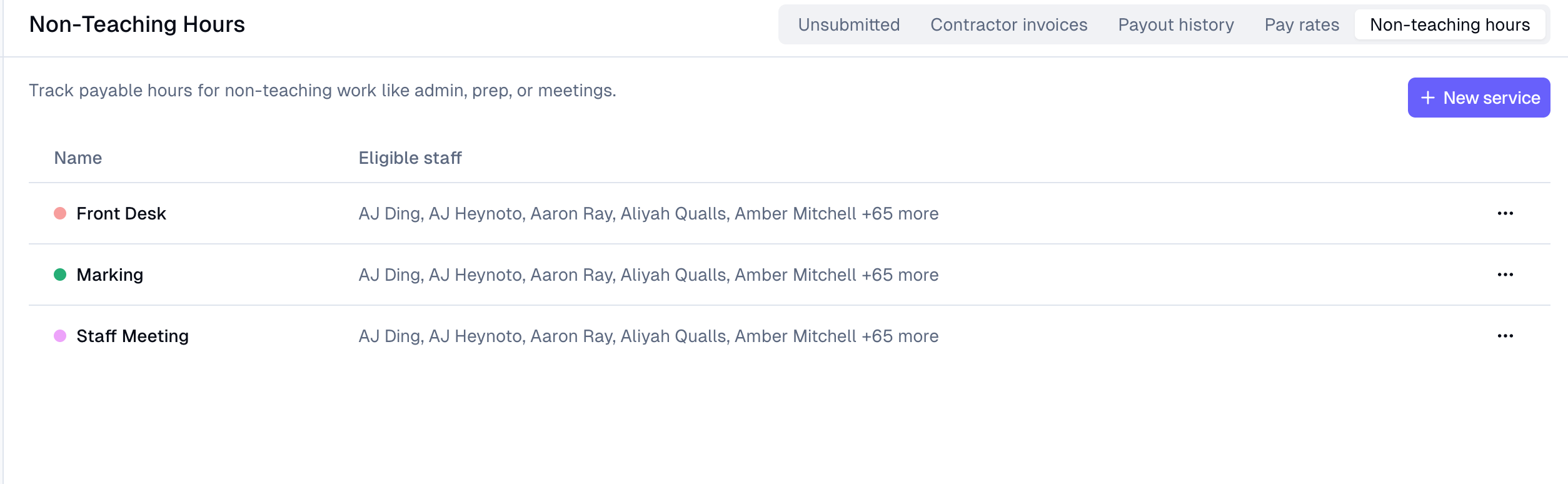
Non-teaching services are created by an administrator. You can create a distinct non-teaching service for each kind of work you want to track (for example, "Staff Meeting," "Front Desk," "Cleaning," or "Training") so hours are categorized cleanly on payroll.
Setting the pay rate
Pay is set as an hourly rate per staff member, and you can override it per service using the By Class/Service toggle on the staff member's pay rate configuration — non-teaching services appear in that picker alongside regular classes.
This means an instructor can have one hourly rate for teaching and a different flat rate for, say, front desk coverage.
Logging hours from the calendar
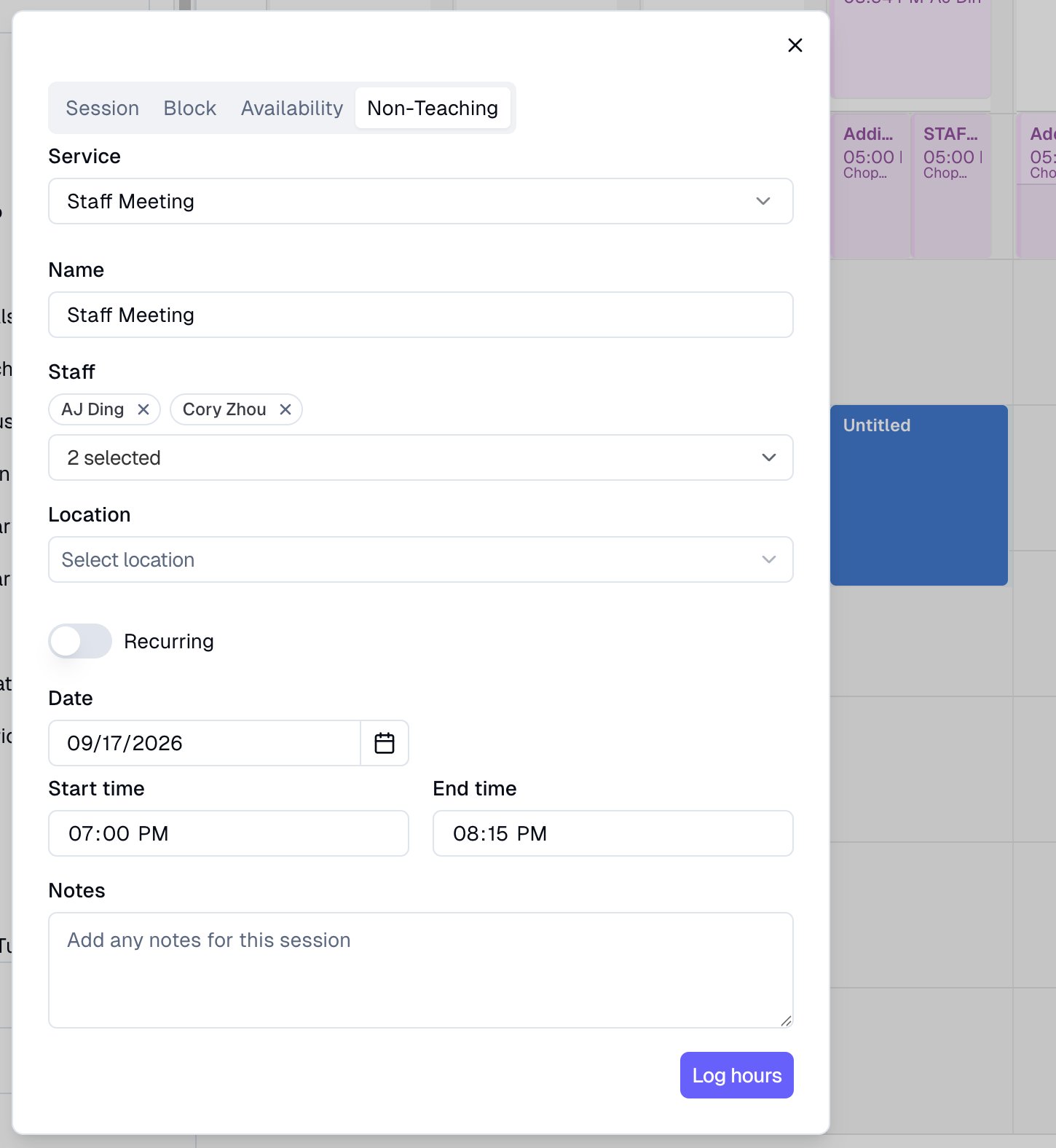
To log non-teaching time from the schedule:
Click and drag on the calendar.
Choose the non-teaching service and assign the staff member(s) doing the work.
Set the date, time, and duration.
Logging hours from the payroll page
If you don't want to go through the calendar at all, staff can log non-teaching time directly from the Non-teaching tab in payroll.
Open the Non-teaching tab on the payroll page.
Click Log hours.
Fill in the details for the time worked and save.
How non-teaching hours appear on payroll
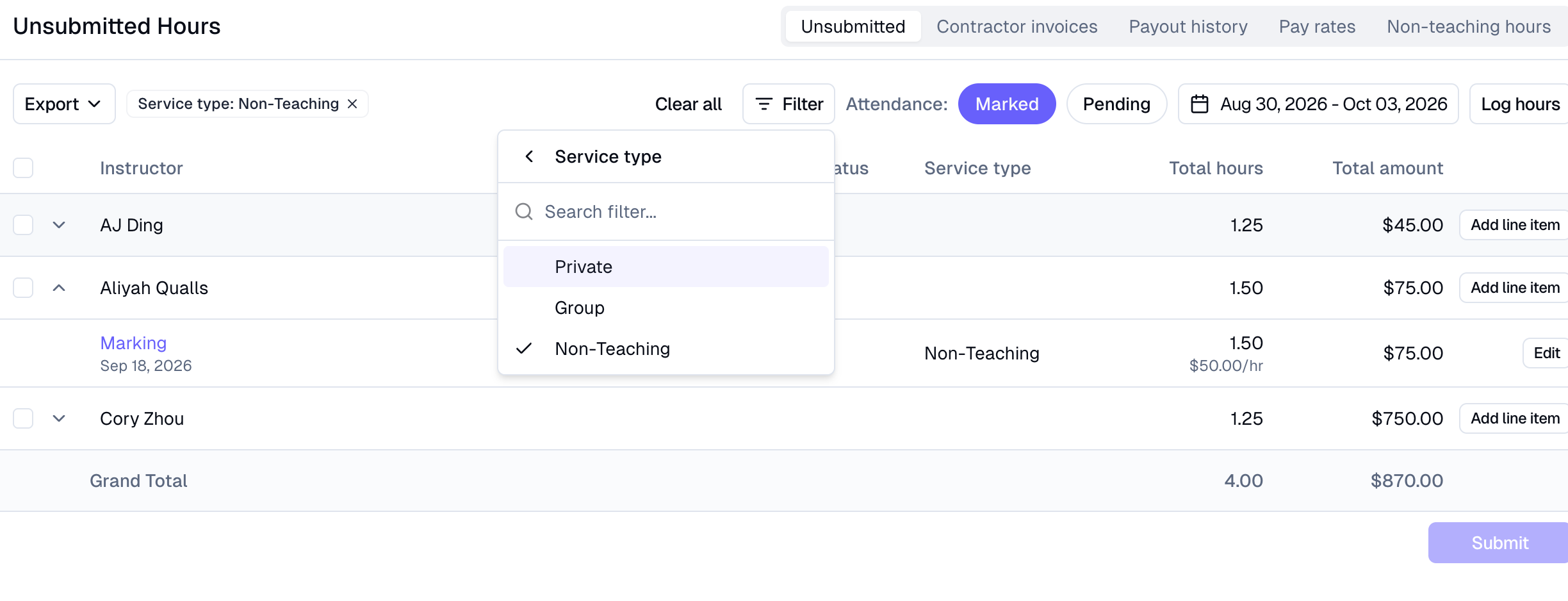
Non-teaching hours appear on the payroll page alongside teaching sessions. You can filter to view or handle them separately, so it's easy to review admin time apart from teaching time.
A few things to keep in mind:
Noto calculates payroll but does not disburse payment directly — you'll still pay staff through your normal payment method outside Noto.
If you need to pay for something that doesn't map to a session at all, you can add a manual payroll line item instead of logging hours.