How does invoice autopay work?
Last updated: May 19, 2026
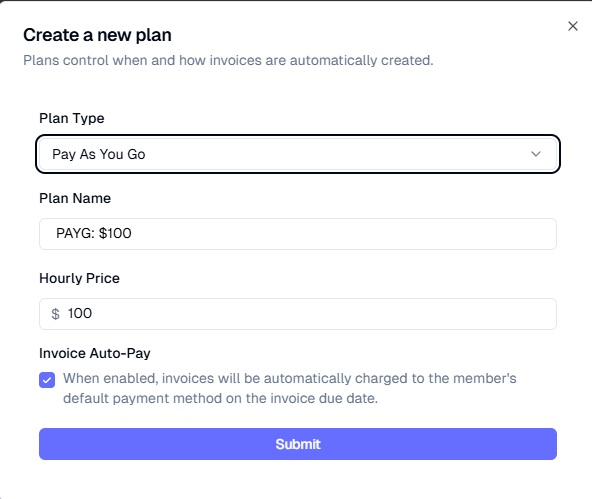
Auto-pay, by default, is set at the plan level when creating a plan. For students enrolled in a service with an auto-pay On plan, all invoices for that enrollment will be on auto-pay.
If an invoice is on auto-pay, then the default payment method on file will be charged on that invoice's due date at 1 PM EST. If the payment fails, auto-pay for that invoice will turn off, but future invoices will still be on auto-pay.
Note: Auto-pay will charge the payment method on file on the due date regardless of whether the customer has already paid through another method (such as Zelle, Venmo, or check). If you accept alternative payment methods, consider turning off auto-pay at the family level to prevent double charges.
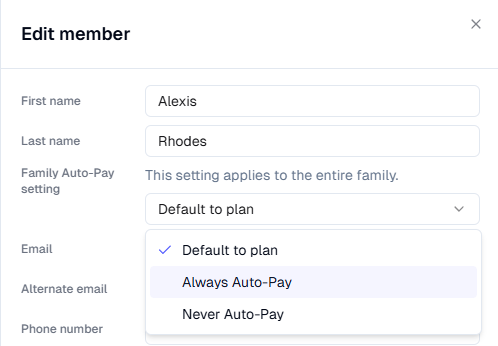
Auto-pay can also be set on the Family level as well by editing a guardian of the family. This would be used if your business defaults to auto-pay, but a family has an exception that requires them to not be charged automatically (ex. paying by Zelle/Venmo/check instead of credit card, split payments, etc.)