Understanding Your Finix Payments Dashboard
Last updated: July 1, 2026
Your Noto payments are processed by Finix, our payments provider. Finix gives you a dedicated dashboard where you can see everything that happens to a payment from the moment it's charged to the moment the money lands in your bank account.
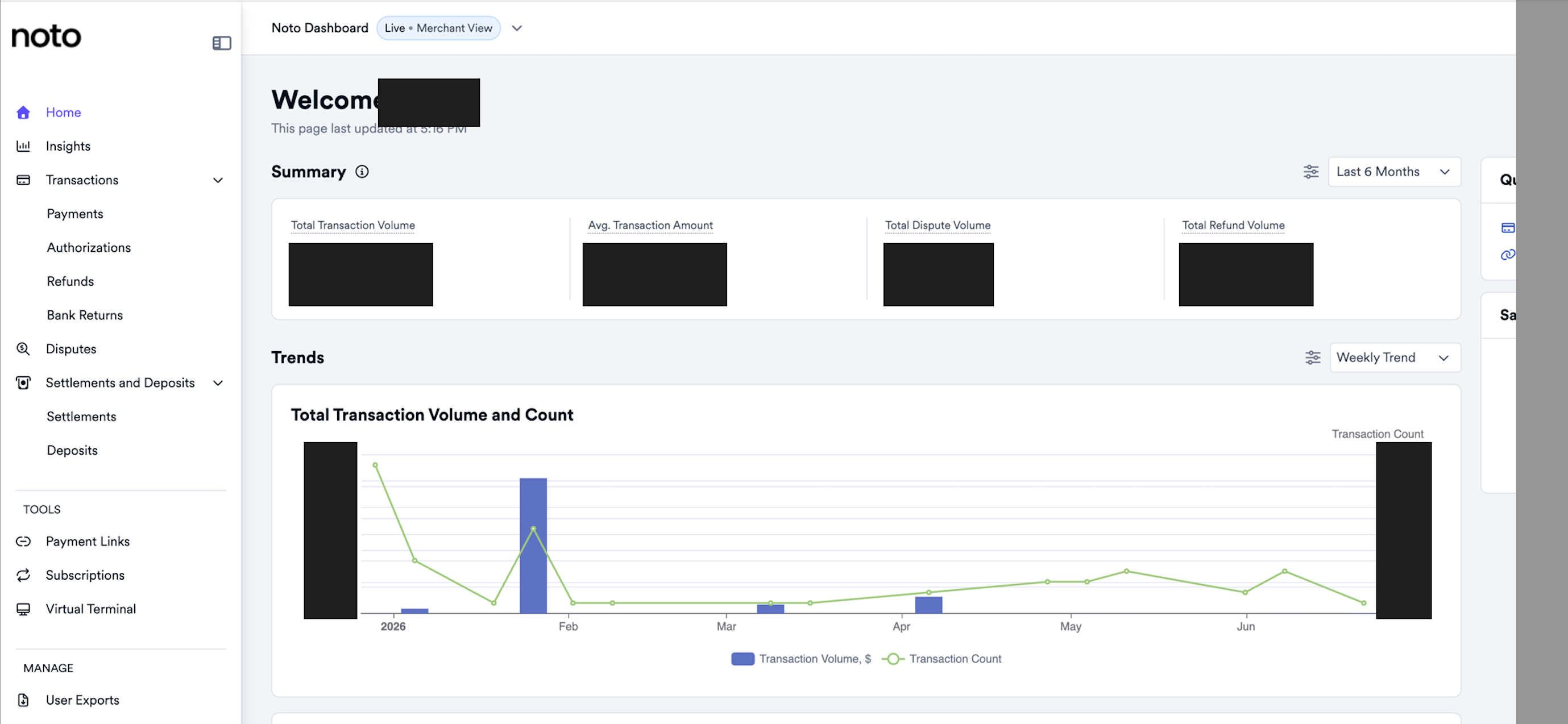
What you can see in the dashboard
From the dashboard you can view:
Payments – every charge, authorization, refund, and dispute.
Settlements and Deposits – how your payments are batched and paid out.
Activity and trends – transaction volume, authorization rates, refunds, and settlement volume over time.
Key terms
Payment – a single charge made to a customer's card.
Settlement – a batch of payments grouped together after they've been processed. A settlement totals up the payments, subtracts Finix's processing fees, and produces a net amount that is ready to be paid out to your bank.
Deposit – the actual transfer of a settled net amount into your linked bank account. In short: payments are grouped into a settlement, and that settlement is paid out as a deposit.
Accruing – when a payment shows as accruing, it has been captured but hasn't yet been added to a closed settlement batch. Finix keeps an open settlement that collects your payments as they come in, almost like a running balance. Once the accrual window closes (typically at the end of the day), that batch closes, moves to an approved state, and becomes eligible for payout.
Why deposits take up to a few days
The time between a payment and the money landing in your bank is largely controlled by the card networks and the banking system:
Authorization is not settlement. When a card is charged, the bank first authorizes it: a hold that confirms the card is valid and has the funds. The money doesn't actually move yet. The real movement of funds happens later, during settlement, which the card networks and banks process in batches.
Payouts ride the ACH network. Money reaches your bank account over ACH, which only runs on business days. Weekends and federal bank holidays are non-processing days, so a payment captured on a Friday or right before a holiday won't move until the next business day.
It's batched, not instant. ACH transfers are bundled and processed overnight rather than in real time. Standard payouts typically settle within one to two business days after a settlement is approved, and can take a little longer around holidays.
In short: Finix submits your funds promptly, but exactly when they arrive depends on the card networks, the ACH network, and the banking calendar.
How to use the Settlement report
The Settlements report shows each batch of payments that Finix settles and deposits into your bank account.
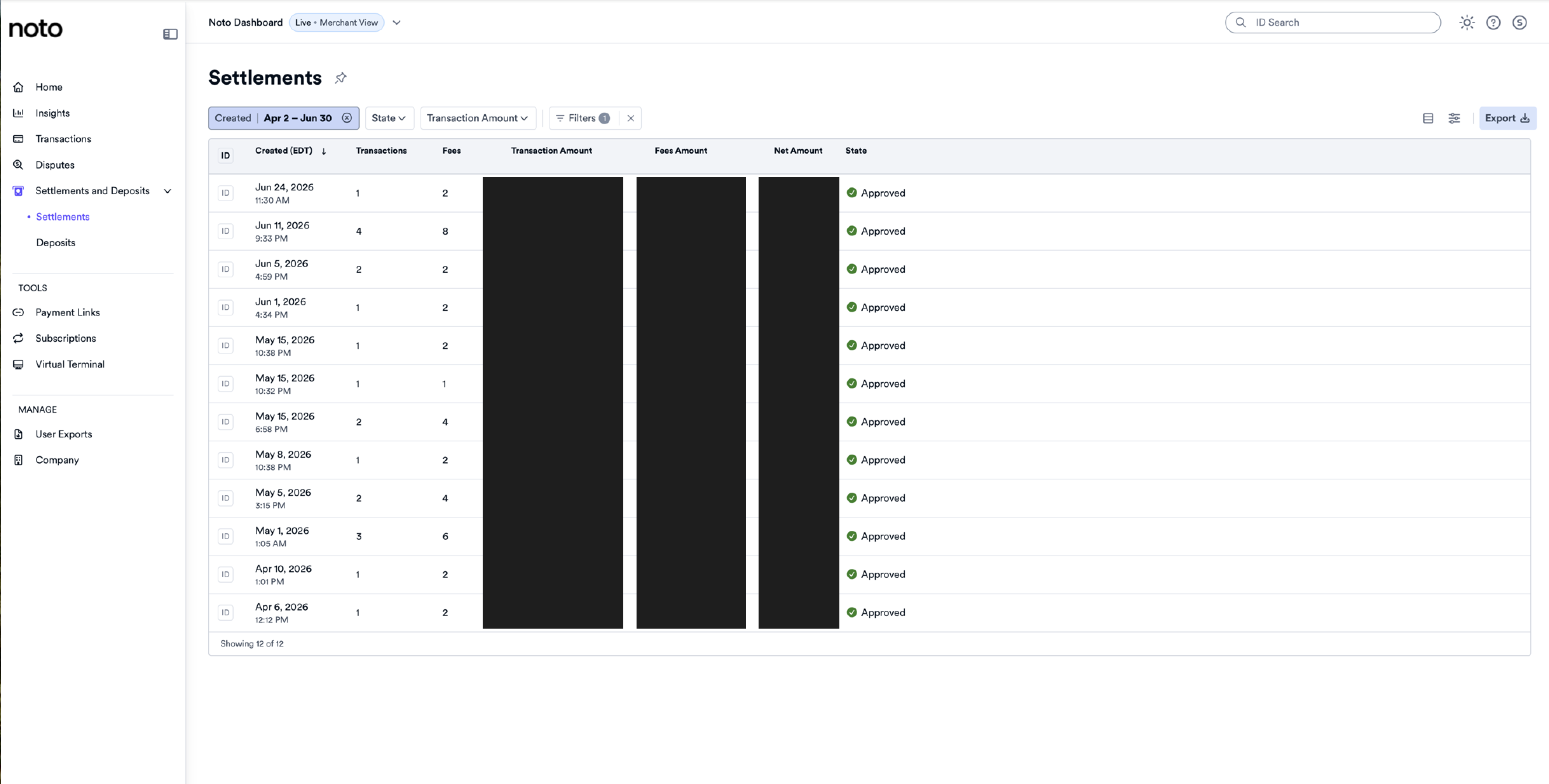
Each row is one settlement batch and shows:
Created – when the batch was created.
Transactions / Fees – how many payments and fee items are in the batch.
Transaction Amount – the gross total of the payments.
Fees Amount – Finix's processing fees for the batch.
Net Amount – what actually gets deposited to your bank (Transaction Amount minus Fees).
State – whether the batch has been approved.
Use the filters at the top (date range, state, amount) to find a specific batch, and use Export to download the report for your records or bookkeeping.
Don't see the dashboard?
If you don't have access to your payments dashboard, reach out to your Noto Success Partner and they'll get you set up.