Configuring Email Notifications
Last updated: May 19, 2026
All email notifications that can come out of Noto are viewable under Settings -> Notifications on the left-hand navigation.
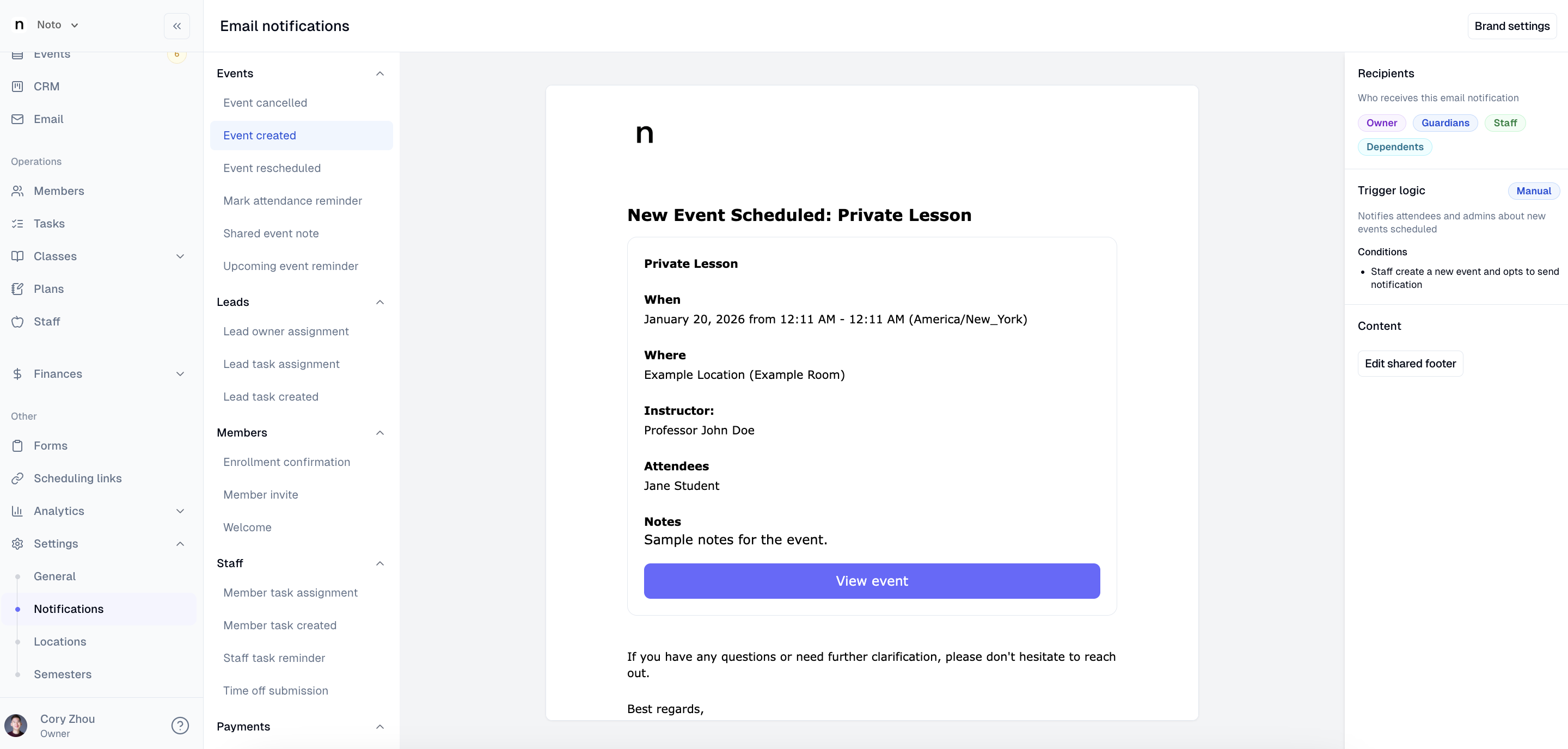
Each email gives the following information:
Recipients- who receives this email
Trigger logic- what action triggers this email and whether it is automatically sent or manual
Footers
Every email has a shared footer that can be edited. Editing this footer will change this for ALL emails that come out of Noto.
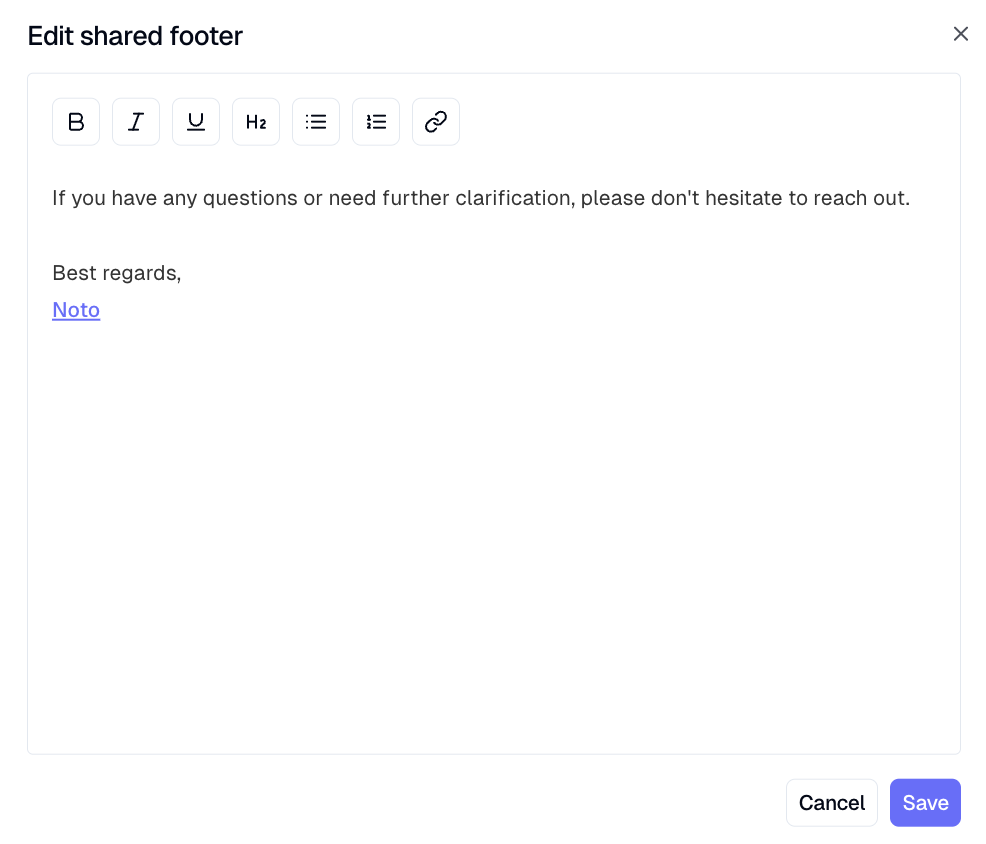
Some email notifications have their own individual footer in addition to the shared footer. These footers only apply to the email for which it's edited for. The emails that include their own individual footer are:
Upcoming session reminder
Enrollment confirmation
Invoice autopay failure
Itemized invoice notice