Weekly pre-invoicing in Noto
Last updated: July 29, 2026
Weekly Prepay is a billing plan that charges members every Monday for all sessions scheduled in that Monday–Sunday week, at a single hourly rate. This article covers how the weekly billing run works, how to trigger an invoice on demand, and what to expect when enrolling students mid-week.
How the Monday billing run works
Every Monday 6:00 AM EST, Noto automatically runs the weekly pre-invoicing job for you. For each active enrollment on a Weekly Prepay plan, Noto:
Finds every session that starts during that calendar week - Monday at 12:00 AM through Sunday at 11:59 PM in your organization's timezone.
For each session, multiply its duration by the plan's hourly rate to calculate the session total.
Add all the sessions' charges are included on the invoice.
Because each enrollment is billed independently, students with multiple enrollments will see a separate weekly invoice for each one.
Setting up a Weekly Prepay plan
Weekly Prepay is available as a plan type alongside Noto's other billing plans on the Plans page. The plan uses a single hourly rate - that rate is applied to every session hour billed in the week.
Generating a weekly invoice on demand
Noto handles the weekly invoicing for you automatically every Monday, but you can also generate a weekly invoices on demand ahead of schedule. This is useful when you want to see your upcoming invoice.
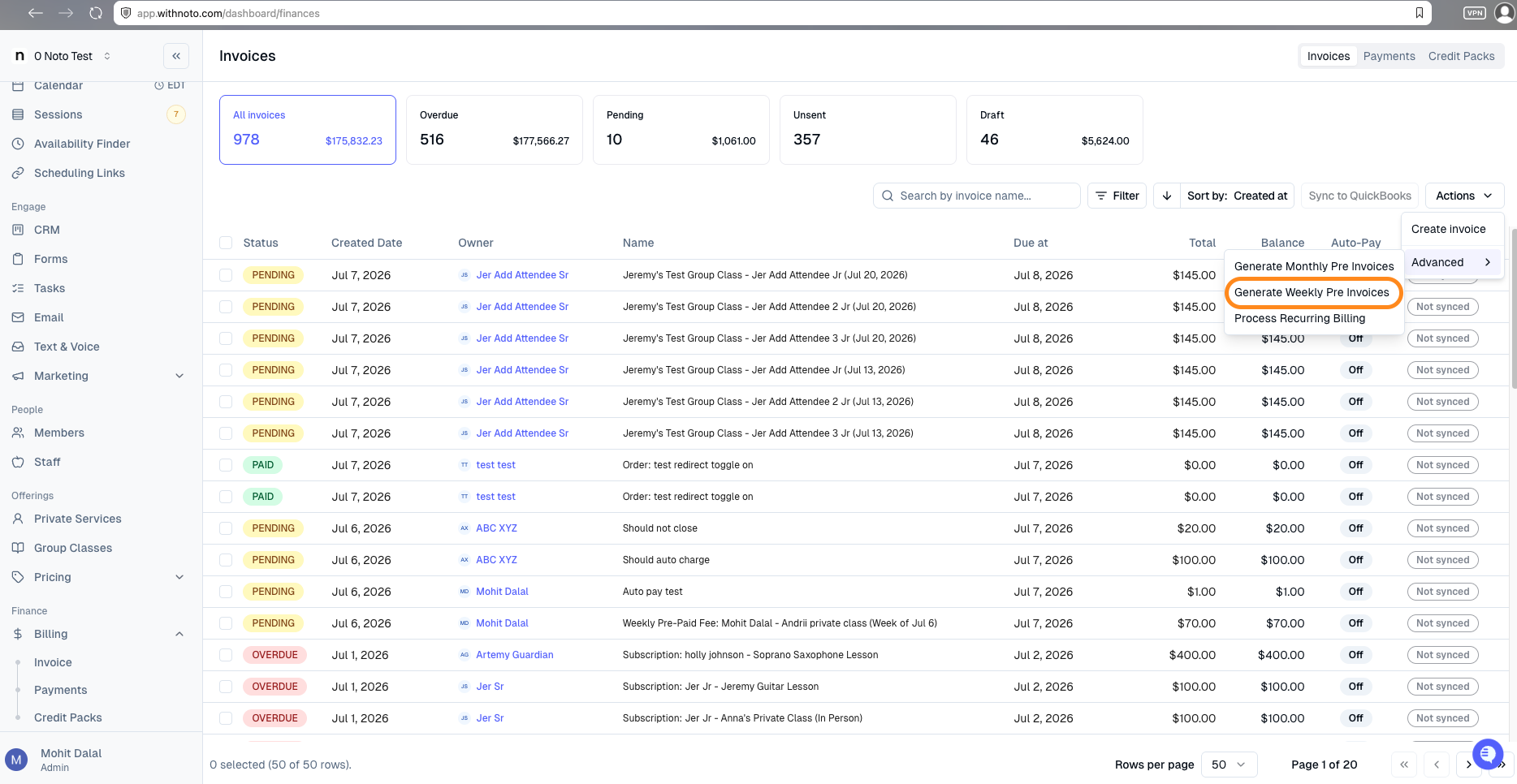
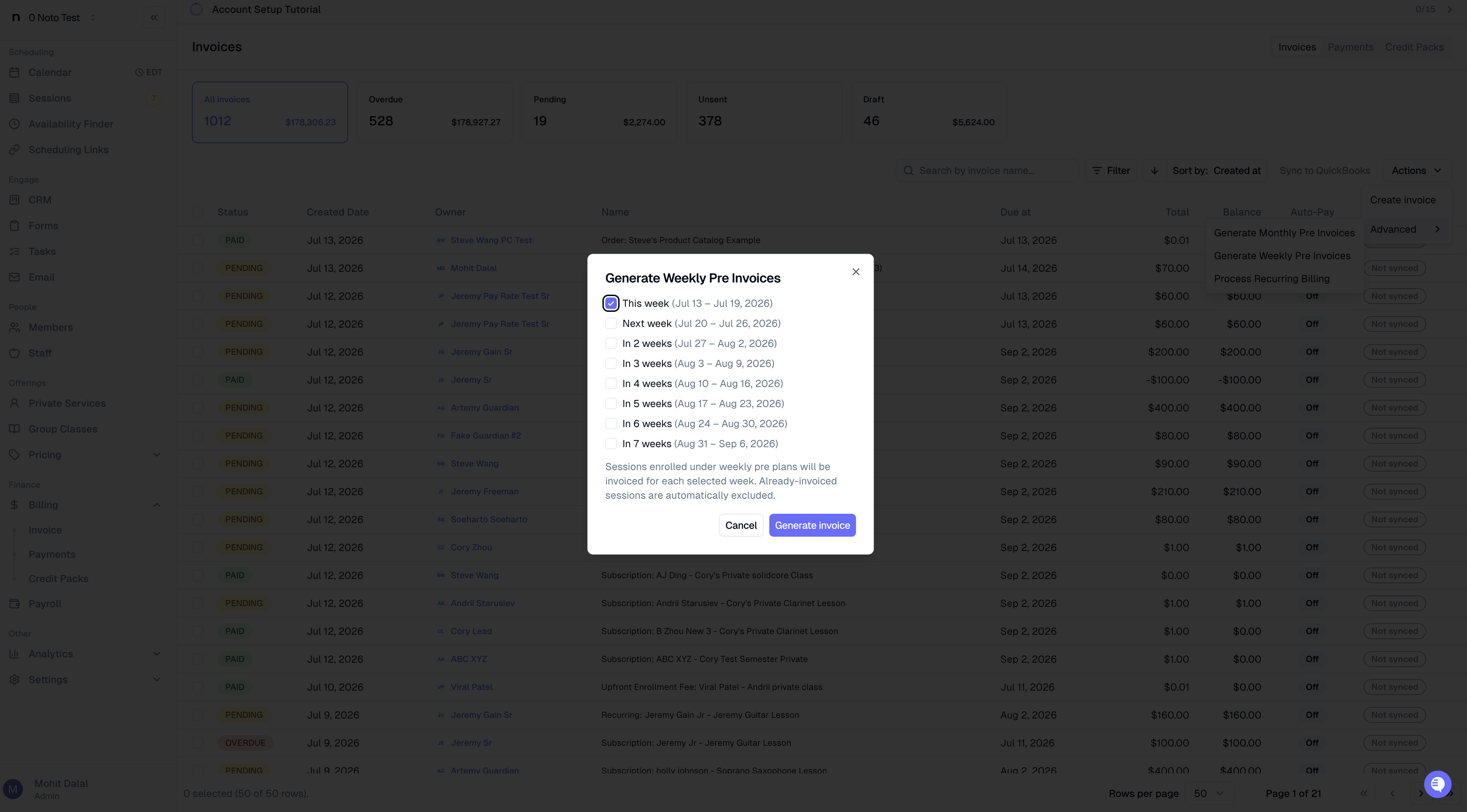
To generate the invoices, go to the Invoice section of the Finance dashboard, and click on Advanced -> Generate Weekly Pre Invoices → choose the week(s) you want to bill → click Generate invoice(s).
You can select this week, next week, or several weeks ahead. Already-invoiced sessions are skipped automatically.
Enrolling a student mid-week
When you enroll mid-week, Noto invoices that week right away:
Sessions that already happened before enrollment → $0
Remaining sessions in that Monday–Sunday week → charged at the hourly rate
From the next Monday on, they’re billed with the regular weekly run.