Charging a client for a one-off amount
Last updated: July 29, 2026
Noto gives you a few ways to bill a client for something outside their regular recurring invoice — a registration fee, a make-up materials charge, a one-time deposit, or any other ad-hoc amount. This article covers the options and when to use each.
Add a one-time line item to the next invoice
Use this when the client is already enrolled and you want the charge to appear on their upcoming invoice.
Open the client from the Members page to reach their Member Details.
Open the Line Items tab.
Click Actions → New Line Item.
Enter a description and the amount OR select from an existing catalog item. Toggle "Auto-apply to next invoice".
The charge rolls onto the next invoice — it does not create a standalone invoice.
Add a one-time line item during enrollment
Use this when you are enrolling the client and want the extra charge to appear on their very first invoice — for example, a registration fee bundled with signup.
Go to the Member page and click + Enroll Member.
Choose a service and click Next.
Scroll to the bottom and click Adjust billing and pay rate.
In the Add one-time line item field, enter a description and amount.
Save.
The charge appears as a separate line item on the student's first invoice.
Creating a manual invoice
If none of the above fits — for example, the amount varies by client, or you need the client to review and pay on their own timeline — create a manual invoice for the desired amount and send it to the client or charge immediately.
Go to the Member's profile and click the "Invoices" tab.
Click Actions -> New Invoice. Name the invoice, optionally add a description, and add a line item(s). Line items can be defined manually or selected from catalog items.
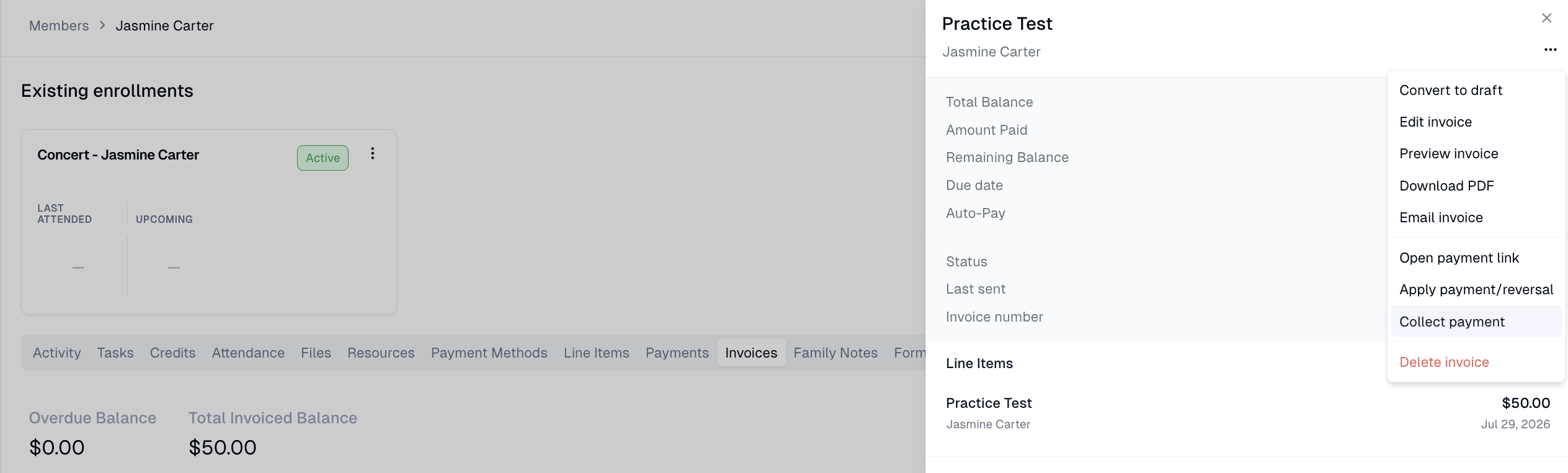
Click "Create Invoice" to create the invoice. If you want to charge it immediately, click into the invoice, then the 3 dots in the top, and then click "Collect payment".