Creating Plans
Last updated: June 22, 2026
Plans in Noto are where you set your business's different billing rates and billing options. Noto supports a wide variety of billing options depending on what your business offers, each with different configuration options and billing schedules.
Plans can be configured by navigating to Plans on the left-hand navigation bar, and the different options can be viewed by clicking "+ Add Plan".
Plans are linked to billing through Enrollments, which is the process of assigning students to their particular service and instructor. The plan assigned to an enrollment determines how and when the student's family will be automatically billed.
During onboarding, your CSM will recommend the right plans to use based on your business's standard processes, but understanding all of the different options is useful for clients who may have different billing schedules.
Plan Types
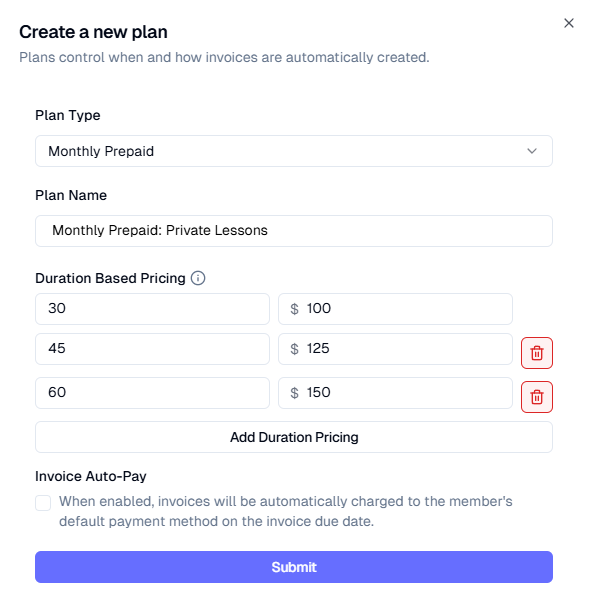
Monthly Prepaid
Monthly Prepaid plans will invoice the family for the number of lessons on the student's calendar for the following month. These invoices are automatically generated on the first of every month, but can be manually generated in advance by navigating to Finances -> Dashboard, and then clicking Actions -> Advanced -> Generate Monthly Pre Invoices.
Duration-Based pricing for Monthly Prepaid plans means that lessons scheduled for the given duration will be invoiced for that rate. Note that monthly pre-paid plans does not pro-rate; prices must be defined for every duration.
Example: Student has 4 60 minute sessions on the calendar for March; generating Monthly prepaid invoices will invoice this client for $600 total. If additional sessions are added in the middle of the month, they will have to be invoiced manually.
Note: When a student enrolls in the middle of a month under this plan, they will be invoiced immediately for all sessions they have scheduled for the remainder of the month.
Invoice Schedule: Automatically on the 1st of every month, or through manual creation. Attendance marking has no effect.
Pay As You Go
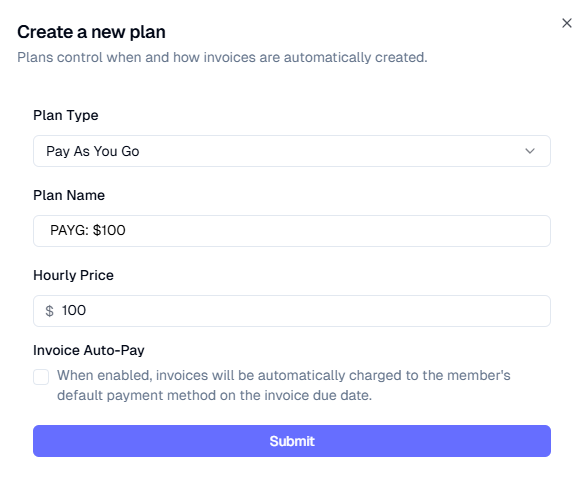
Pay as you go plans will invoice the family after each session has been marked attended. Pay as you go plans WILL prorate.
Invoice Schedule: Immediately upon attendance marking
Subscriptions
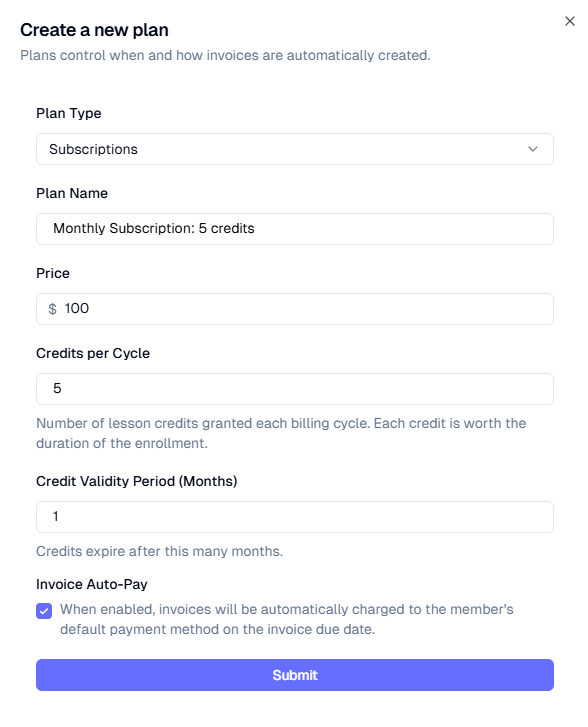
Subscription plans allow for automated billing and credit issuing on the first of every month. The price and number of credits can be configured for subscription-based plans. We recommend subscription-based plans be on Auto-pay by default.
Invoice Schedule: Immediately upon enrollment and on the first of every month. Note that when a student is enrolled in a subscription plan, the first invoice for the full amount will be generated immediately. If enrolling in the middle of the month, we recommend pro-rating the first invoice by adding a one-time discount on enrollment.
Credits will be deducted upon attendance marking.
Postpay
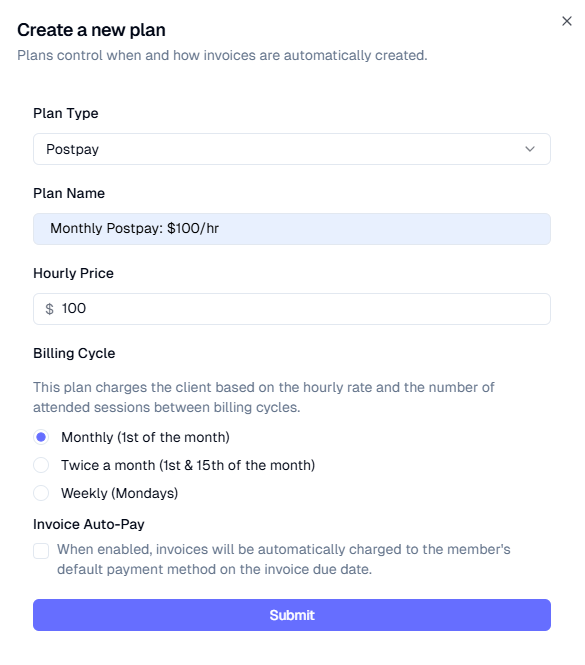
Postpay plans allow you to bill clients on a regular basis after sessions have occurred. The billing cycle and the hourly price can be configured for postpay plans.
For postpay plans, there is a period in which sessions marked attended will be added to an invoice. The invoice will be finalized at the end of the postpay period. The periods for the different billing cycle options are:
Monthly: 1st-end of month
Twice a month: 1st-14th, 15th-end of month
Weekly: Monday-Sunday
Invoice Schedule: Sessions are added to an invoice upon attendance marking, invoices are finalized at the end of the postpay period
One Time Up Front
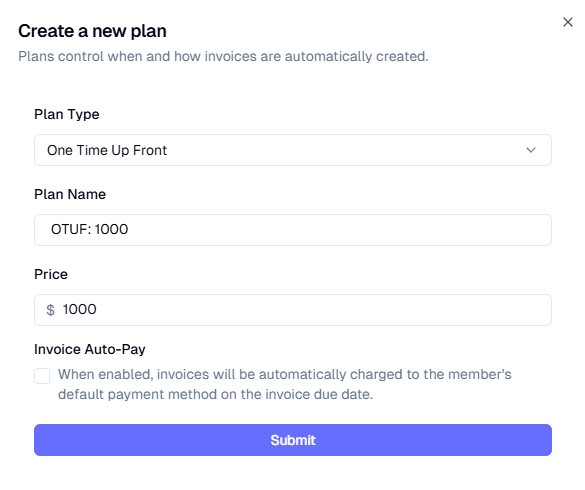
One Time Up Front plans allow only for the price to be configured. Clients enrolled under this plan will ONLY be invoiced upon enrollment. Attendance marking has no impact on client billing for one time up front clients. This is primarily used for group classes.
Invoice Schedule: Upon enrollment. Attendance marking has no effect.
One Time Up Front (Installments)
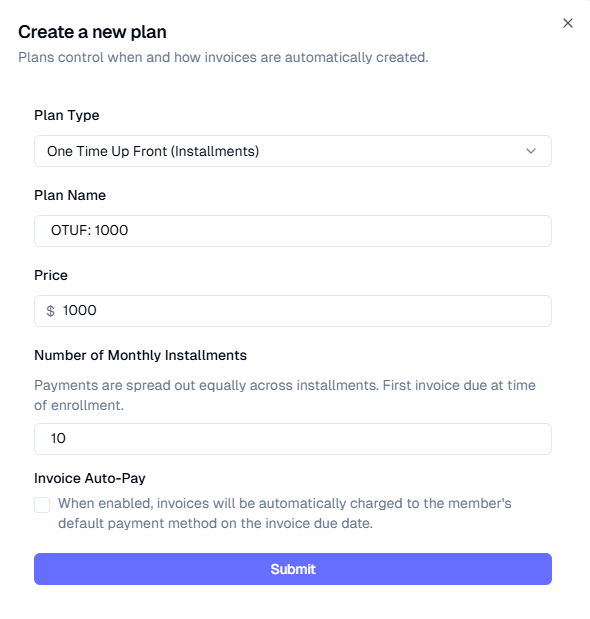
One Time Up Front Installment plans are very similar to One Time Up Front, except these invoices will be spread equally across multiple monthly invoices. Upon enrollment, all invoices will be created immediately, with due dates one month apart.
We recommend installment plans be on Auto-pay by default.
Invoice Schedule: All invoices will be created immediately upon enrollment with due dates one-month apart. Attendance marking has no effect.
Repeating Packs
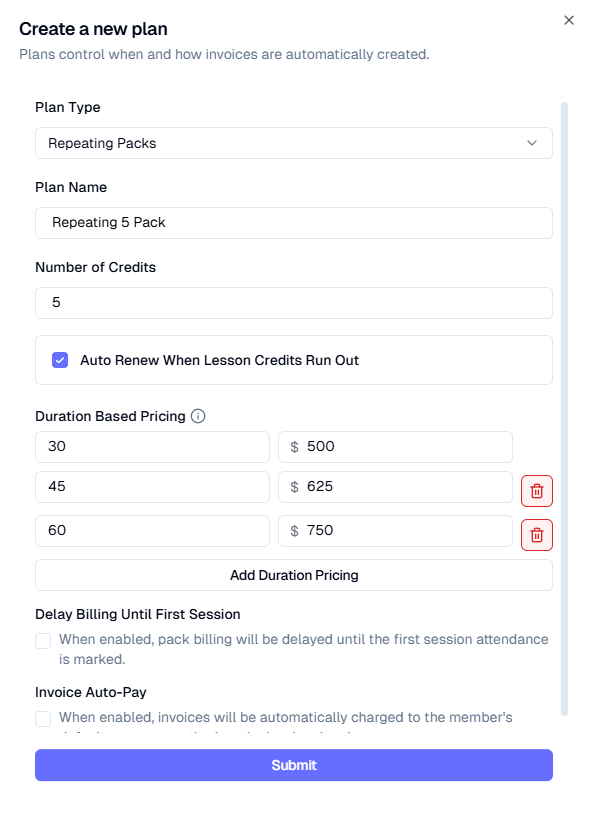
Repeating Packs are credit-based packs that automatically renew when the current package runs out. The option to "Delay Billing Until First Session" configures when the client will be billed. If unchecked, the client will be billed as soon as they have no credits remaining. If checked, the client will be billed after a session has been marked attended with no credits remaining.
We recommend this checkbox ON.
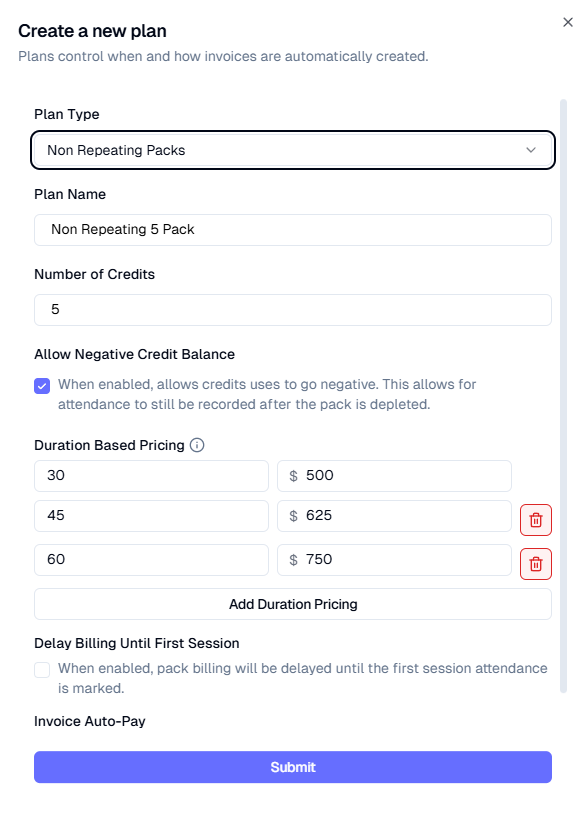
Note: Duration Based Pricing refers to the price of the whole package, not the price of a single credit. The screenshot below means: a 5 package of 60 minute sessions costs a total of $750.
Invoice Schedule: Immediately upon enrollment and again whenever credits run out. Credits will be deducted upon attendance marking.
Non-Repeating Packs
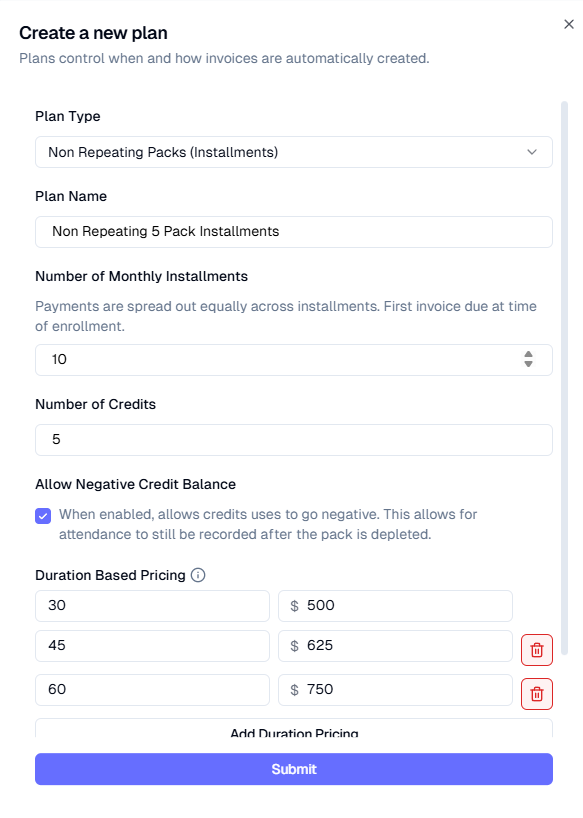
Non-Repeating Packs are similar to repeating packs, but they do NOT automatically renew when credits run out. The duration-based-pricing configuration is the same as repeating packs. For non-repeating packs, there is a configuration to allow for negative credits. If enabled, sessions for clients with no credits can still be marked attended, with billing to be reconciled afterwards.
New credits can be issued by following these steps.
Invoice Schedule: Immediately upon enrollment. Credits will be deducted upon attendance marking.
Non-Repeating Packs (Installments)
Non-Repeating Packs Installment plans have the same configuration options as Non-Repeating Packs, except with the addition of monthly installments. Clients enrolled in this plan will have their payment spread equally across a number of months.
Invoice Schedule: All invoices will be created immediately upon enrollment with due dates one-month apart. Credits will be deducted upon attendance marking.