How do I add a credit package for a student?
Last updated: July 13, 2026
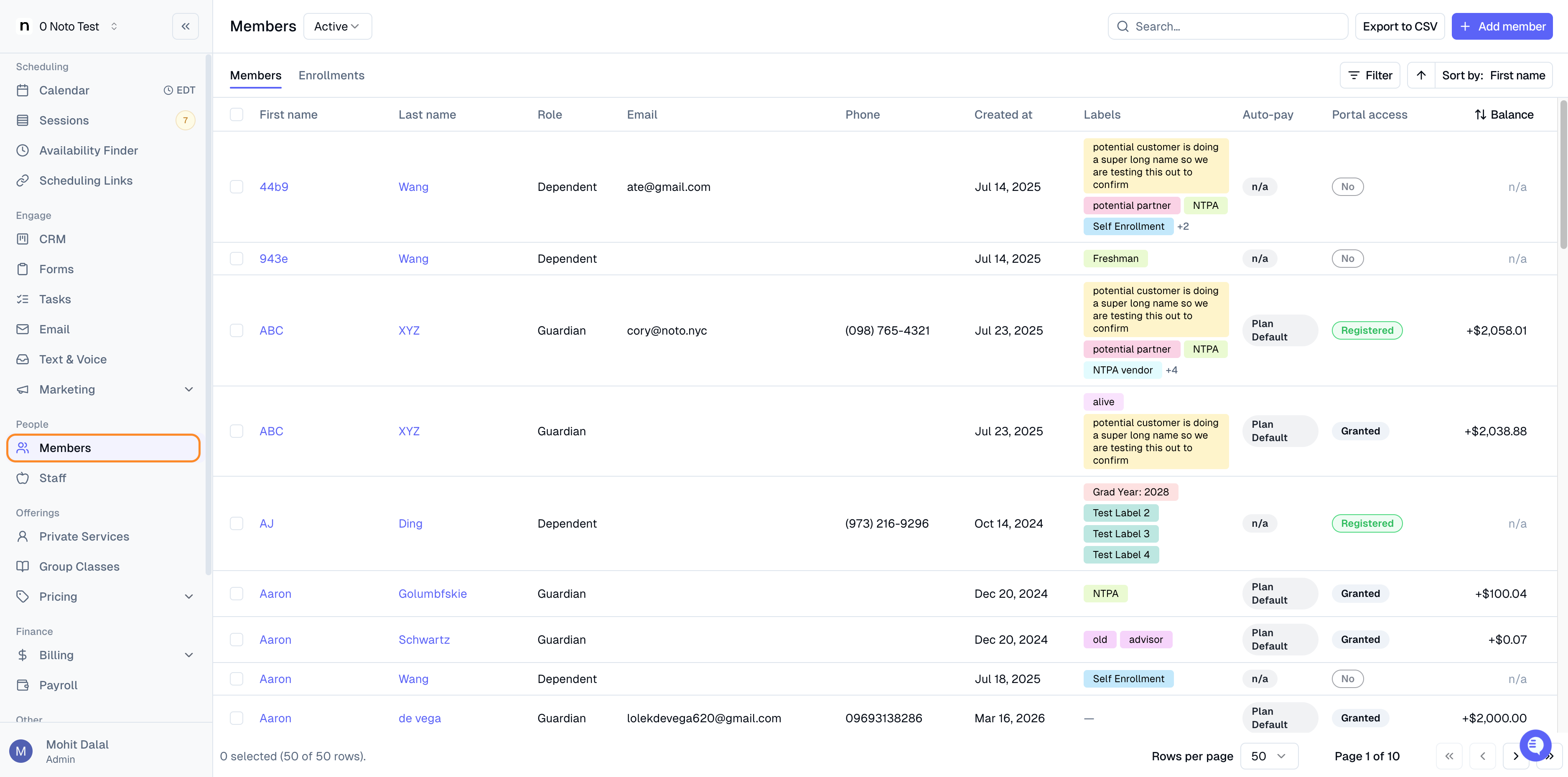
Click “Members” on the left-side panel and select the student you would like to add credits to.
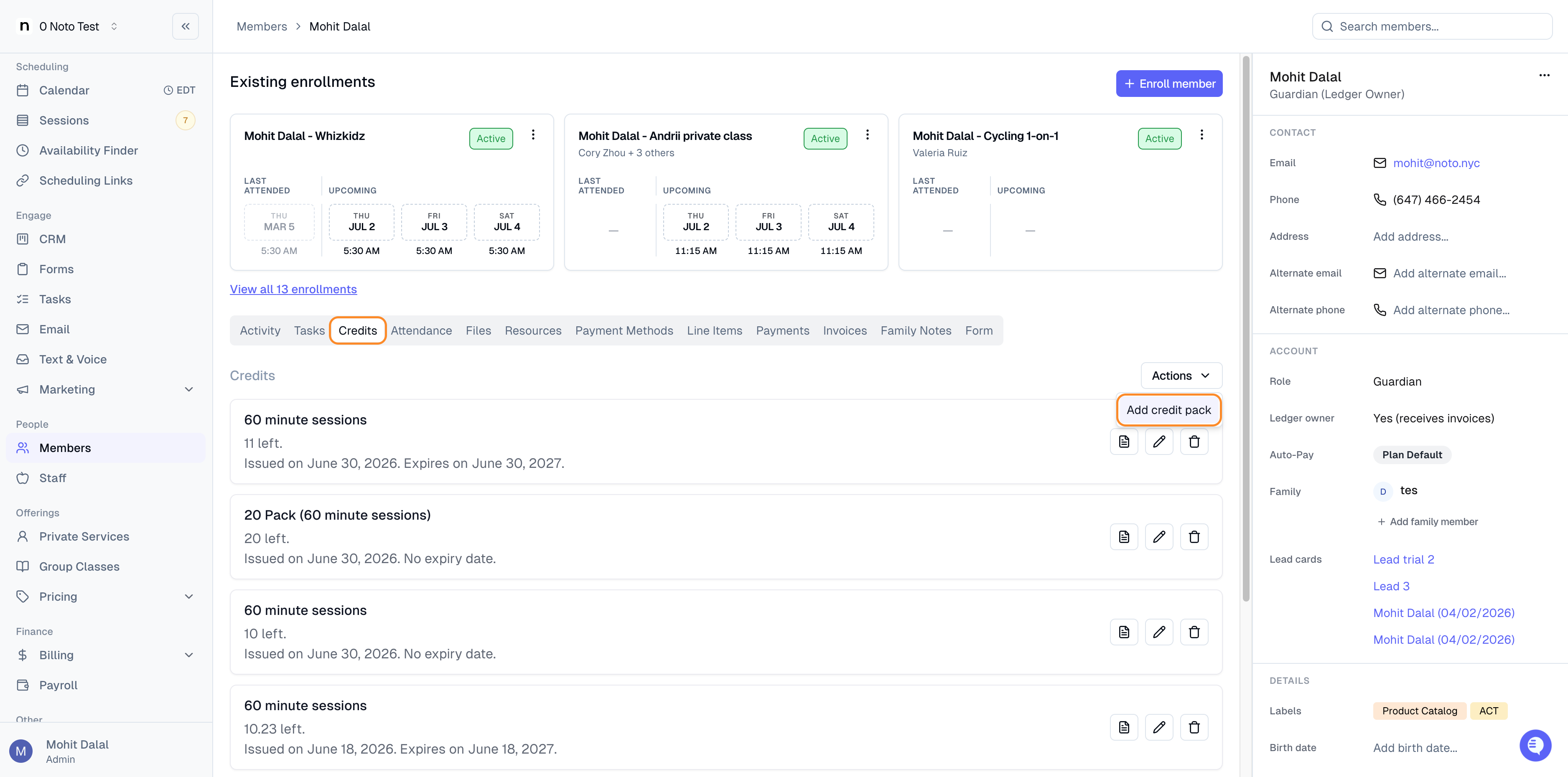
Navigate to the "Credits" tab on the member's profile and click "Add credit pack" from actions.
Specify the number of credits, the duration of the credits, select the enrollment or services these credits apply to, the expiration date (if applicable), and click "Add credit". You should then see the credit package on the student's profile, invoice is generated based on the option you chose while adding the credits. The invoice will be visible under Invoices under the guardian's profile.
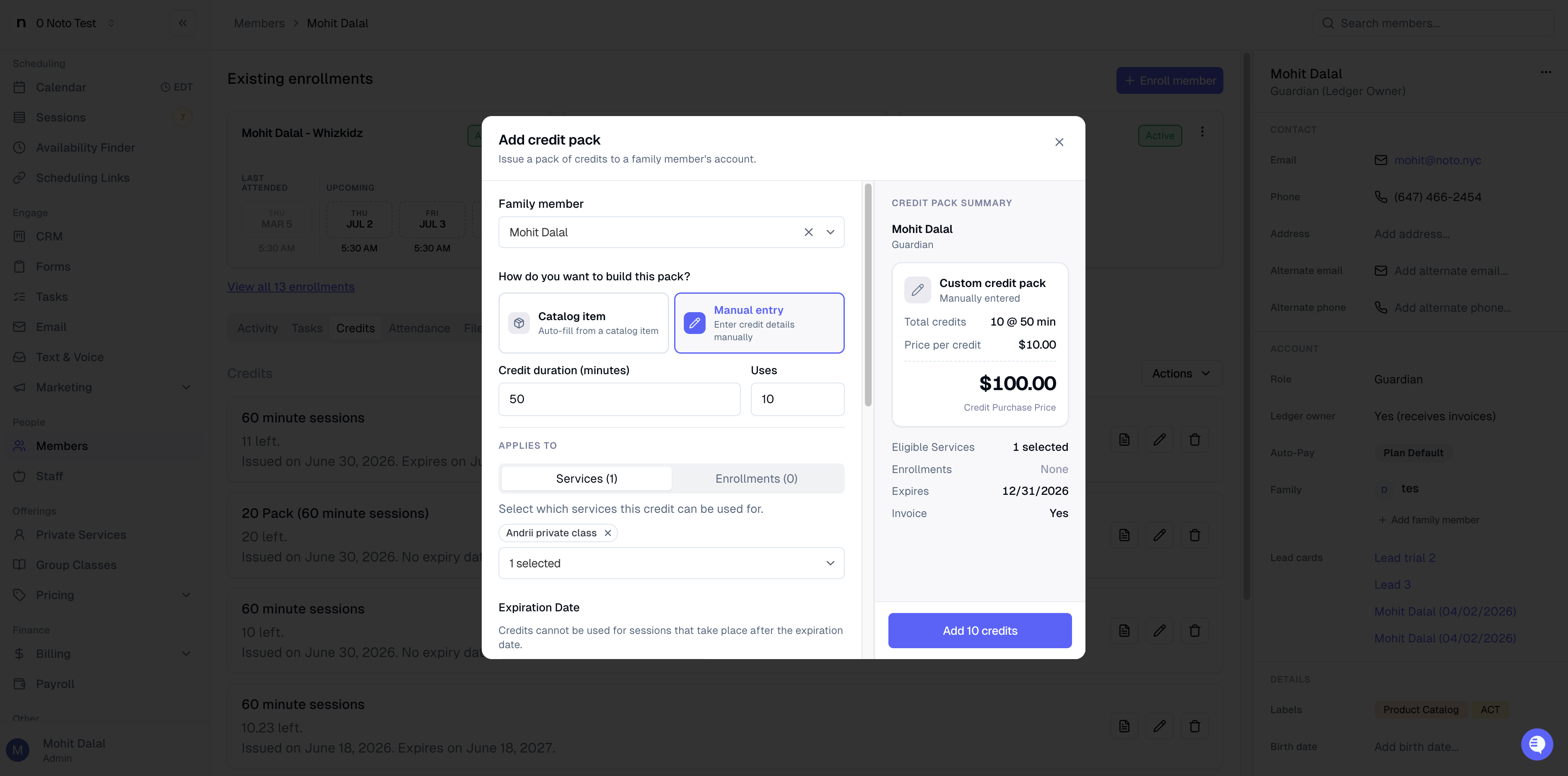
Note: You can also use the predefined catalog items as a short-cut, which allows you to pre-configure the price, credit count, and eligible services ahead of time.
Navigate to their guardian's profile, click the Invoices tab to view the invoice.
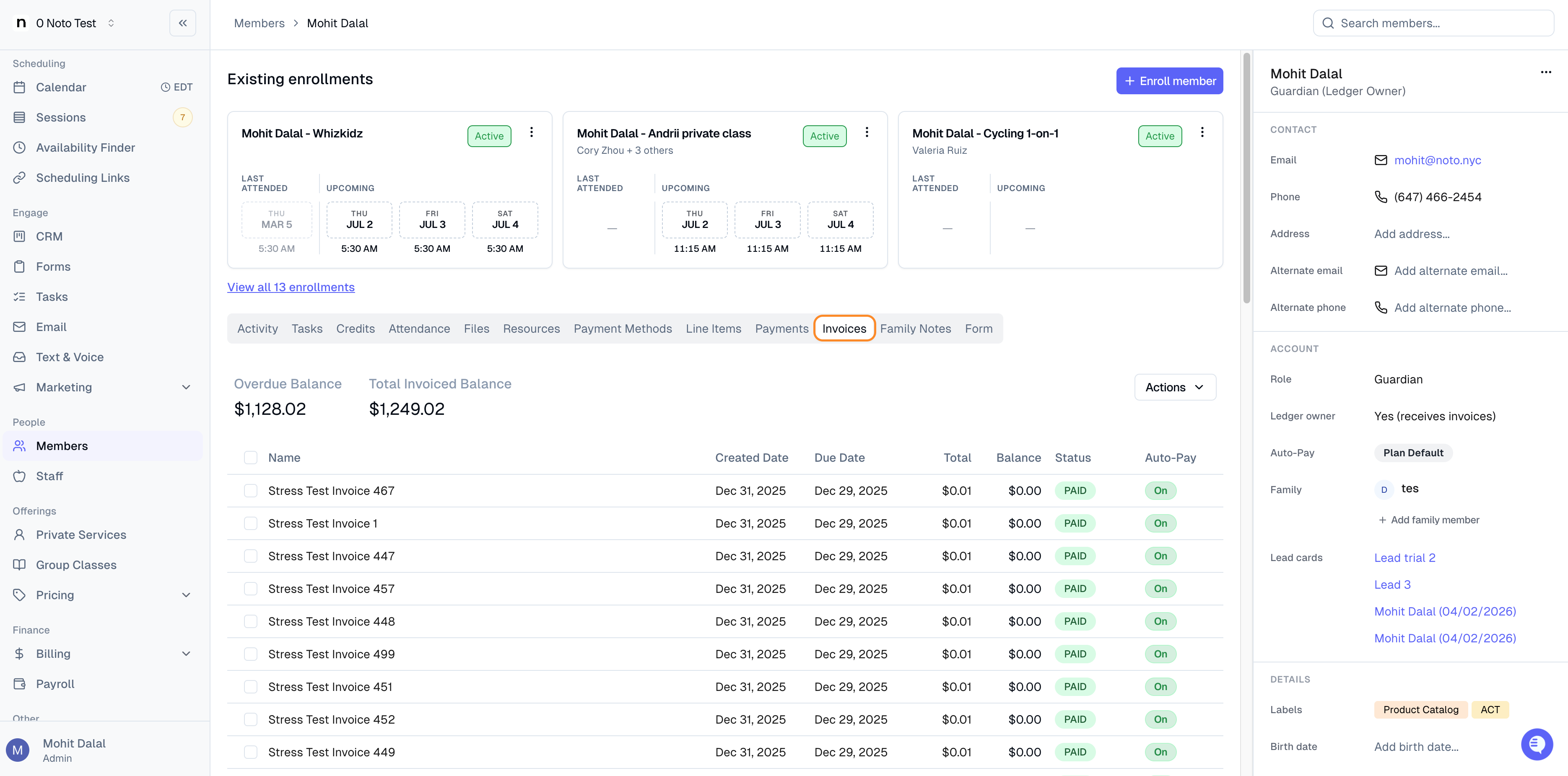
You can then email this invoice or charge the payment method on file to collect payment for this credit package.