How do I move leads across CRM boards?
Last updated: May 19, 2026
Leads can be moved from one board to another board individually or by stage.
Moving Individual Leads
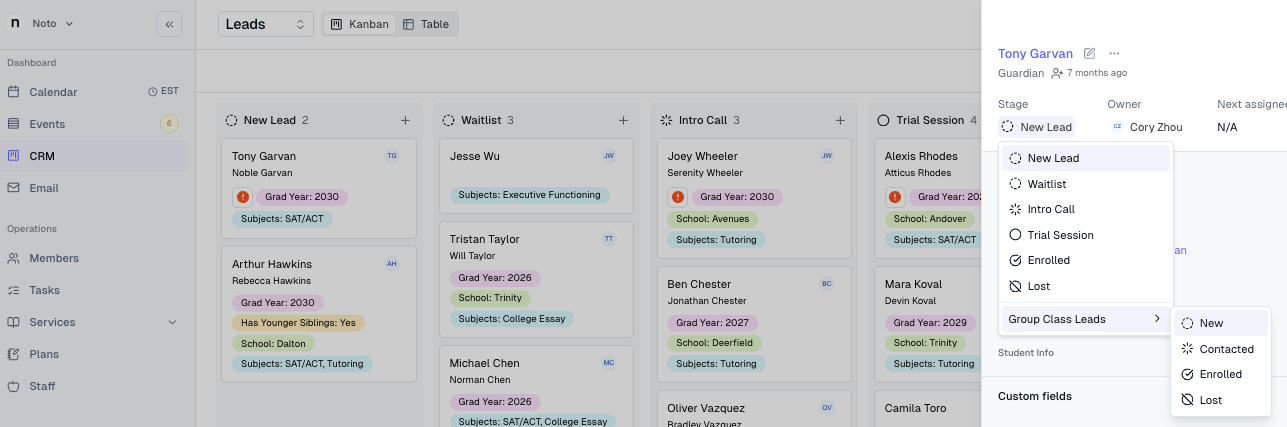
Click into the lead card you want to move to a different board. Click on the Stage to open the stage selector.
Below the current board's stages, you'll see all other active boards. Hover over a board to view its stages and select the new stage for this lead.
Moving Stages
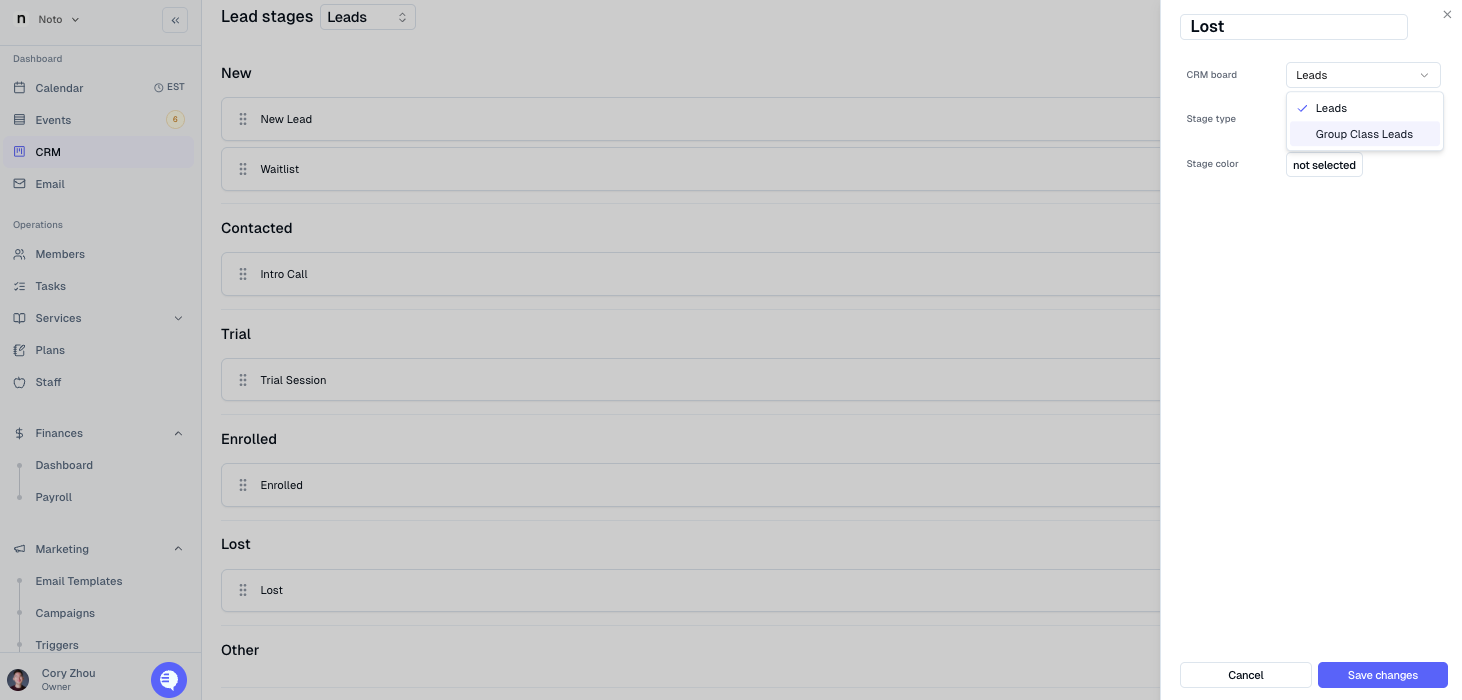
Click the gear icon in the top right to open board settings, where you can view and edit lead stages. Select the lead stage you want to move to another board and click the three dots on the right to Edit.
Change the "CRM Board" Field to move this stage to another board. This will also move all leads in that stage.