How do I apply a one-time discount for a student?
Last updated: May 19, 2026
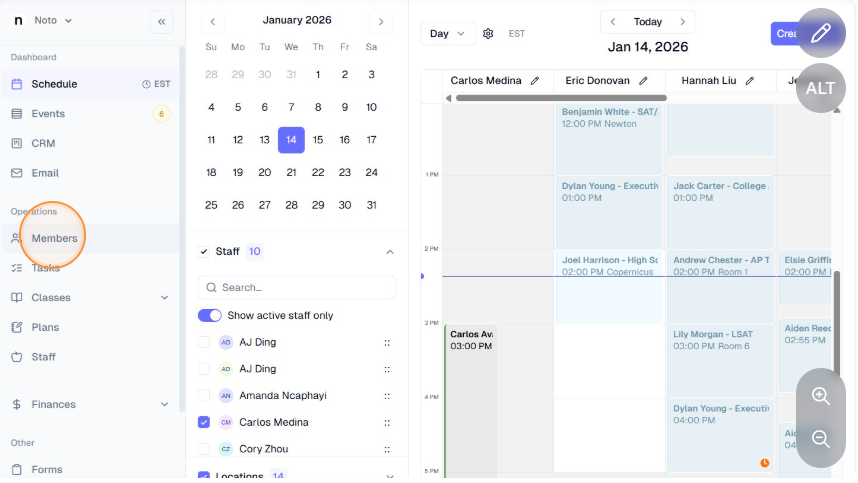
Click “Members” on the side panel and go to the parent's profile.
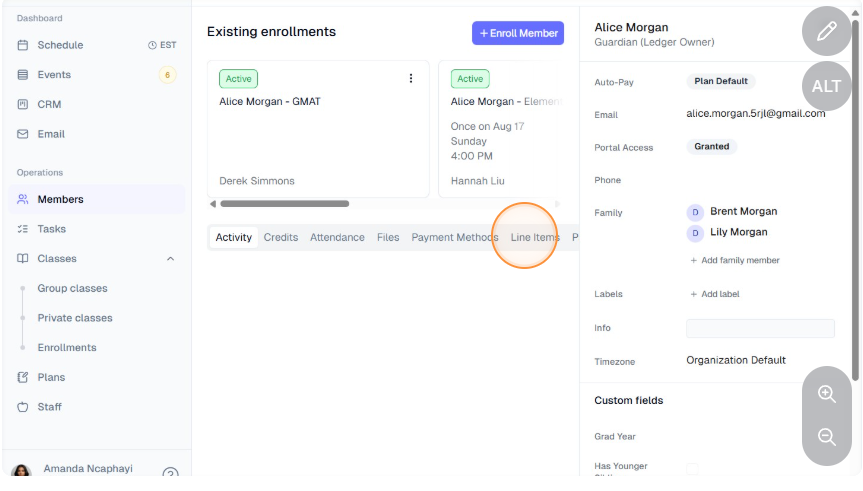
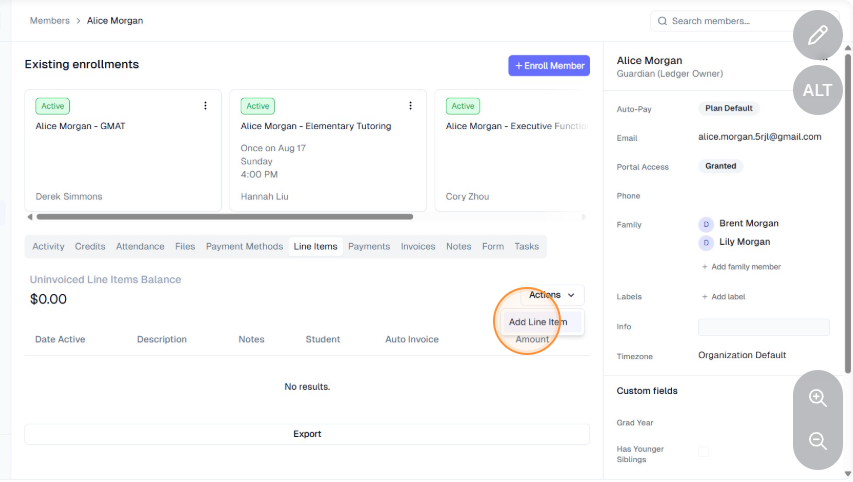
Click on Line Items -> Actions -> Add Line Item.
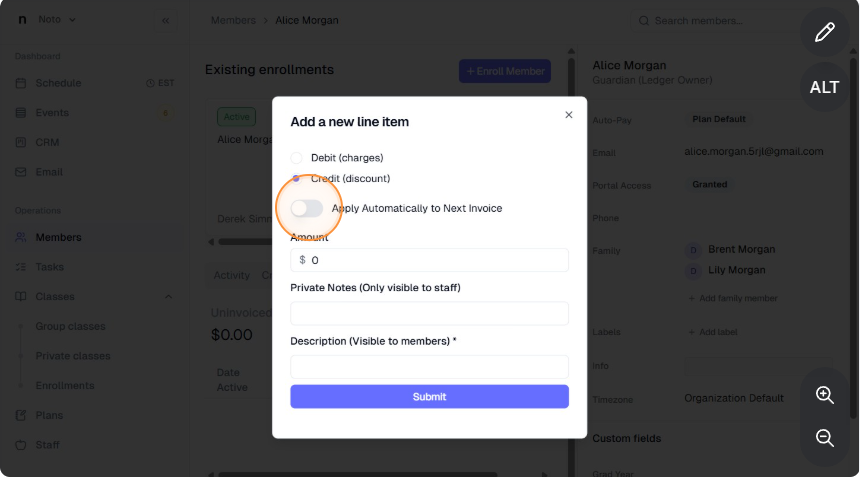
Specify the discount and description, check "Apply Automatically to Next Invoice", and click "Submit".
Their next auto-generated invoice under their enrollment will then reflect this discount.