Enabling spam protection on your forms
Last updated: June 24, 2026
If your website's contact or interest form has been collecting spam submissions, you can turn on Noto's built-in spam protection. It uses Cloudflare to filter out automated submissions before they reach your leads list.
How it works
Spam protection is a toggle you enable on the form itself. Once it's on, Cloudflare screens submissions to your Noto-hosted form (the one you embed on your website via iframe) and blocks automated traffic.
Because the protection is built into the form Noto hosts for you, you don't need to add anything to your own website. It has to be enabled from inside Noto — you can't bolt on an external CAPTCHA to a Noto form.
Turning it on
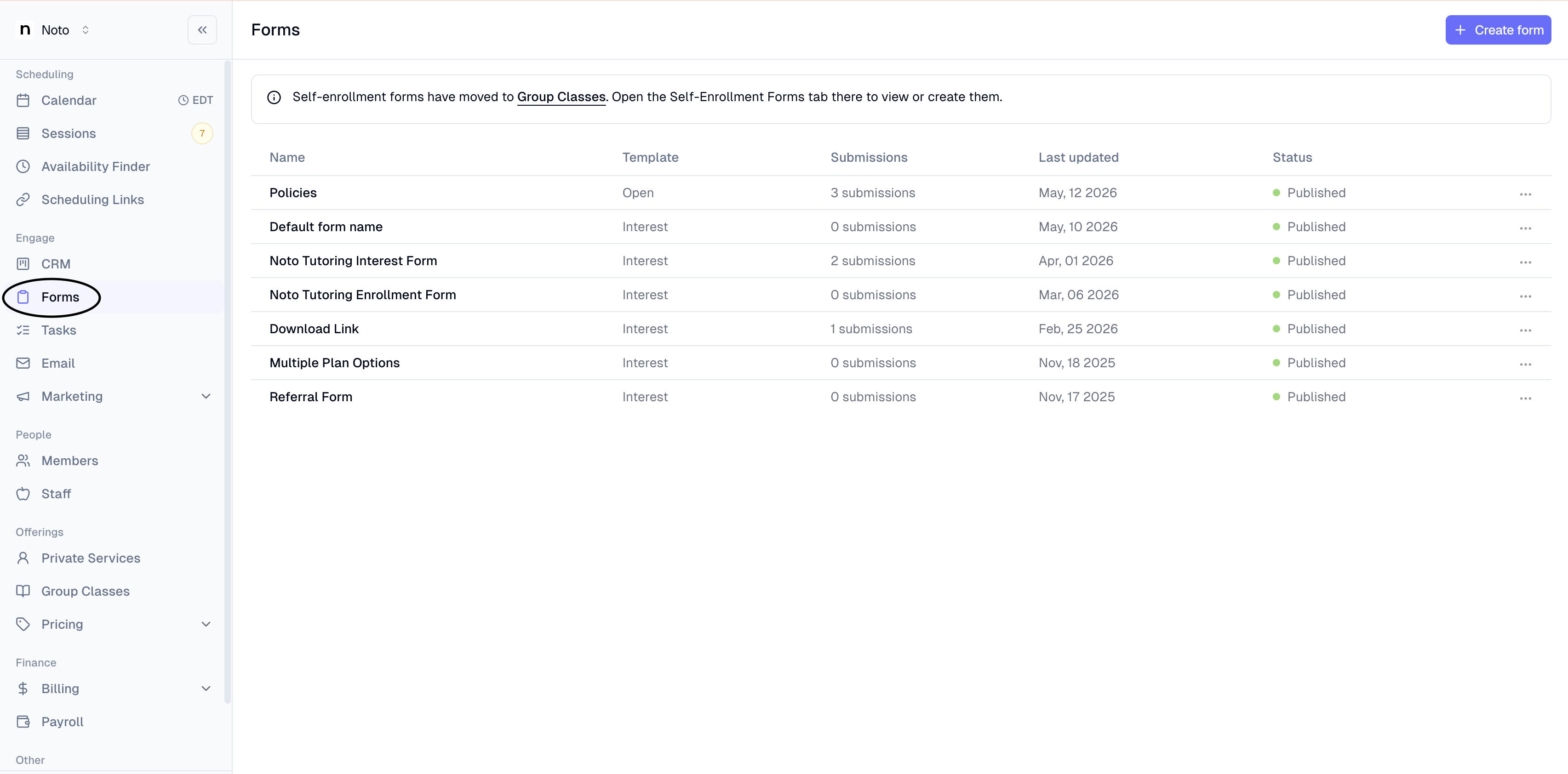
Open Forms in your Noto dashboard.
Open the form you want to protect.
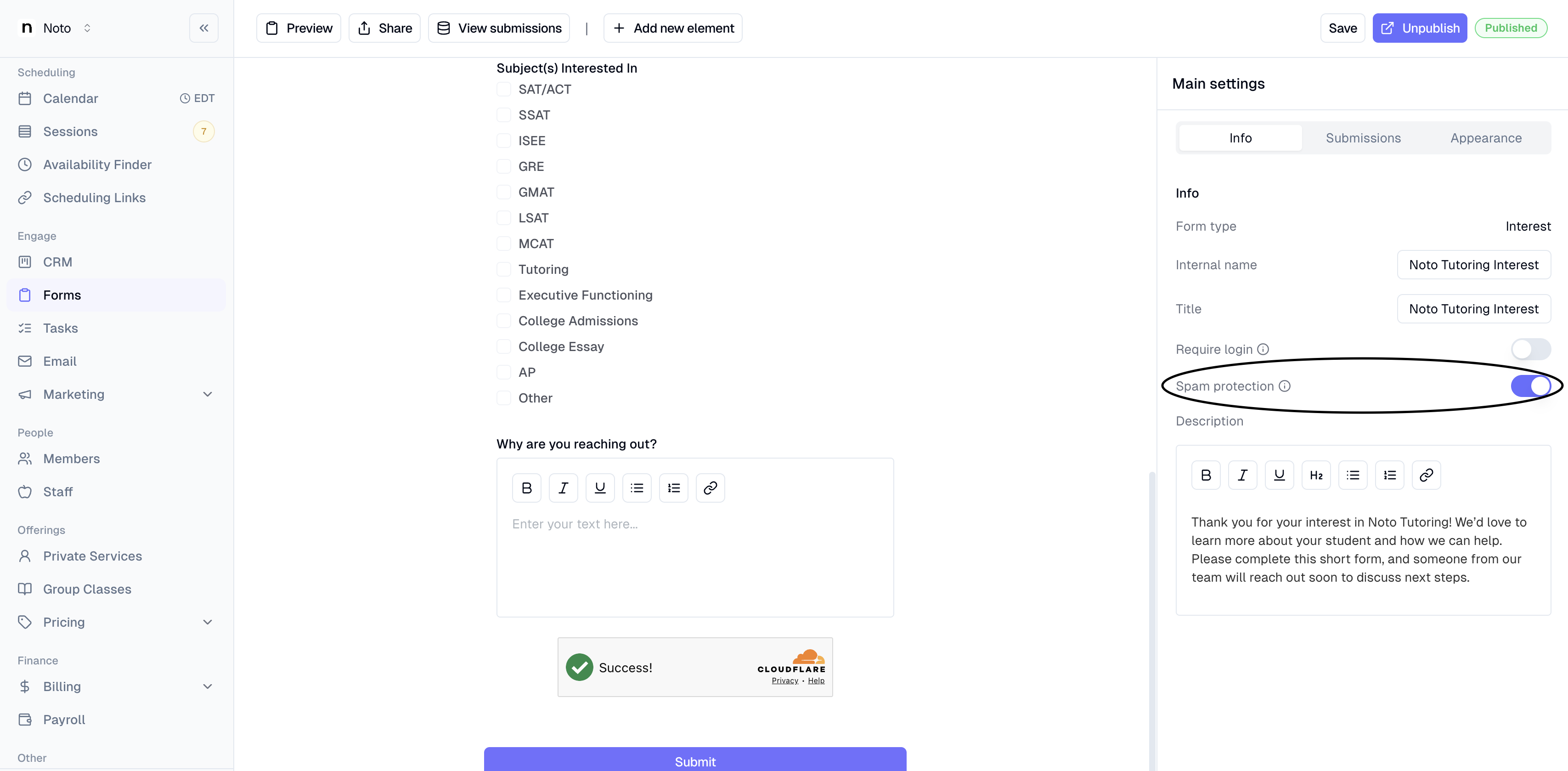
Switch on the spam protection (Cloudflare) toggle in the form's settings.
Click Save to apply your changes.
If you have more than one form collecting submissions from the public, enable the toggle on each one.
Common questions
Does this change anything for legitimate visitors? Cloudflare handles the challenge automatically in the background for most visitors. People filling out your form normally should not be blocked.
My form is embedded on my website — do I need to update the embed? No. The protection lives on the Noto-hosted form loaded inside your embed, so existing embeds keep working once you flip the toggle.