Setting an invoice due date before the billing cycle starts
Last updated: August 5, 2026
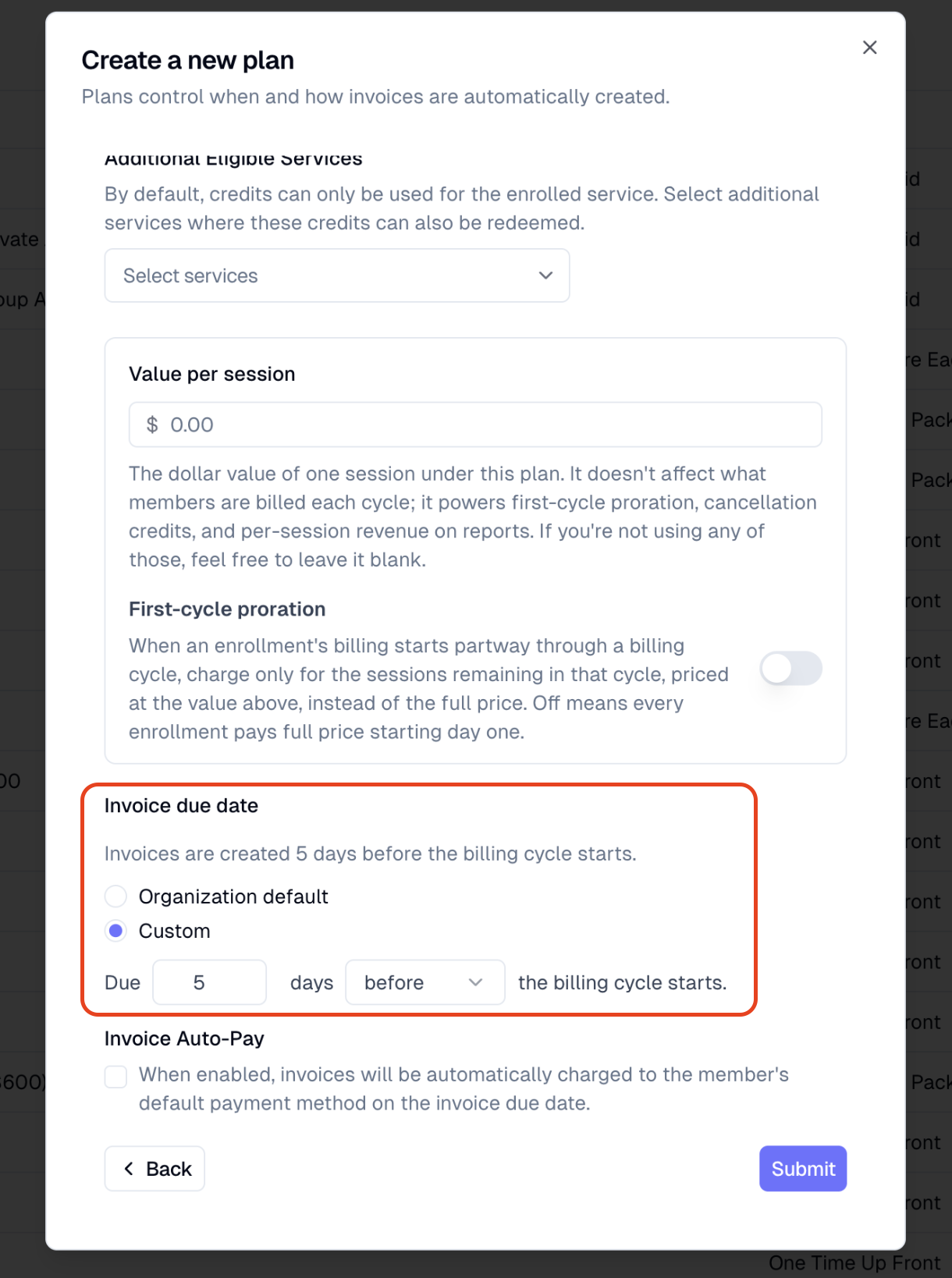
For recurring flat and subscription plans, Noto lets you set an invoice due date that falls before the cycle starts — useful when you want families to be billed (and paid up) in the month leading into the cycle they're paying for. This article explains how the setting behaves, and a known edge case to watch for.
How the pre-cycle due date works
On a plan, the invoice due date is controlled by a buffer relative to the cycle start. A negative buffer shifts the due date earlier than the cycle start — for example, a buffer of three days before the cycle start means an invoice for a cycle beginning on the 1st is due on the 29th of the prior month.
This works for recurring flat and subscription plans, and is compatible with autopay. Once the plan is configured, billing runs on its normal schedule without manual intervention — autopay will attempt to charge on the earlier due date you've set.
You manage plans on the Plans page.
If you enroll in the middle of the month, your invoice might show a due date that is the cycle start date instead of the usual number of days before. This is normal.
This happens in two cases:
Fallback billing runs. Normally, an early billing process sets the correct due date before the cycle starts. But if you enroll after this early process has run, a fallback billing run creates the invoice with the due date set to the cycle start.
Manual billing runs. If you manually run the billing process for the cycle start date, it uses the same fallback method and sets the due date to the cycle start.
If the enrollment is in place before the early billing runs automatically, the due date will be set as expected. The adjusted due date only happens with the fallback or manual billing described above.
Where the next payment date shows up
For members enrolled in recurring flat or subscription plans, the invoice creation date normally matches the cycle start — but when a negative due-date buffer is configured, the invoice is created earlier, so the next payment date a member sees will be ahead of the cycle they're paying for. Keep this in mind when explaining upcoming charges to families.