How can my instructors log admin hours?
Last updated: May 19, 2026
Noto calculates payroll automatically based on sessions on the calendar that have been marked "Attended". In order to have admin hours automatically reflect in payroll, your instructors should schedule admin time directly on the calendar just like regular sessions.
Setting Up Admin Hours
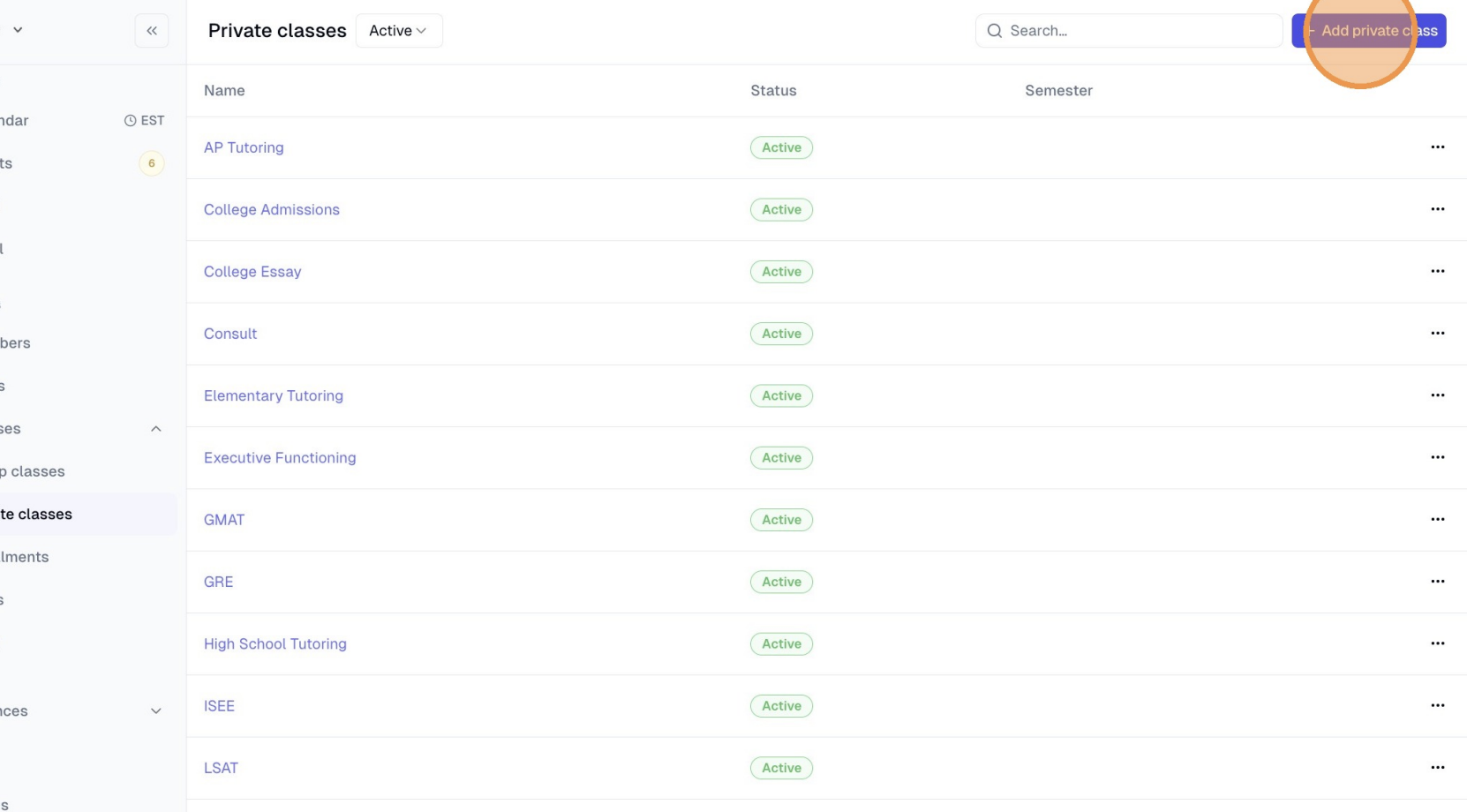
On the left hand navigation bar, click Services -> Private services and add "Admin Hours" (or your business's equivalent term) as a private service.
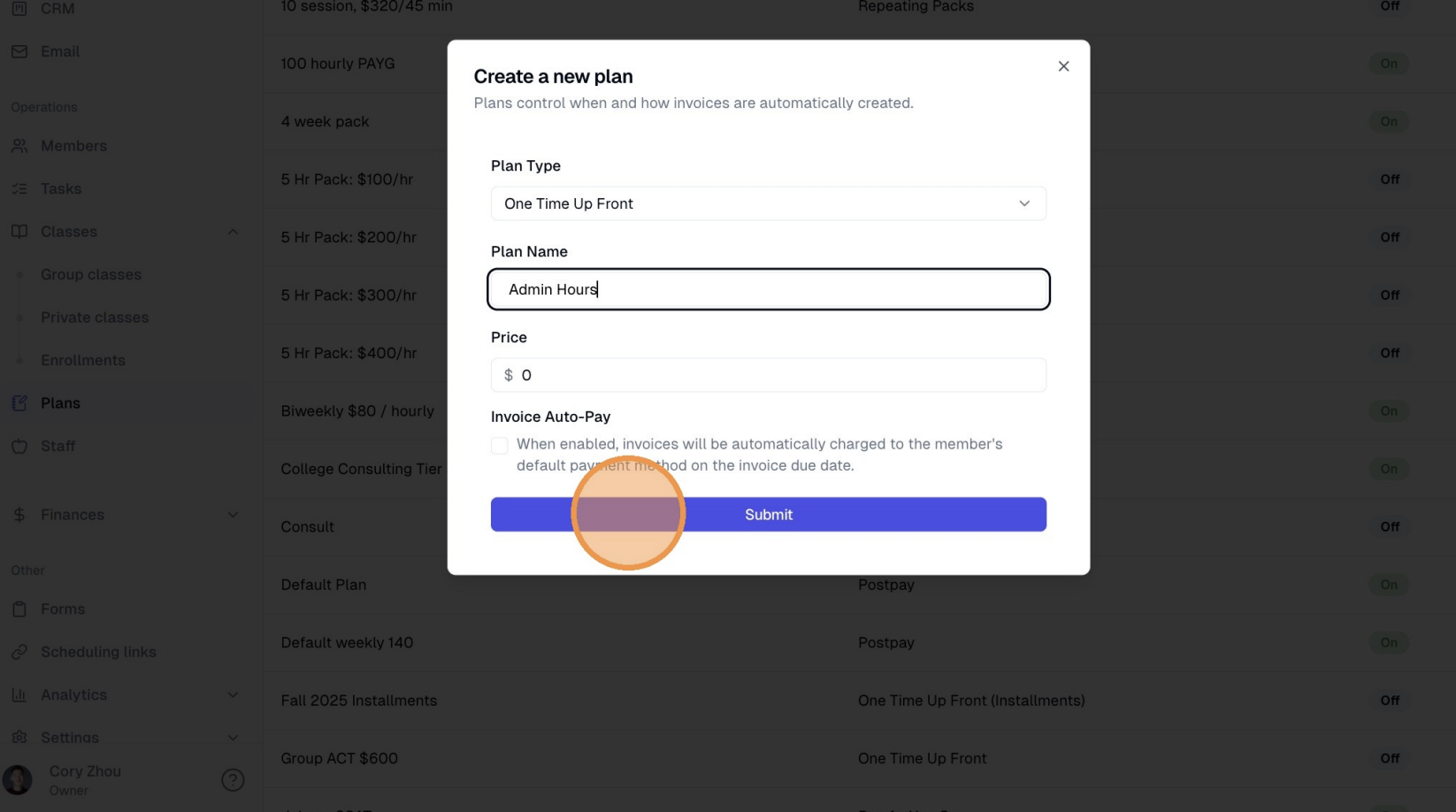
Click "Plans" and create a "One Time Up Front" plan for $0 titled "Admin Hours".
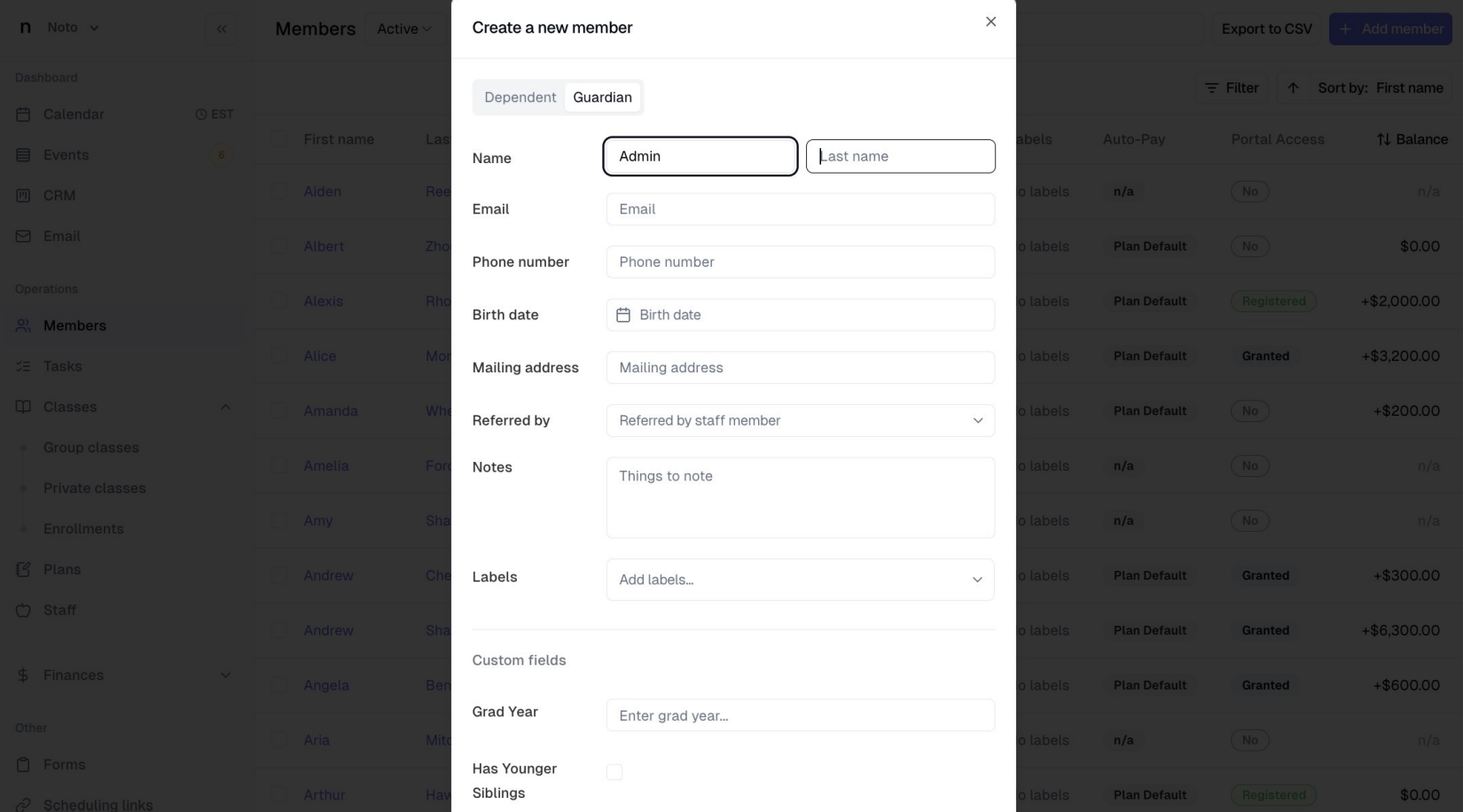
Click Members and create an "Admin Hours" guardian.
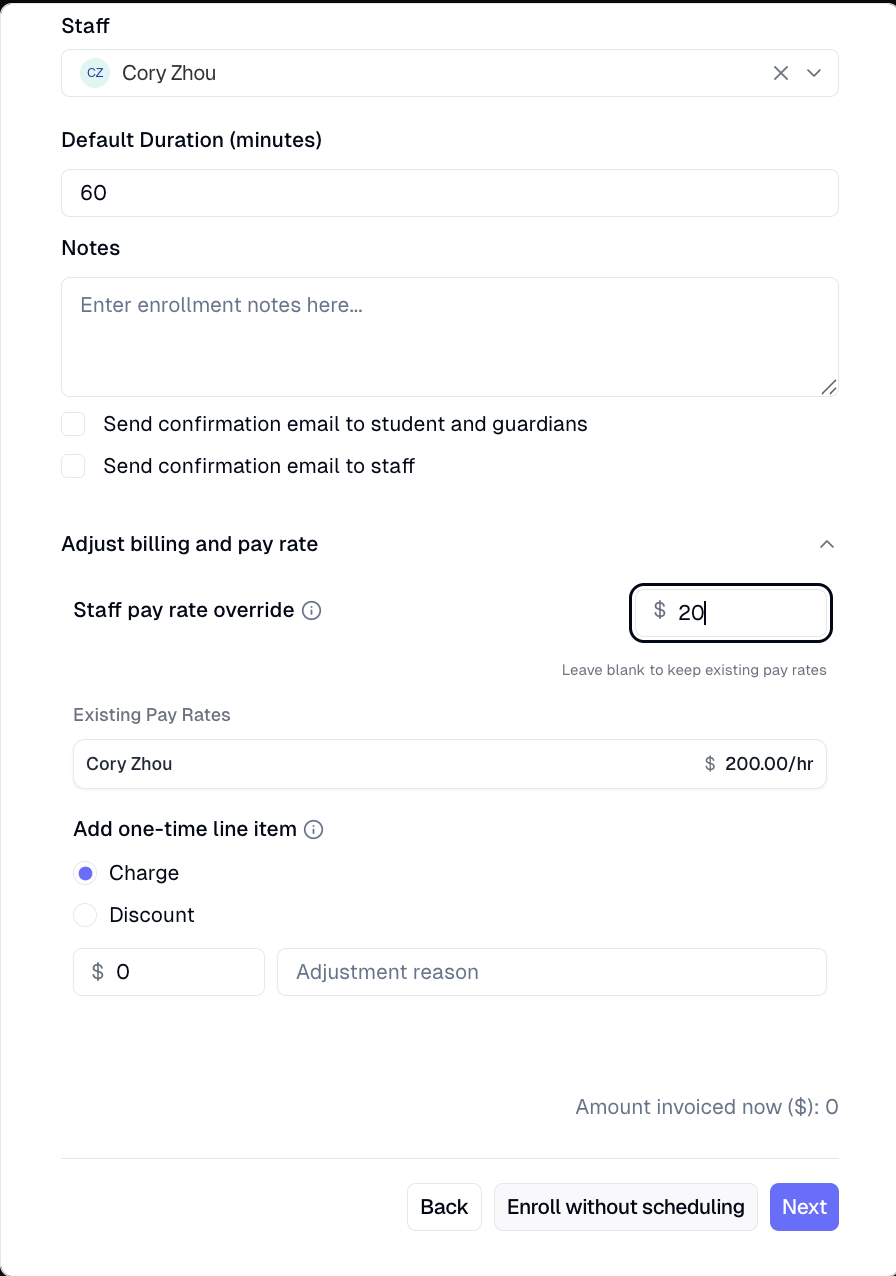
Create a new enrollment for this Admin Hours member with the Admin Hours service and plan, and assign this enrollment to an instructor. Towards the bottom of the enrollment page, click "Adjust billing and pay rate" and add a pay rate override if the instructor gets paid a different hourly rate. Create an additional enrollment following the same steps for each instructor.
Instructors can then log admin time by scheduling hours with this member and marking those sessions attended.