Getting Started with Text & Voice
Last updated: June 18, 2026
Noto can text and call your students, families, and contacts under your business's identity — automated reminders, staff messages, and phone calls. Here's how to turn it on. Details around text and voice features can be found here: 📄 Text & Voice in Noto
Getting set up
Ask your Noto success partner to enable Text & Voice. It's a paid feature, so they'll get it switched on for your account and walk you through pricing.
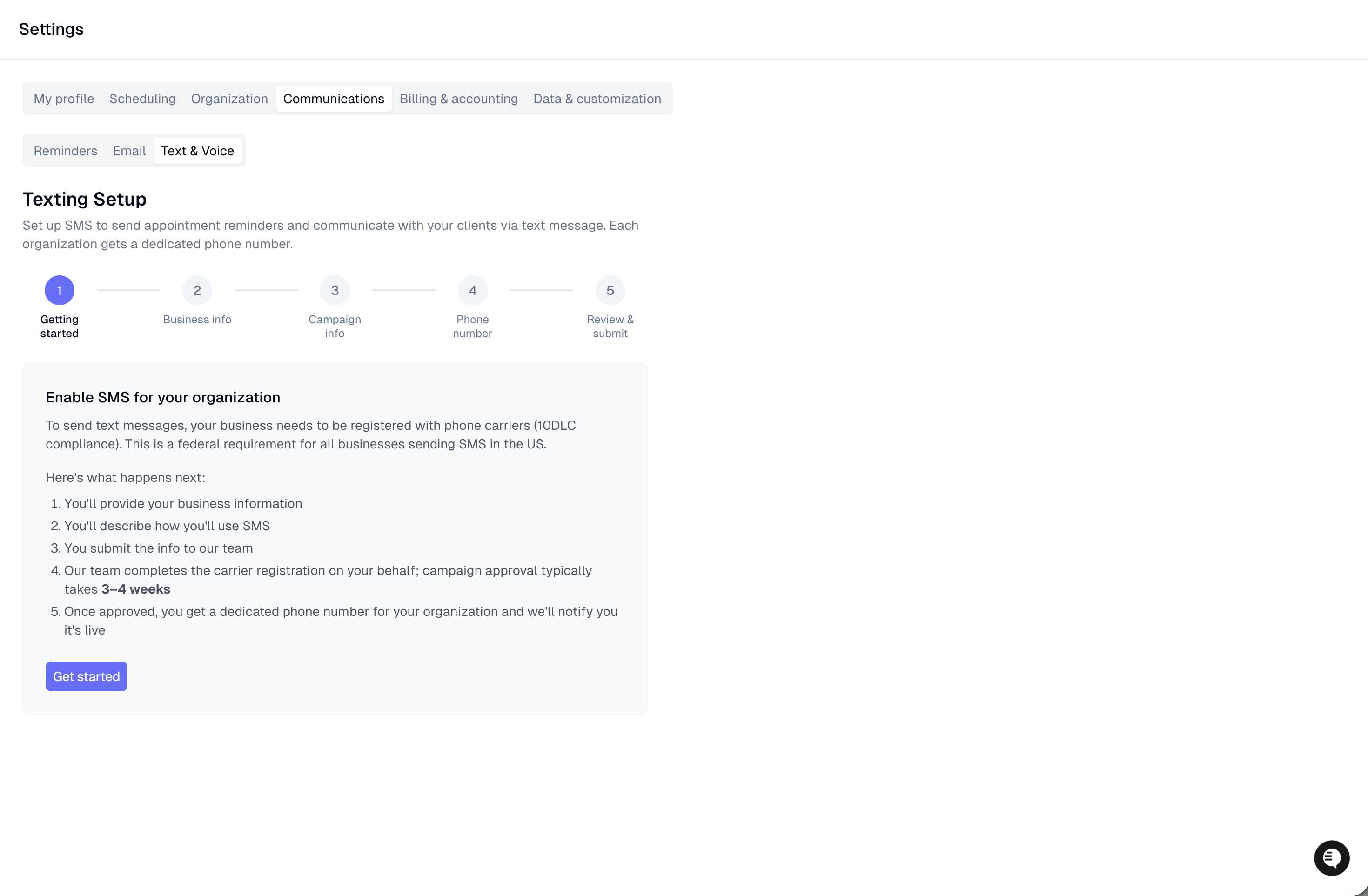
Fill out the setup form in your dashboard. Once it's enabled, go to Settings -> Communications -> Text & Voice tab and complete the form. You'll provide:
Your business details — legal name, EIN, business type, address, phone, and an authorized contact
How you'll use texting — a short description plus two sample messages
We handle the rest. After you submit, Noto and the carriers finish registration and provisioning on the back end. Voice setup can take a few days and text can take up to 3 weeks. When it's done, your account flips to Active and you'll be able to start dialing & receiving calls.
Picking a new number
When you register for text and voice services, you can select a phone number with your preferred area code. Some area codes may be restricted; if your desired area code is unavailable, please contact your Noto success partner to explore available options.
Porting your existing number
If your business already has a phone number your families know, you can bring it to Noto instead of starting with a new one — this is called porting. Your families keep texting and calling the same number; Noto just becomes its new home.
Porting is handled with your Noto success partner, so tell them up front if you want to keep your number. A few things to know:
It takes time. Porting is a carrier-to-carrier transfer, not an instant switch. The process can take 1–4 weeks.
Expect brief downtime on cutover day. Once the carrier approves the port, there's a window on the day it actually switches over where calls and texts on the number may be briefly interrupted. Try not to schedule it right before a busy day.
Don't cancel your old service first. Keep your current account active until Noto confirms the port is complete — cancelling early can lose the number for good.
It still goes through registration. A ported number has to clear the same carrier registration before it can send business texts, so plan for that on top of the port itself.
When porting makes sense: your number is on your website, flyers, and in every family's contacts, and losing it would mean missed calls and texts.
When to just take a new number: you're brand new, the old number isn't widely known, or you need to be live right away — a fresh Noto number is the faster path.
Not sure which fits? Your success partner can check whether your number is eligible and help you decide.