How can I email all members of a group class?
Last updated: May 19, 2026
There are two ways to email all members enrolled in a group class: directly from a calendar event, or by filtering members from the Members tab. Both options are available to admins and restricted admins.
Email from the Calendar Event
Navigate to the Calendar and click the group class session to open the session sidebar.
In the session sidebar, click the email icon to email students and guardians.
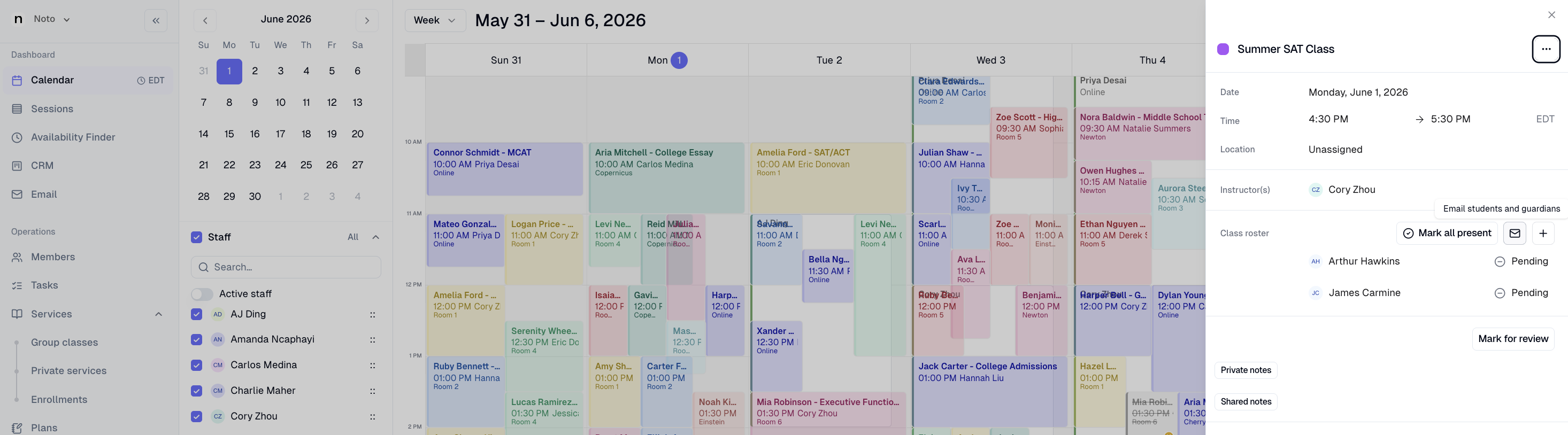
This will take you to the Email tab, where the emails of the students (and guardians) in the class will populate.
Filter and Email from the Members Tab
This option is useful if you want to download a list of email addresses or email from outside of Noto.
Navigate to the Members tab.
Use the filter to search for Enrolled in Class and select the specific class name.
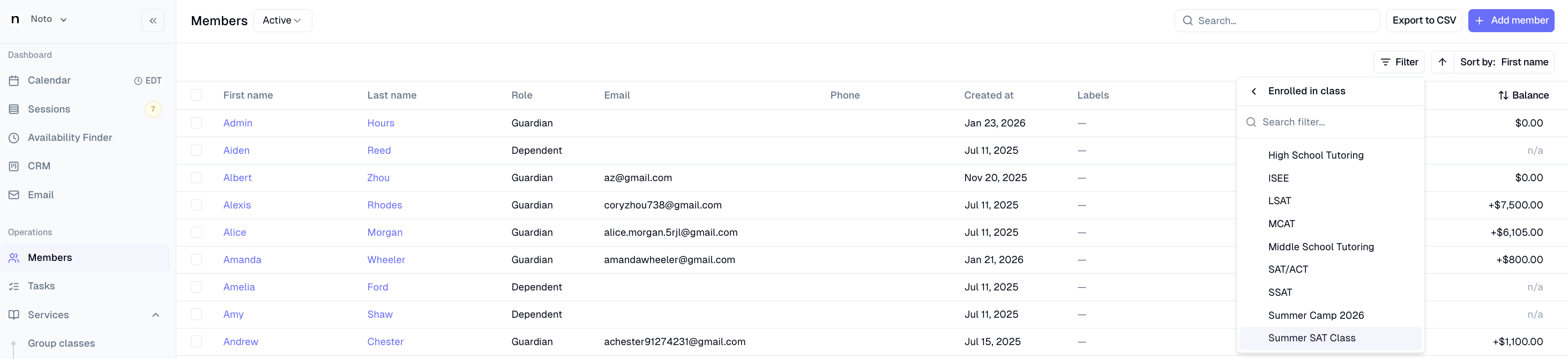
Once the list is filtered, click Select All and Click Actions in the top right corner.
From the Actions menu, choose Email to send a message directly from Noto, or Download Emails to export the email addresses as a CSV.
