How to Cancel a Class and Rebook with a Makeup Credit
Last updated: September 29, 2026
If you need to skip a class and want to make it up another time, you can cancel your session and use the makeup credit Noto issues to book a replacement — all without contacting your school.
Step 1 — Cancel your session
1. Log in to the member portal and go to the Calendar tab.
2. Find the upcoming session you need to cancel and open it.
3. Tap or click Cancel session and confirm.
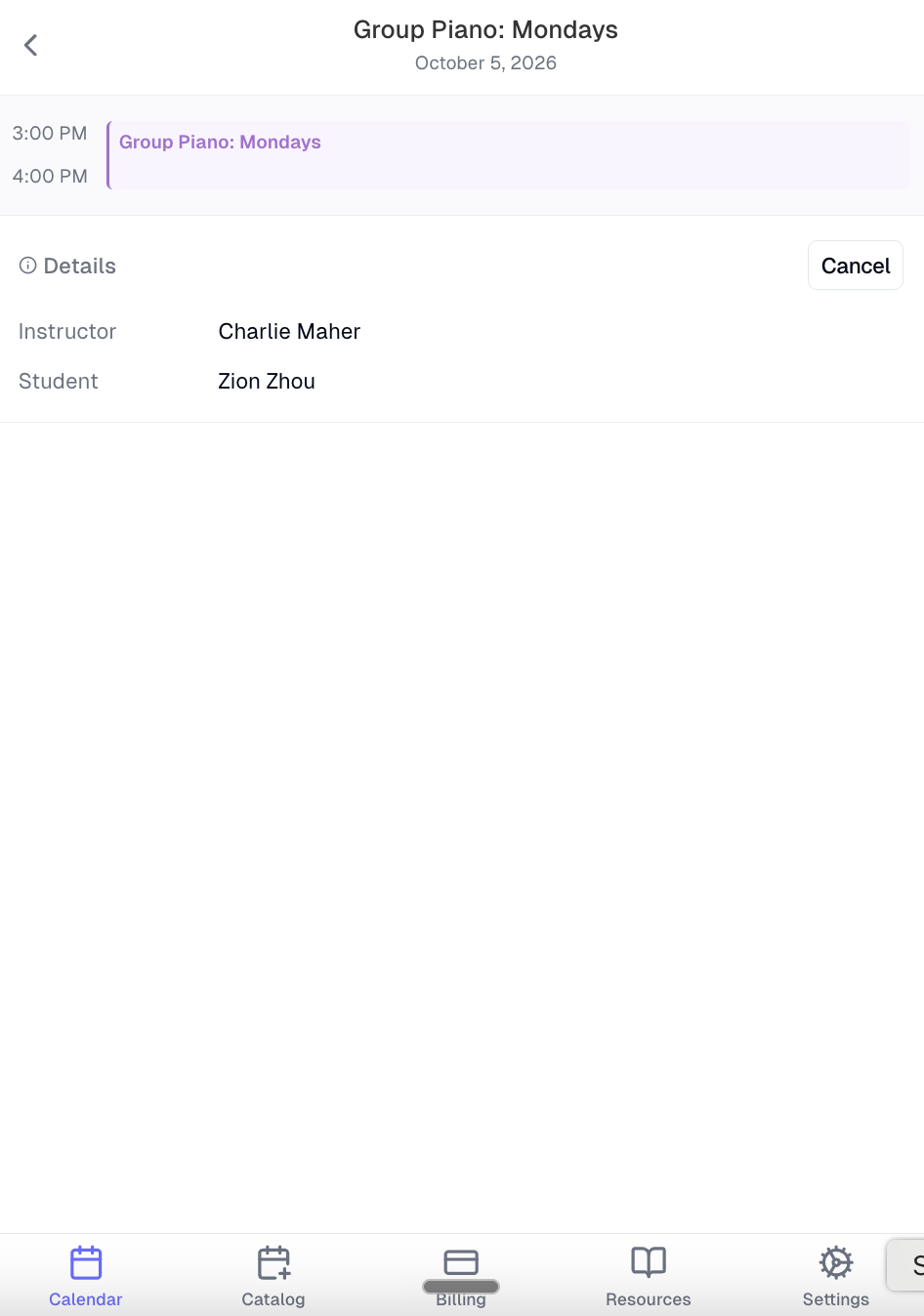
Important: your school sets a cancellation window (e.g. 24 hours before the session). Cancelling on time automatically generates a makeup credit. Late cancellations do not receive a credit, and the session will still be billed.
Step 2 — Confirm your credit
After cancelling, you can verify your makeup credit was issued:
- Guardians: go to the Billing tab → Credits
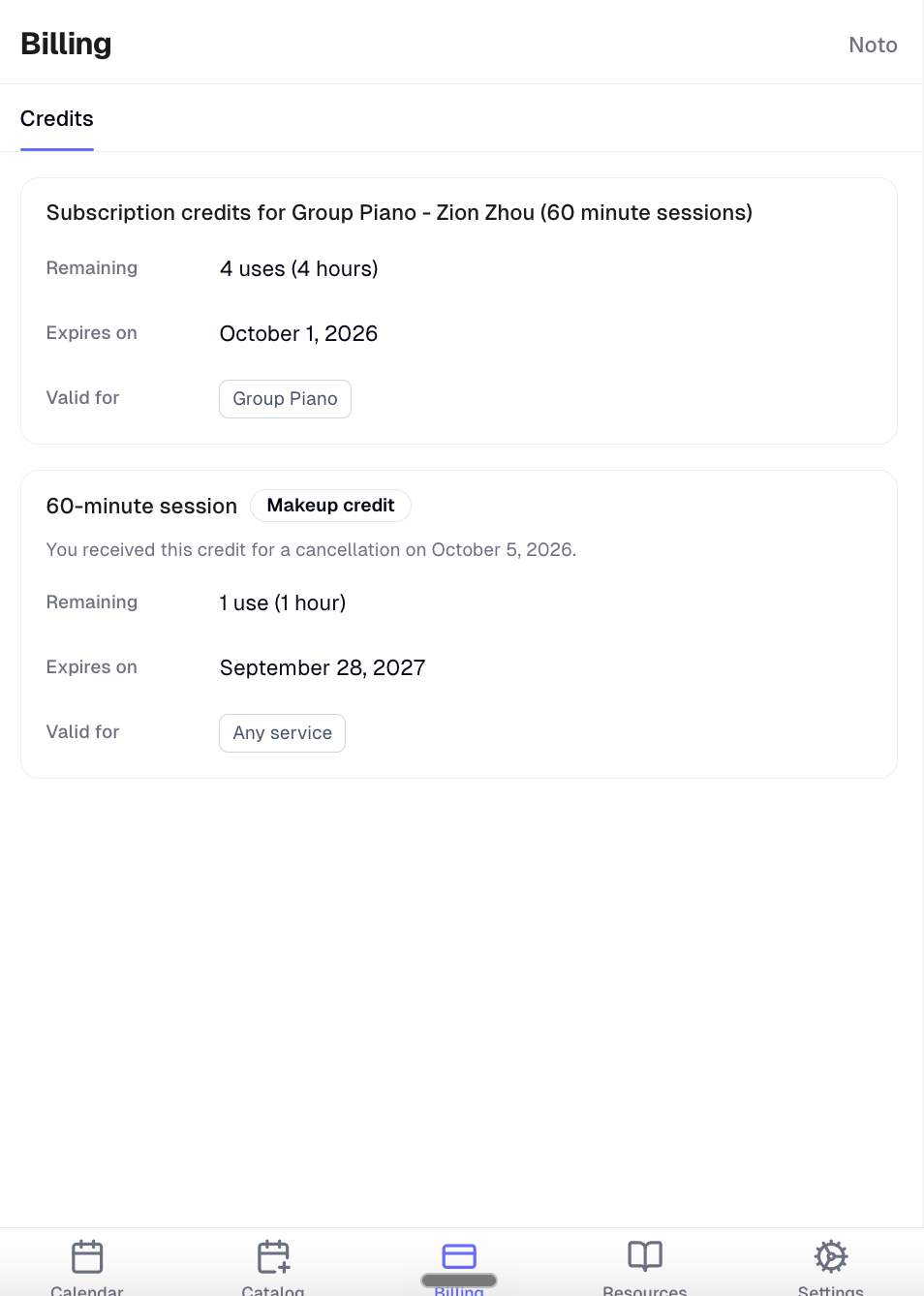
Step 3 — Rebook using your credit
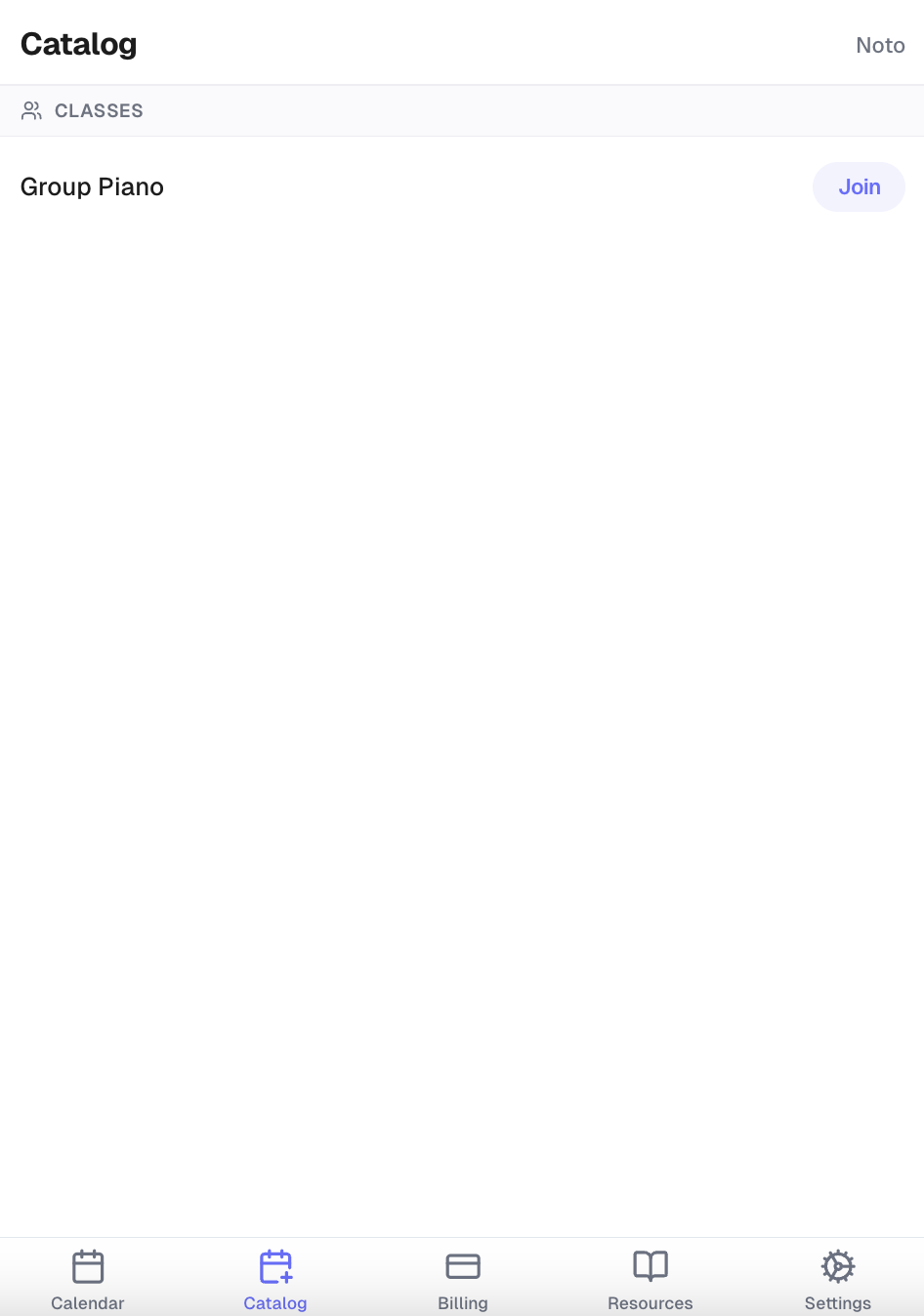
1. Go to the Catalog tab and click "Join" on the class to book into.
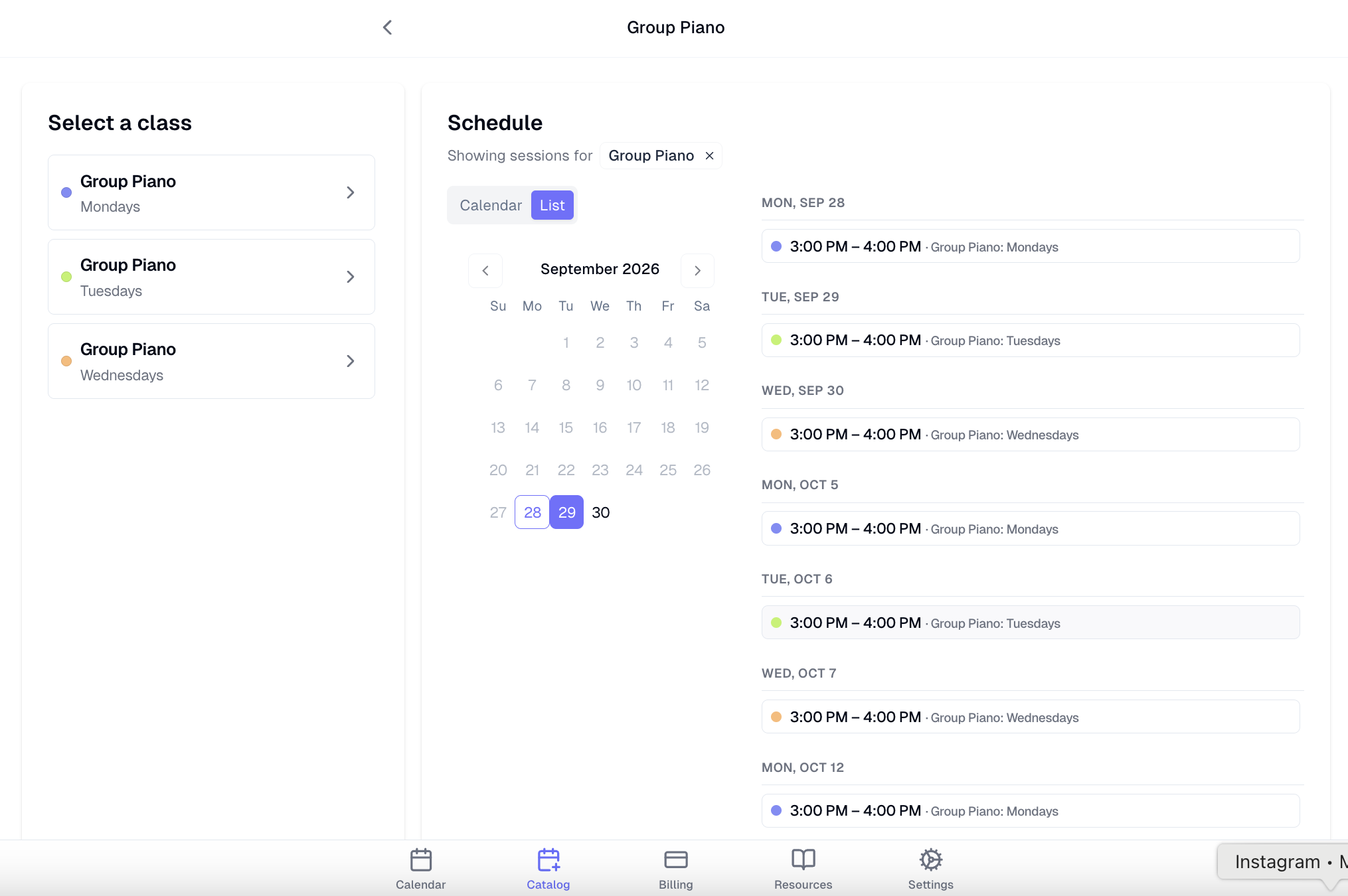
2. Open the rescheduling form your school has published there and choose an available session date that works for you.
3. At the checkout step, toggle on Use a makeup credit — Noto will apply your soonest-expiring eligible credit and bring the cost to $0.
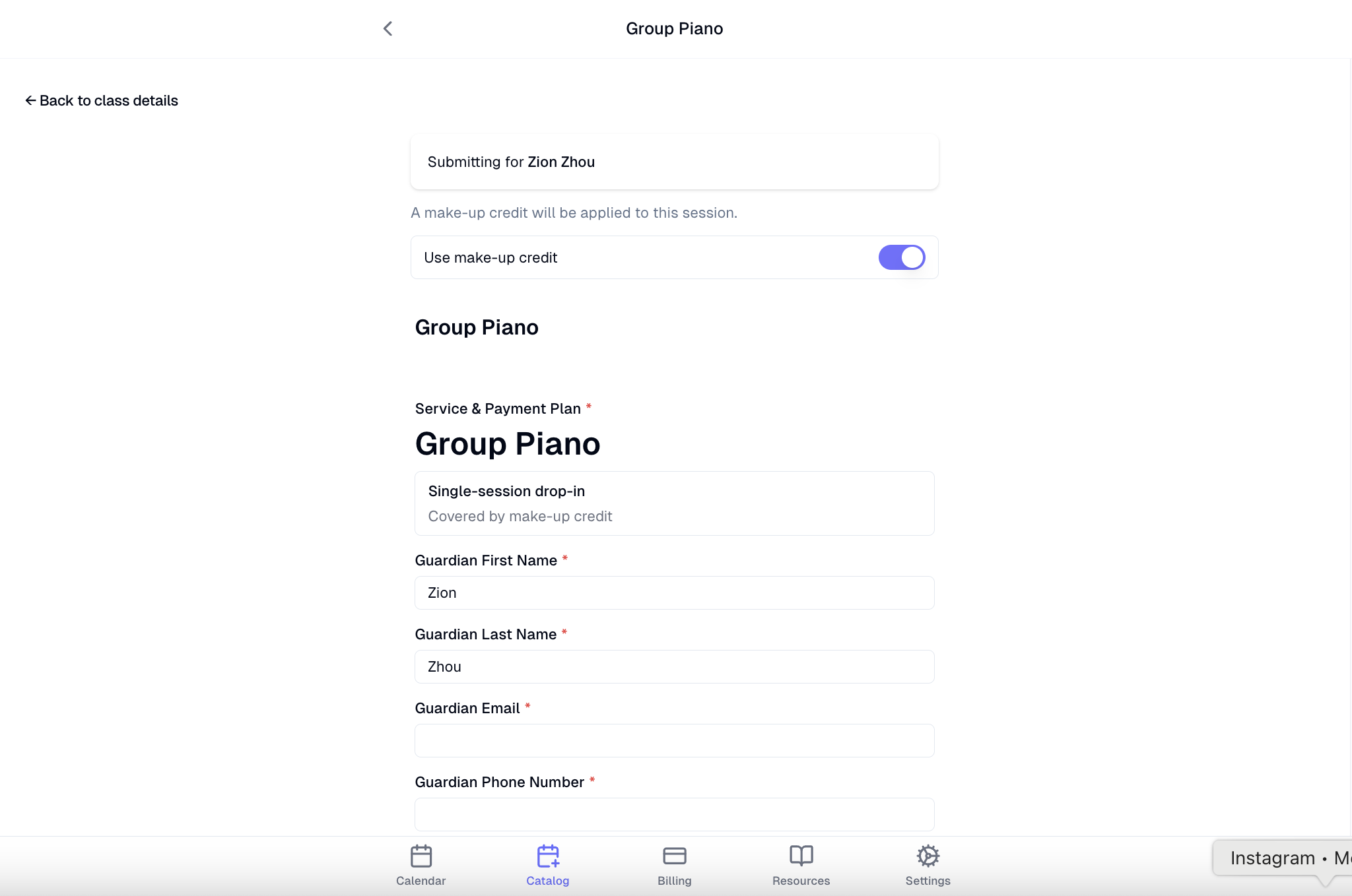
4. Submit the form. Your spot is confirmed and the credit is applied immediately.
For private sessions: if your school allows self-scheduling for private lessons, go to the Catalog tab → Browse Services, pick a time, and an eligible credit will apply automatically during booking.