What's New — August 27, 2026
Last updated: August 31, 2026
What's new
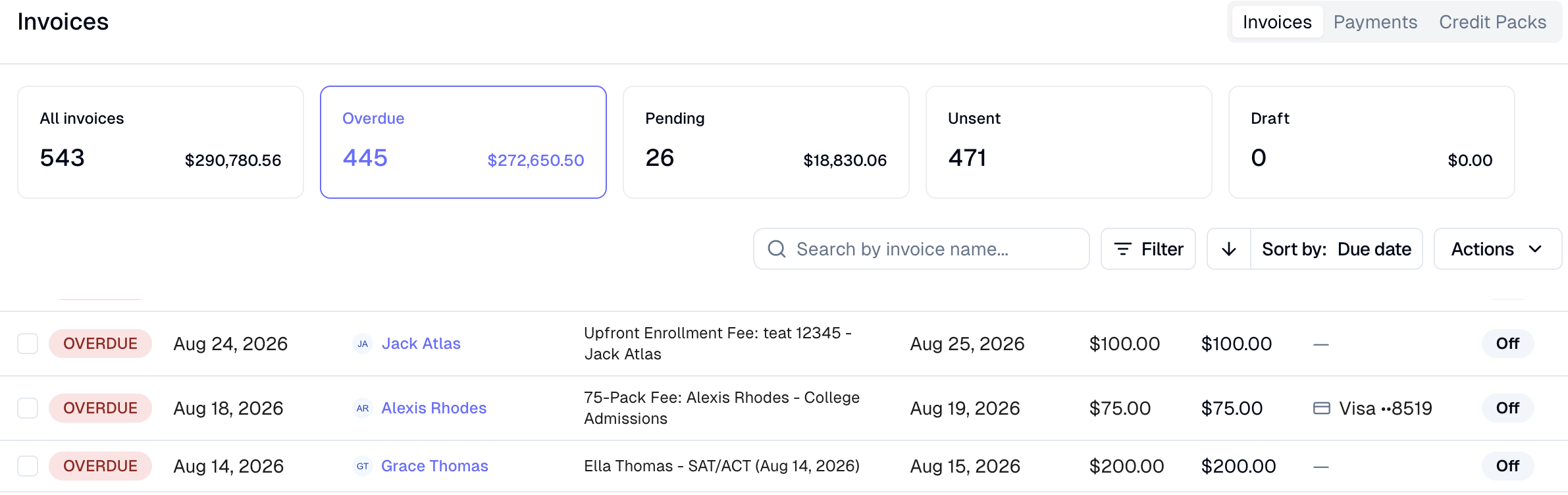
Payment method now visible and filterable on the invoice dashboard
The invoice dashboard now shows which payment method is on file for each family and lets staff filter by it — so it's easy to spot families with no card before running a mass charge.
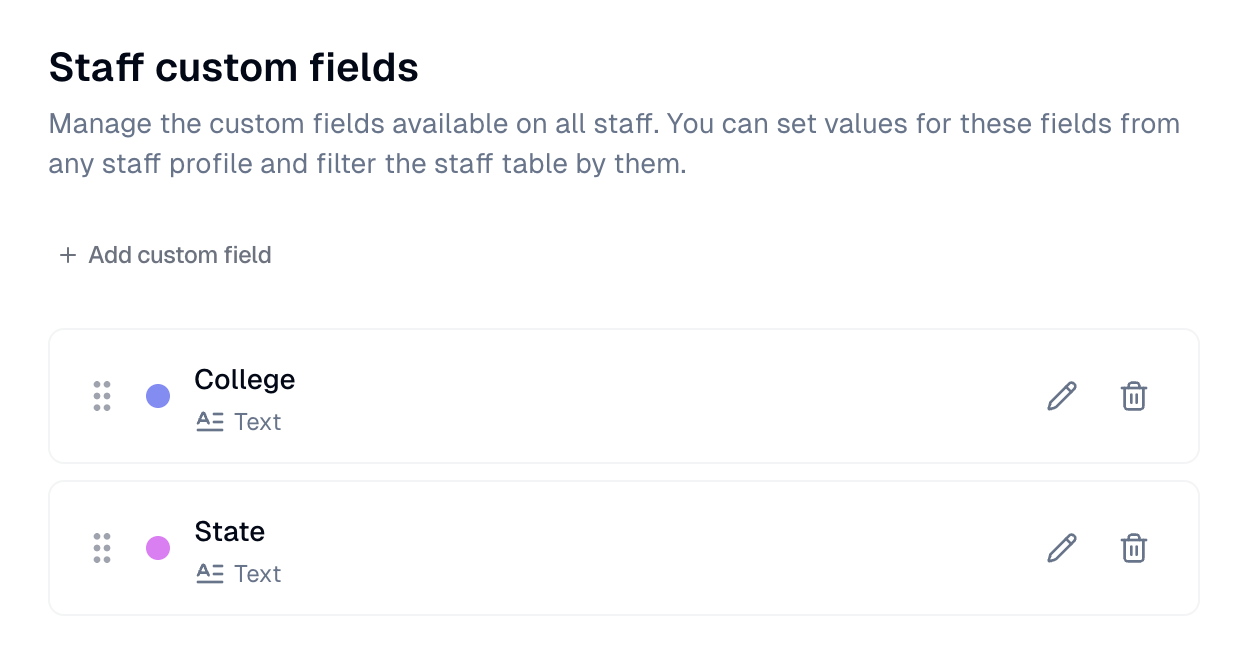
Custom fields for staff
Orgs can now define custom fields (text, checkbox, date, single-select, multi-select) scoped to staff — separate from member fields. Staff profiles show an inline-editable Custom fields section (read-only for non-admins), and the staff table gains a filter bar driven by those fields. These are defined under Settings -> General -> Data & Customization.
Bulk text blasts now available for staff
Staff pages now support the same bulk SMS blast flow already available for members. Select staff recipients and send a text directly from the Staff page Actions menu. Note that this sends texts individually, not a group text.

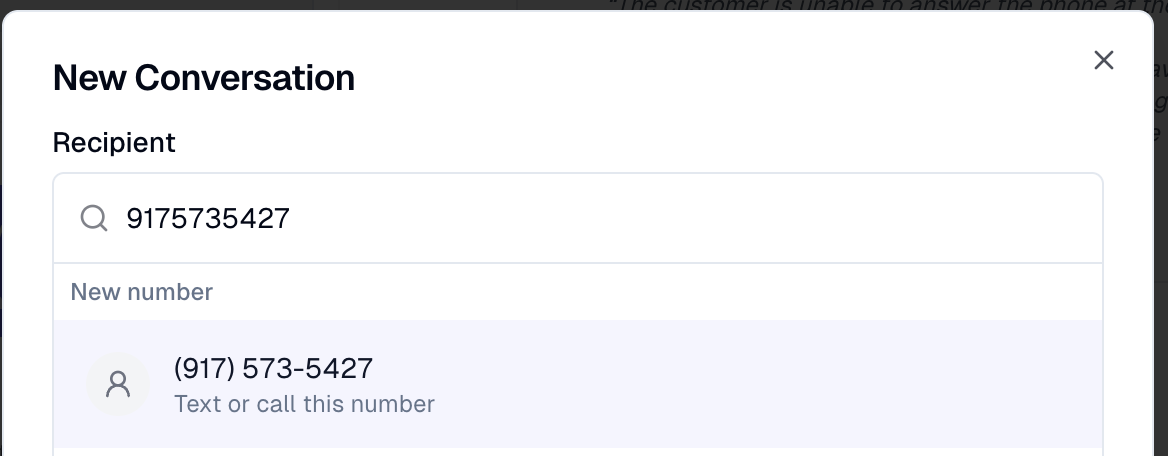
Text any number without creating a contact first
You can now type an unsaved phone number directly into the New Conversation picker in Texts — no need to create a member record first. A "New number" row appears and opens the thread immediately.
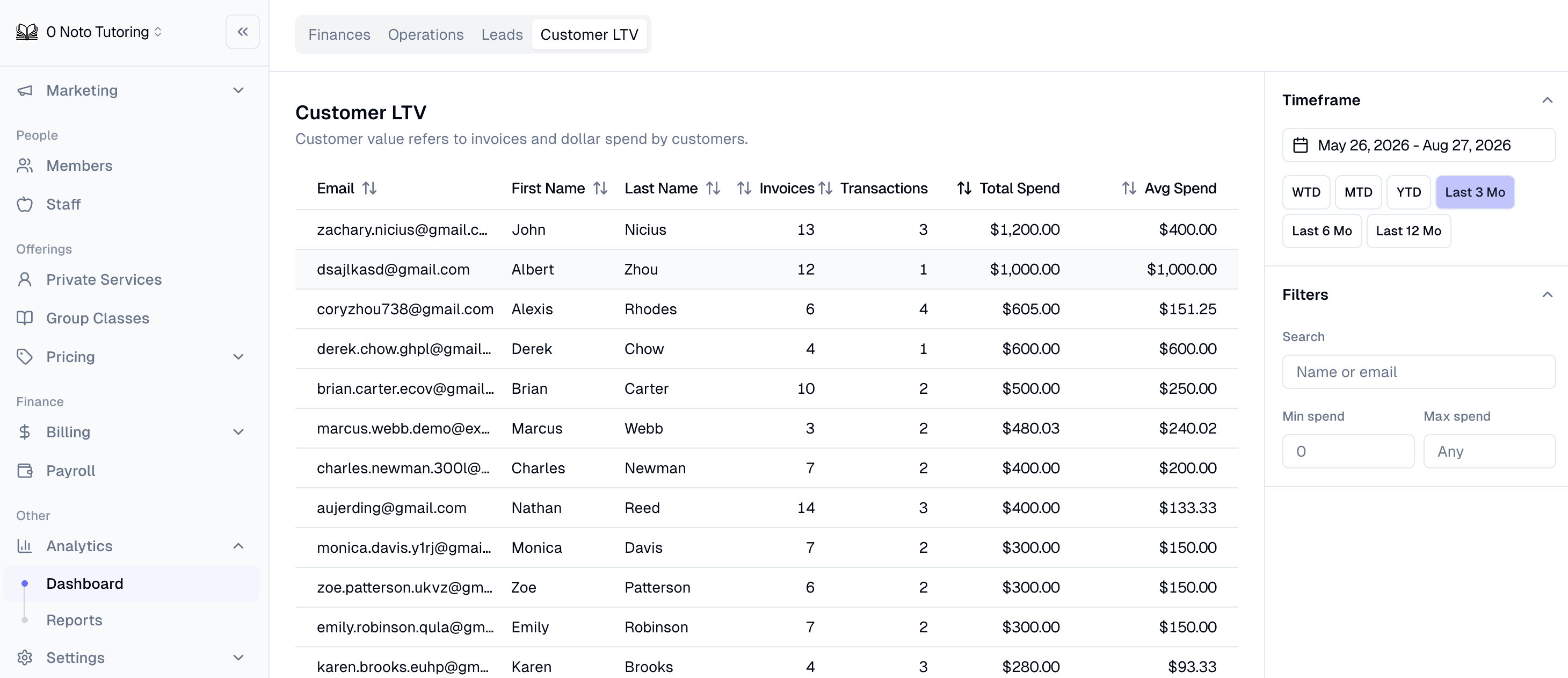
Customer LTV tab on analytics dashboard
A new Customer LTV tab on the Analytics dashboard shows per-family lifetime value metrics — orders, transactions, total spend, and average spend — with date-range filters, search, min/max spend filters, and sortable/paginated columns.
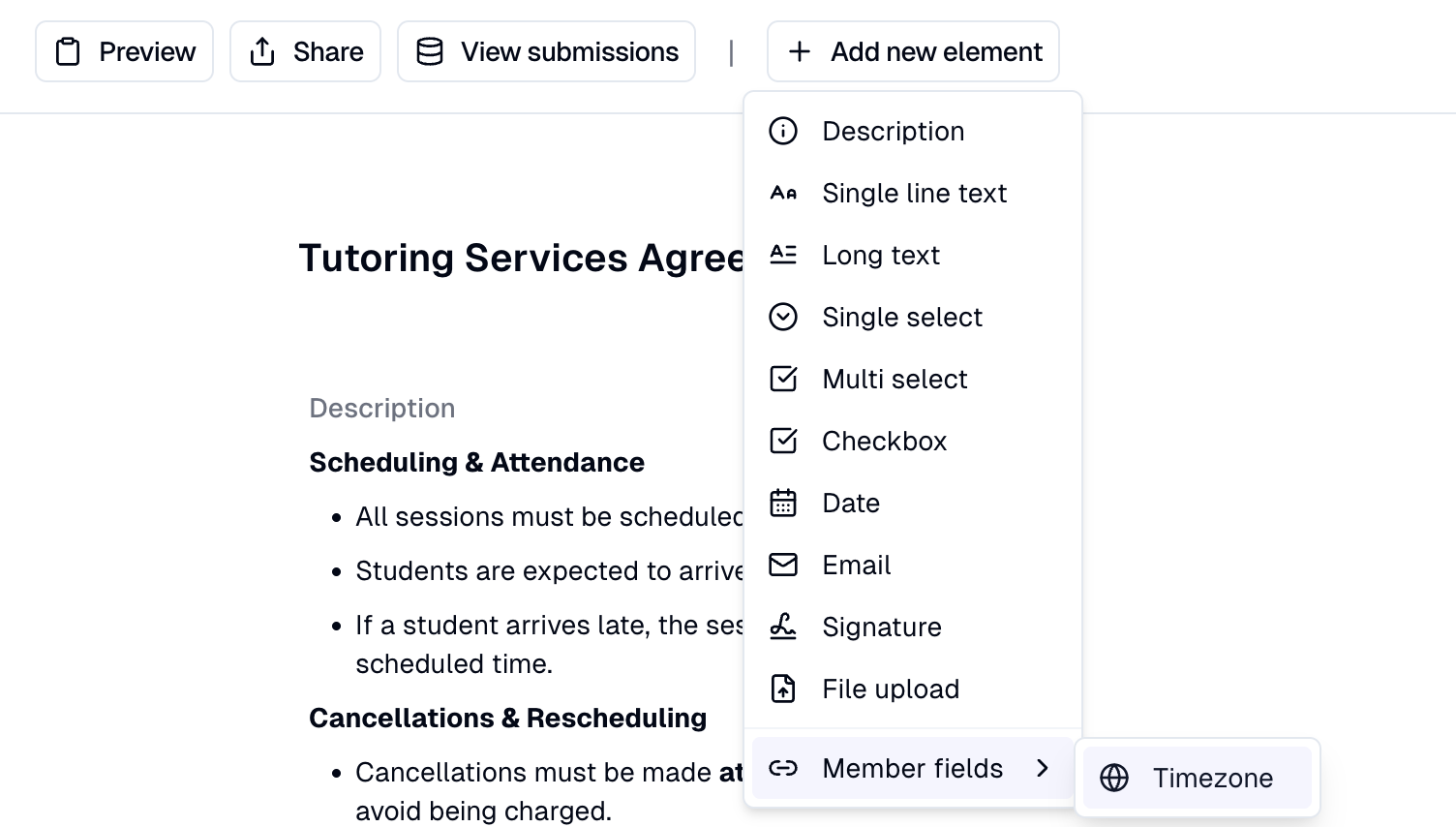
Timezone field now available in forms
Timezone field added to the form builder for interest/intake forms, with an improved timezone picker (better labels, US shortcuts, search). This timezone will then save to the client's profile.
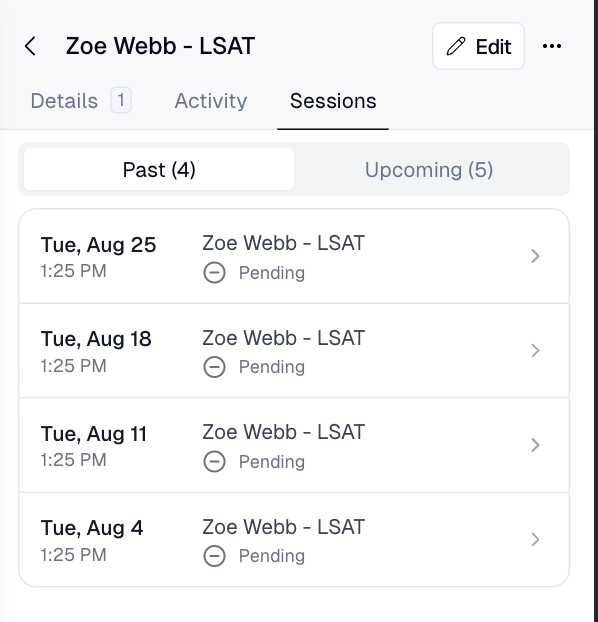
Sessions history tab added to mobile private session page
The mobile calendar event page for private sessions now includes a dedicated Sessions tab showing a student's past and upcoming dates, allowing admin to easily access a client's session history in the mobile view.
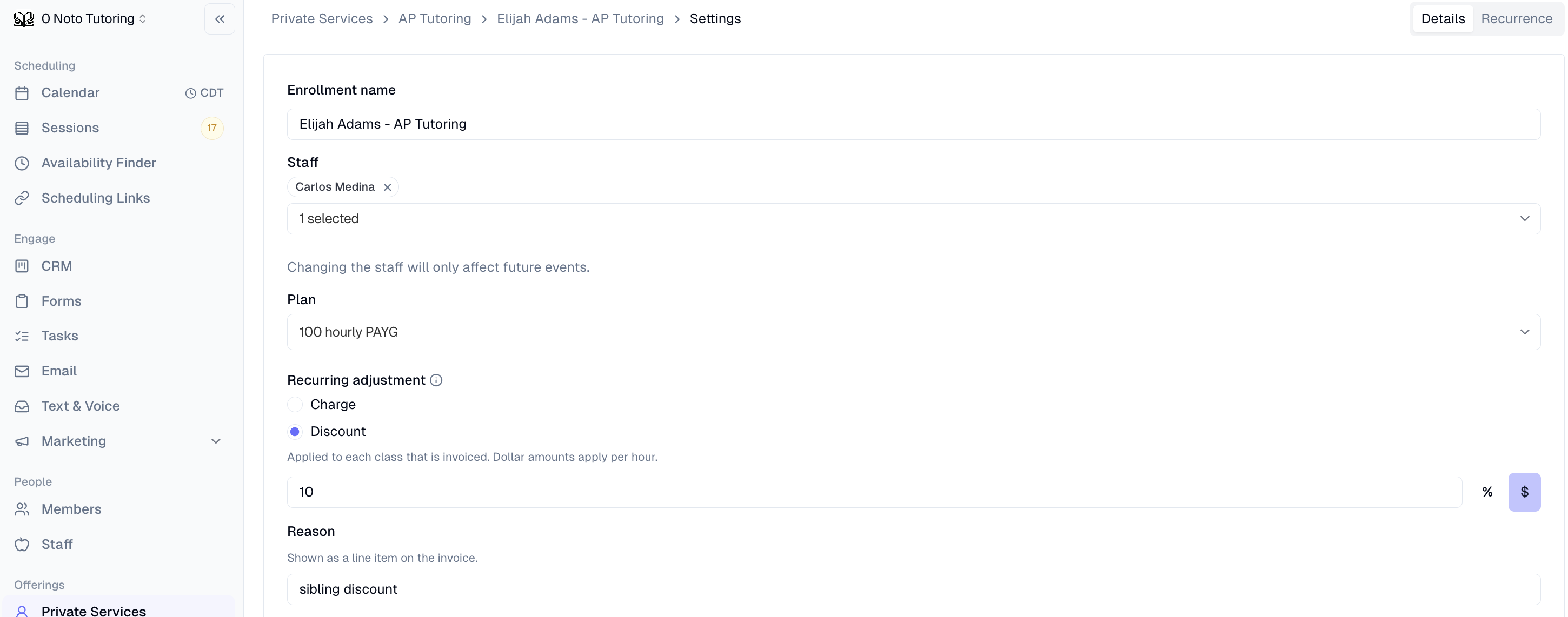
Per-hour dollar adjustments on hourly plans
Recurring dollar adjustments on session-based hourly plans now scale with session duration — so a "$10/hr off" adjustment correctly applies $15 off a 90-minute session instead of a flat $10.