What's New — October 8, 2026
Last updated: October 9, 2026
Member labels now visible on session rosters and invoice dashboard
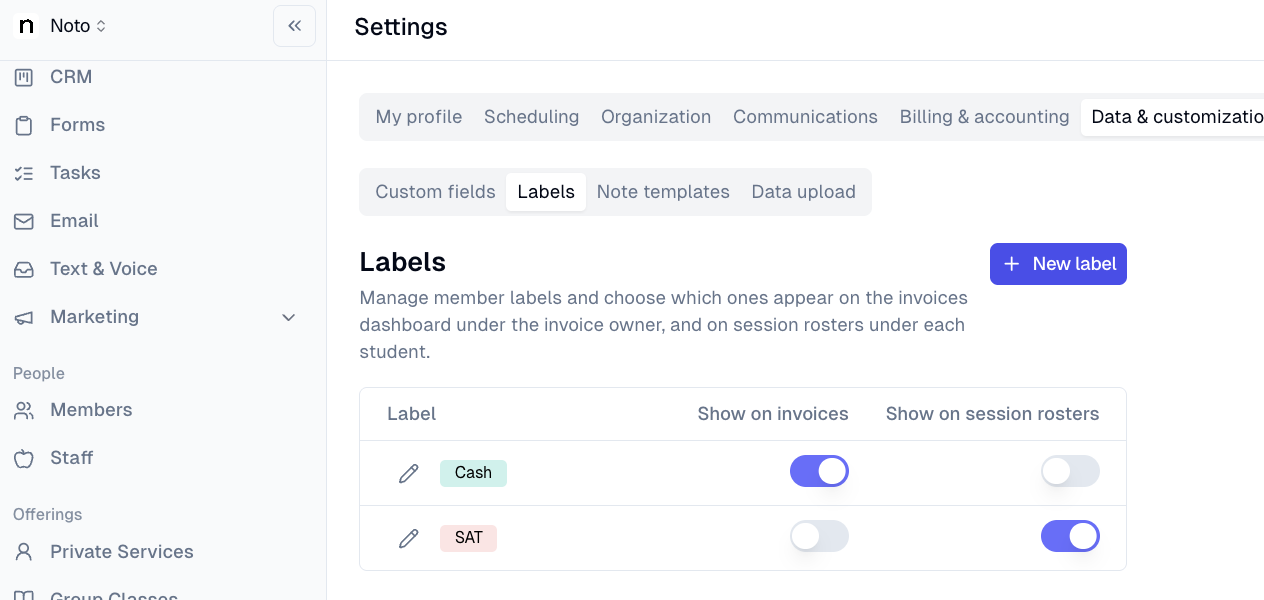
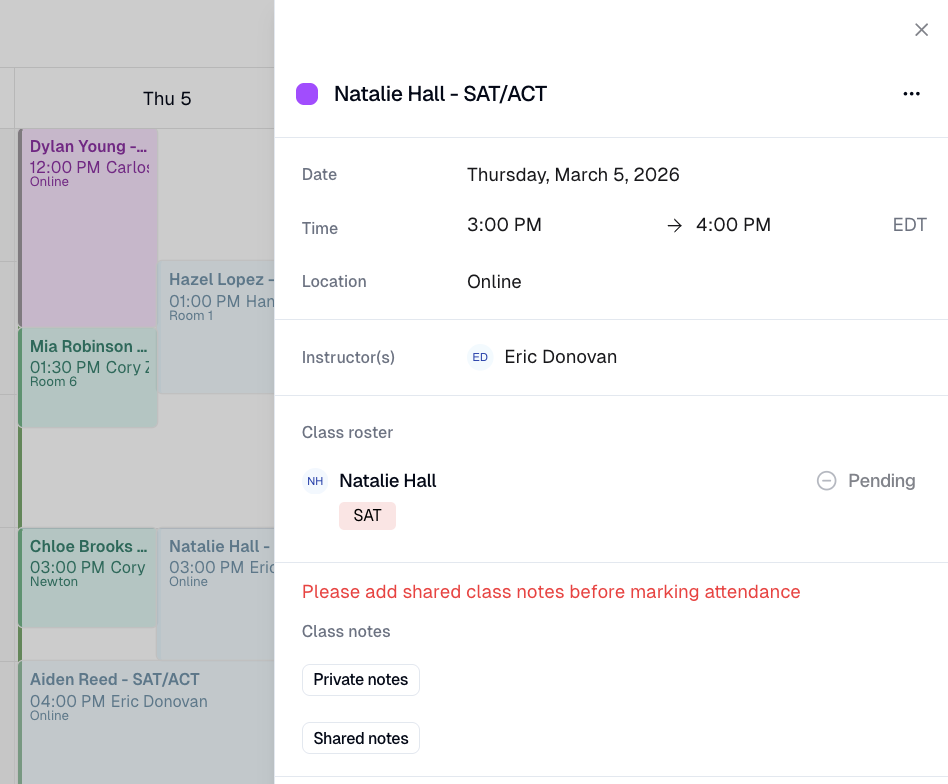
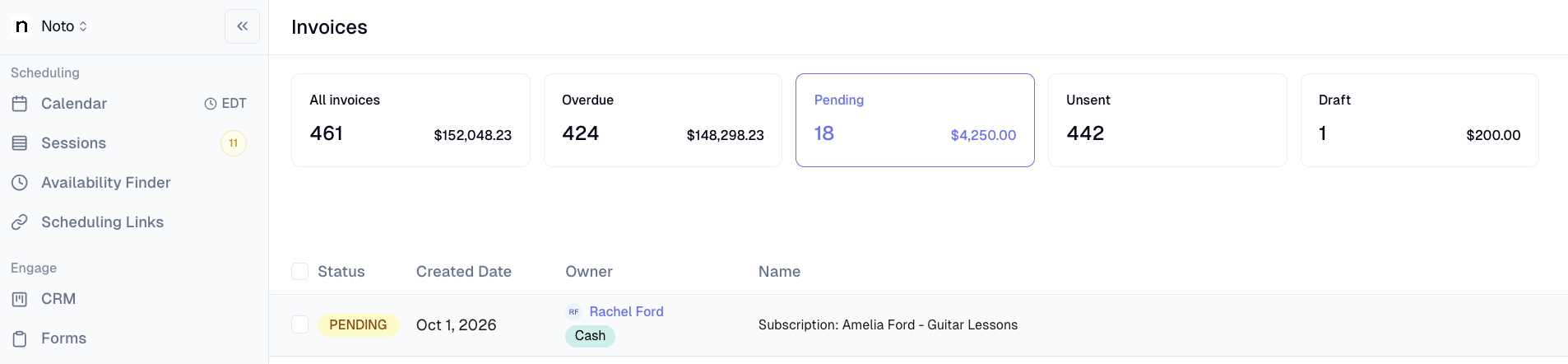
Staff can now see member labels directly under each student's name on session rosters in the event side sheet or in the invoice Dashboard. Admins control which labels appear via toggles in Settings → Labels.
Restricted admins can now impersonate staff and members
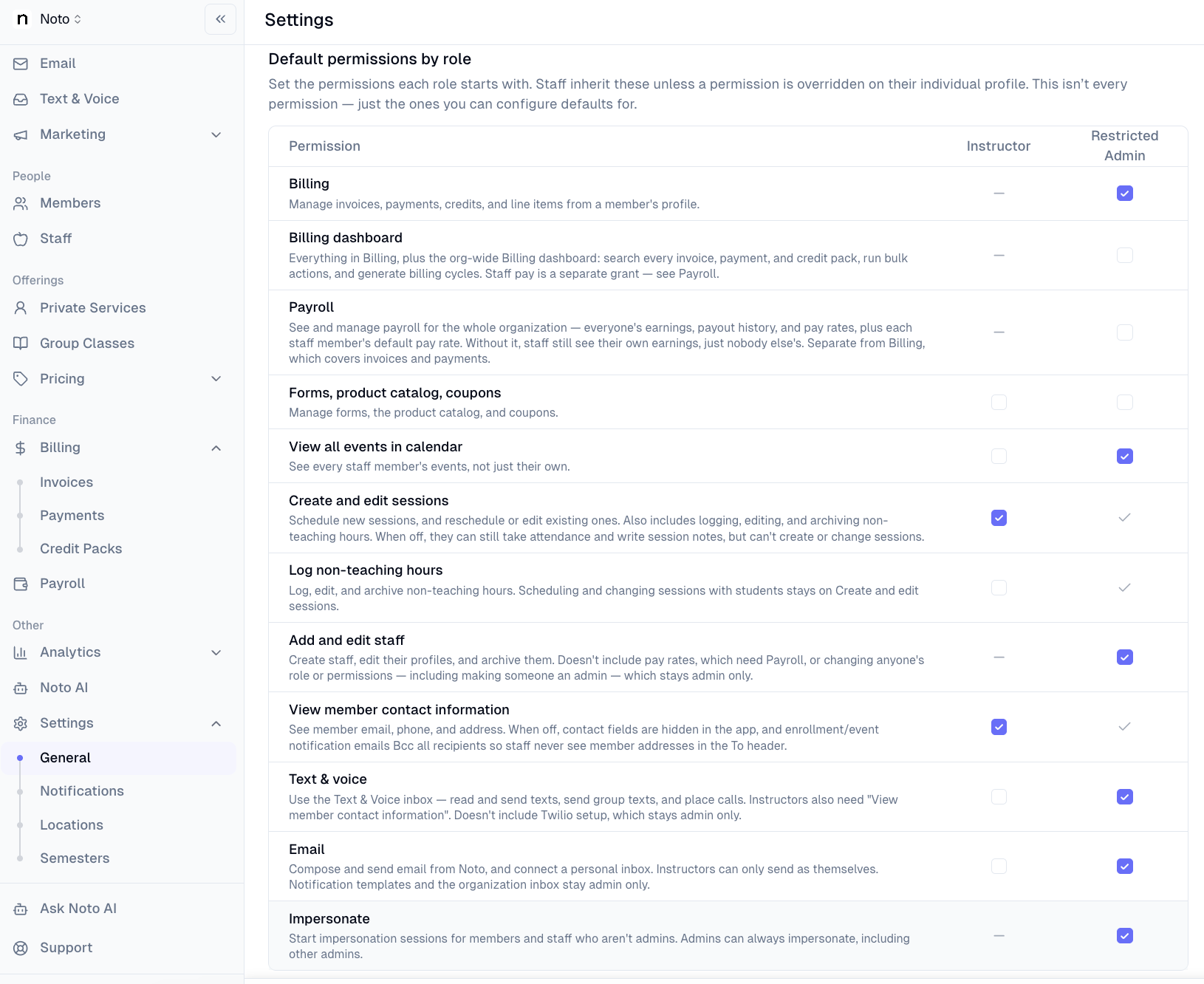
Admins with restricted roles can now impersonate staff members and members — previously only full admins had this capability. An opt-in IMPERSONATE permission can be granted per-staff or set as a role default; restricted admins with it are still blocked from impersonating full admins. The same amber banner, "Stop impersonating" button, and audit stamping apply.
Bulk add line item across selected invoices
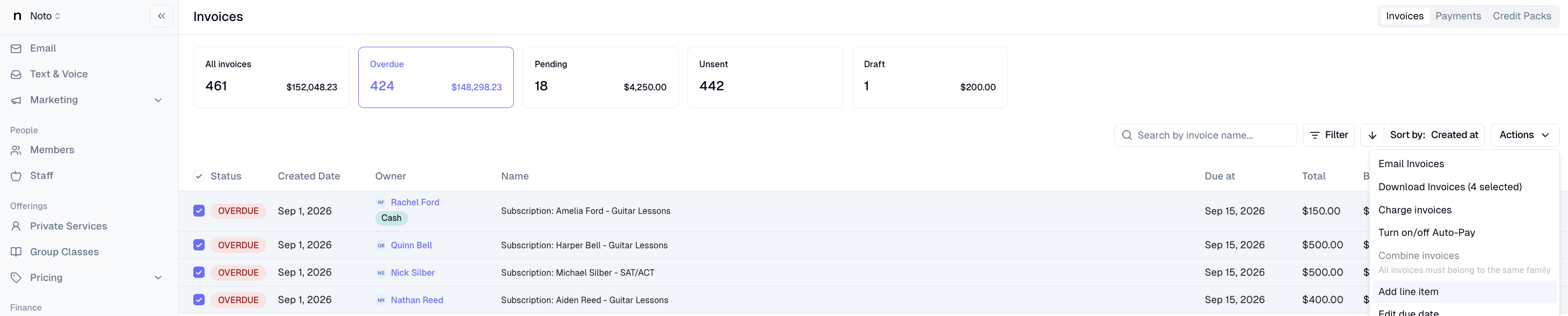
Admins can now select multiple invoices in Finances → Invoices and apply a line item to all of them at once from the bulk actions menu. Invoices with a payment already applied are automatically skipped — a skip count appears inline and in the post-submit toast so nothing falls through the cracks. This can be used for adding late fees to invoices.
Pay rate overrides now support a flat session rate
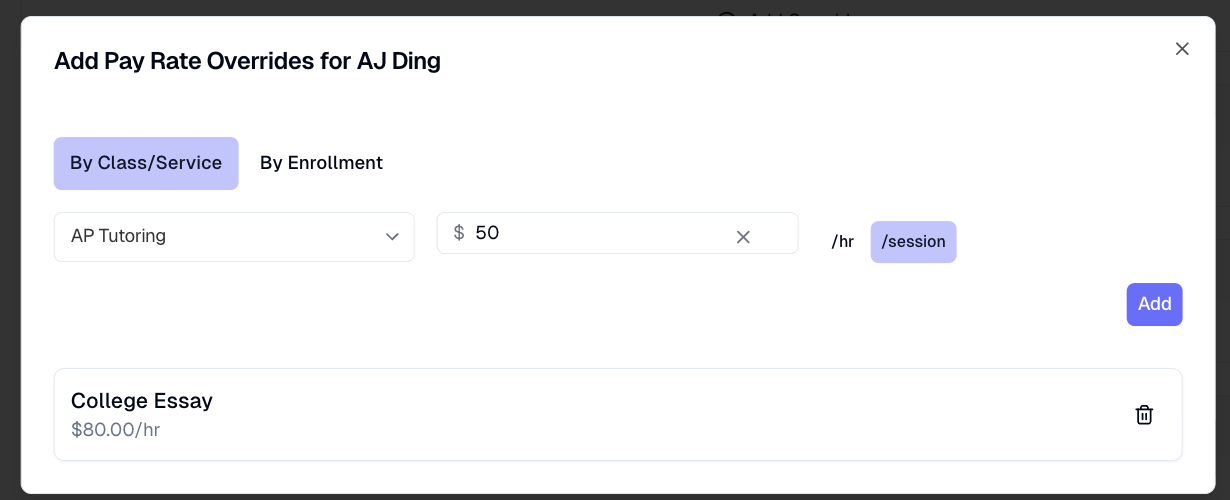
Staff pay rate overrides now have a Session rate type — a flat dollar amount paid per session regardless of duration (e.g. $50/session), set per-service or per-enrollment from the staff profile. When a session rate is active, payroll line items, payout detail views, and CSV exports show /session as the unit instead of /hr. Tiered rate presets are not available on session rates.
Scholarships/Grants as new manual payment type
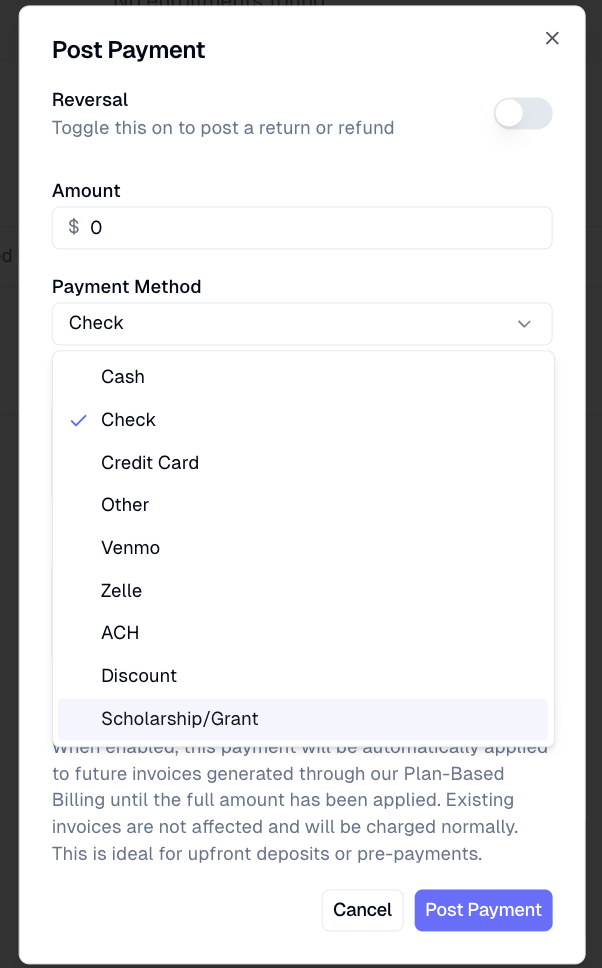
Manually recorded payments can now be marked scholarship/grants as a type. This offers clearer accounting when recording payments made from other sources.
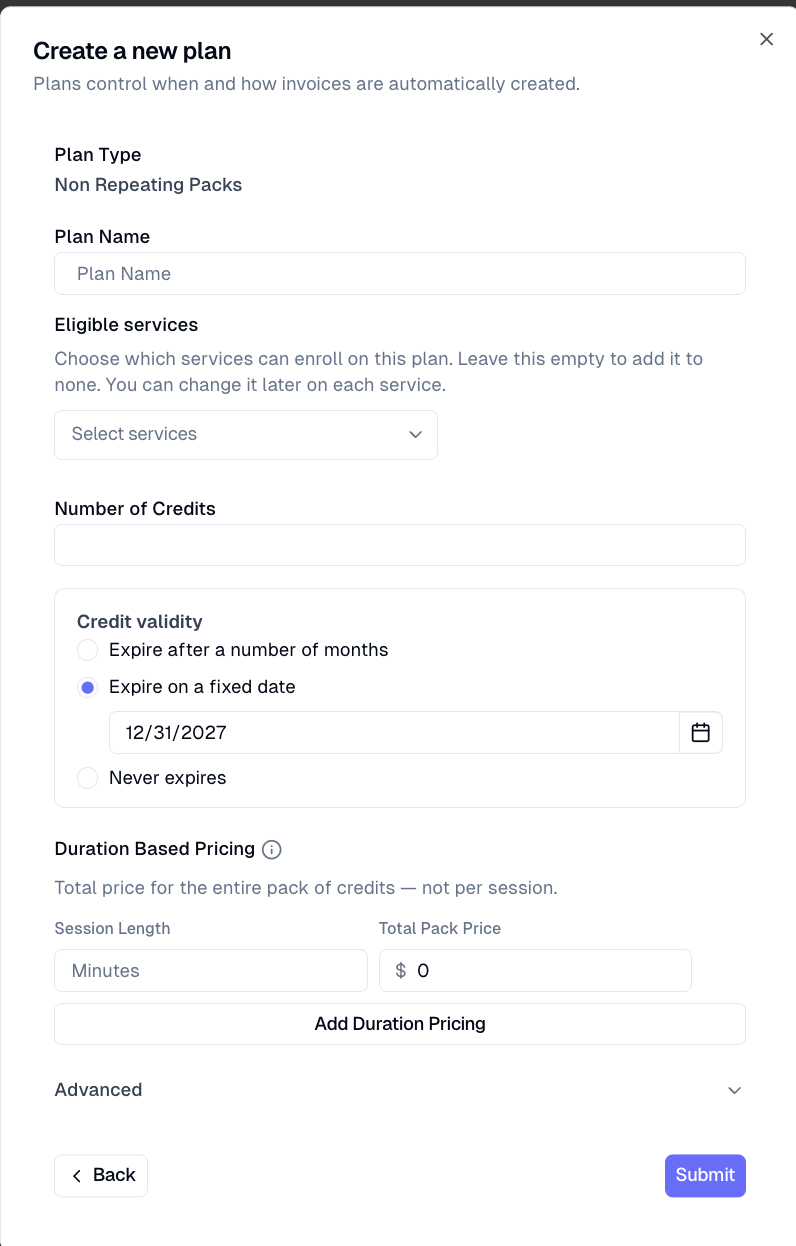
Package plans can now have a fixed expiration date
Package plans now support a fixed calendar date as the credit expiration — in addition to the existing rolling-duration option — so orgs running semester or cohort-based packages can set a hard end date (e.g. "credits expire Dec 15") rather than counting from purchase.
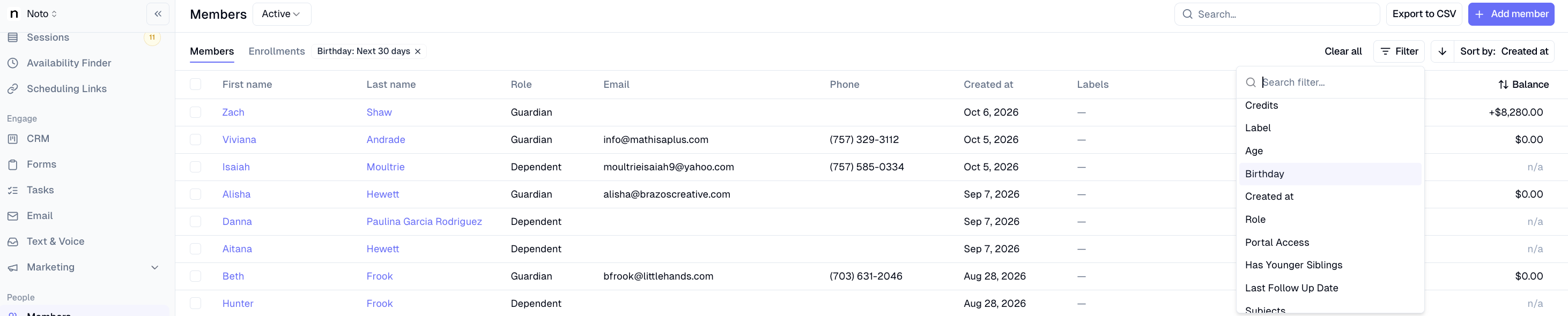
Birthday filter on members page
Birthday has been added as a filter to the members page. Admins and staff can now easily see which clients have upcoming birthdays.