What's New — July 30, 2026
Last updated: July 30, 2026
What's new
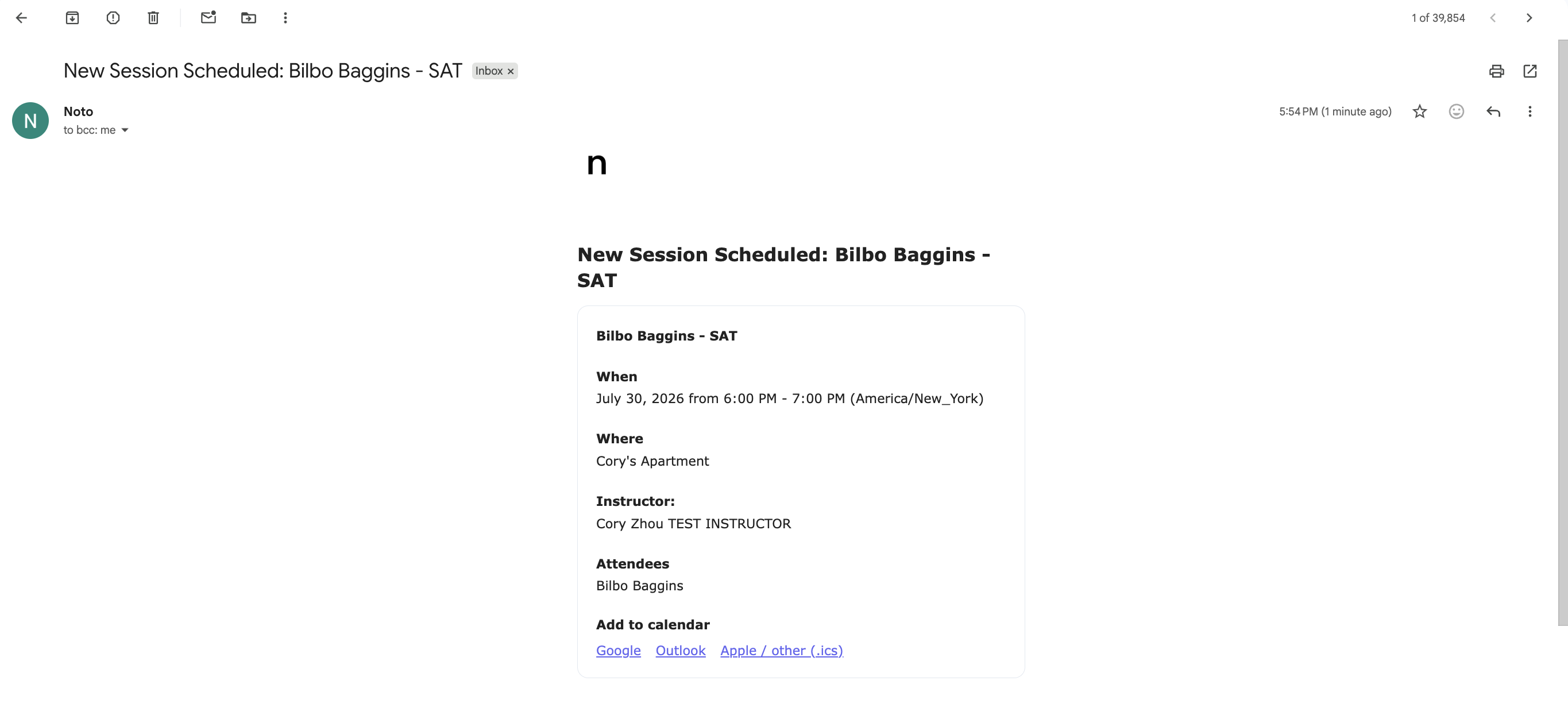
Add to calendar after events are scheduled
After sessions are scheduled, in the confirmation email, families now see an "Add to calendar" button on the confirmation screen — with one-click links for Google Calendar, Outlook, and an Apple/iCal .ics download, prefilled with session details.
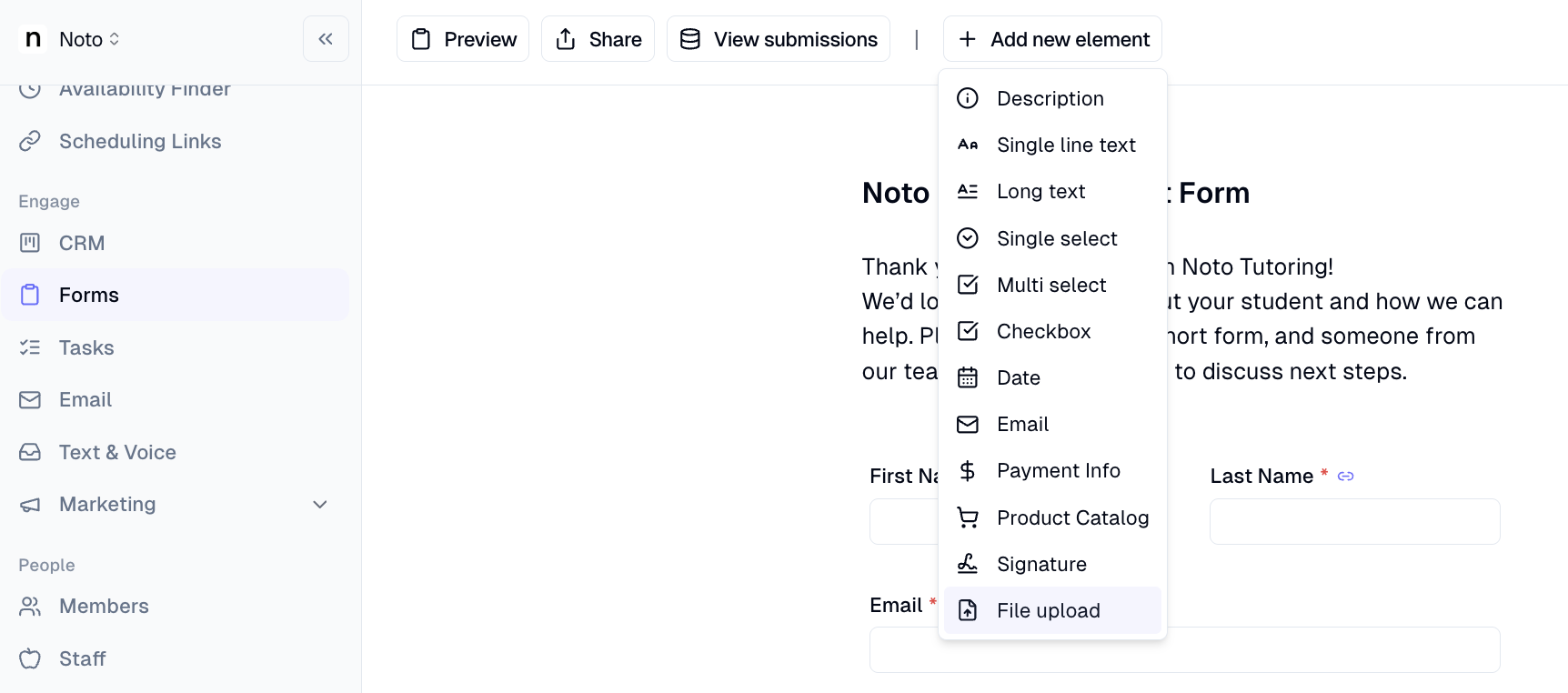
File upload field added to intake forms
Families can now attach a PDF or image (up to 5 MB) directly when submitting a public intake form. Staff can download uploaded files from the form results page.
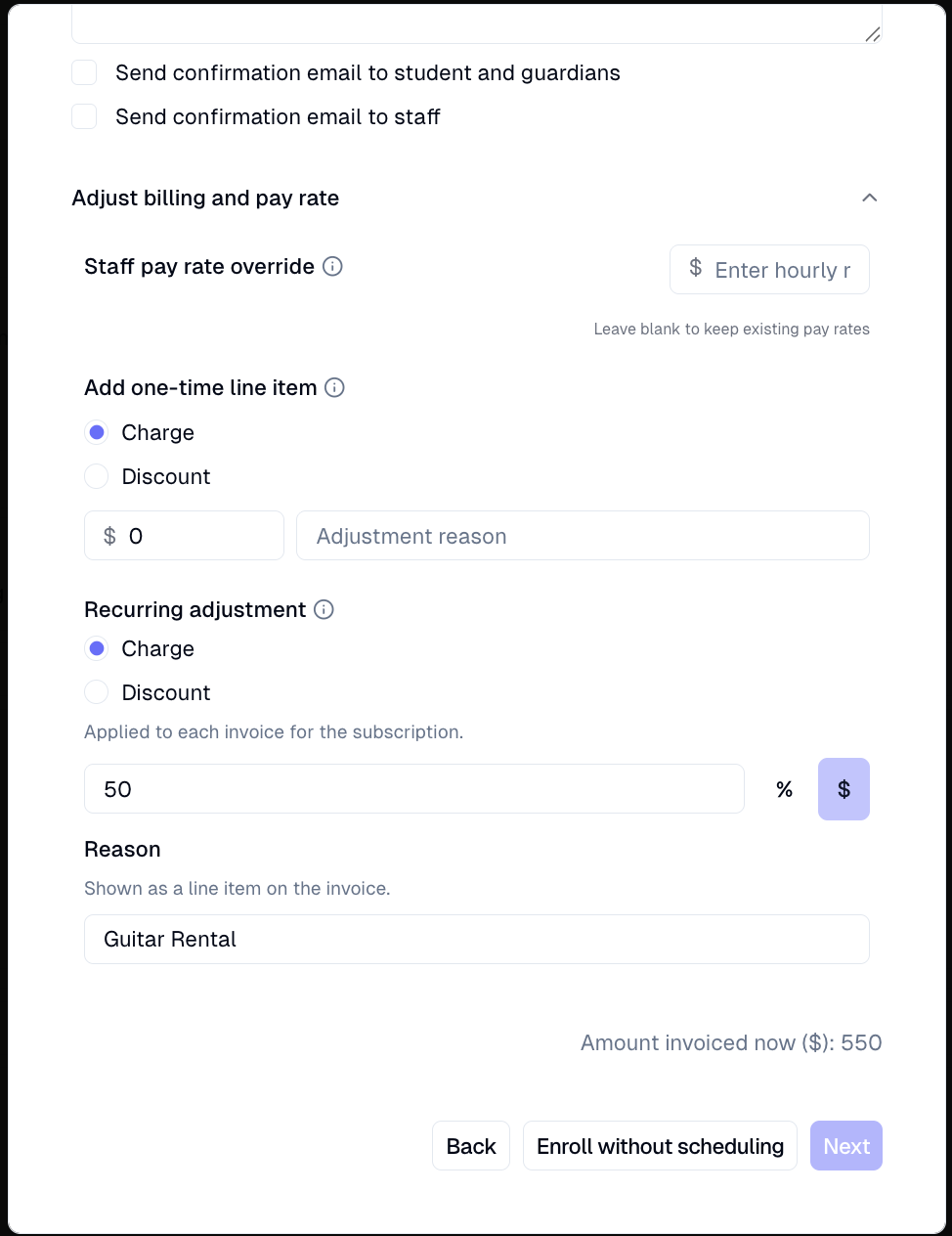
Recurring charges now supported on enrollments
Admins can now add a per-cycle charge (in addition to discount) to any enrollment — as a dollar amount or percentage — enabling workflows like membership add ons billed every cycle.
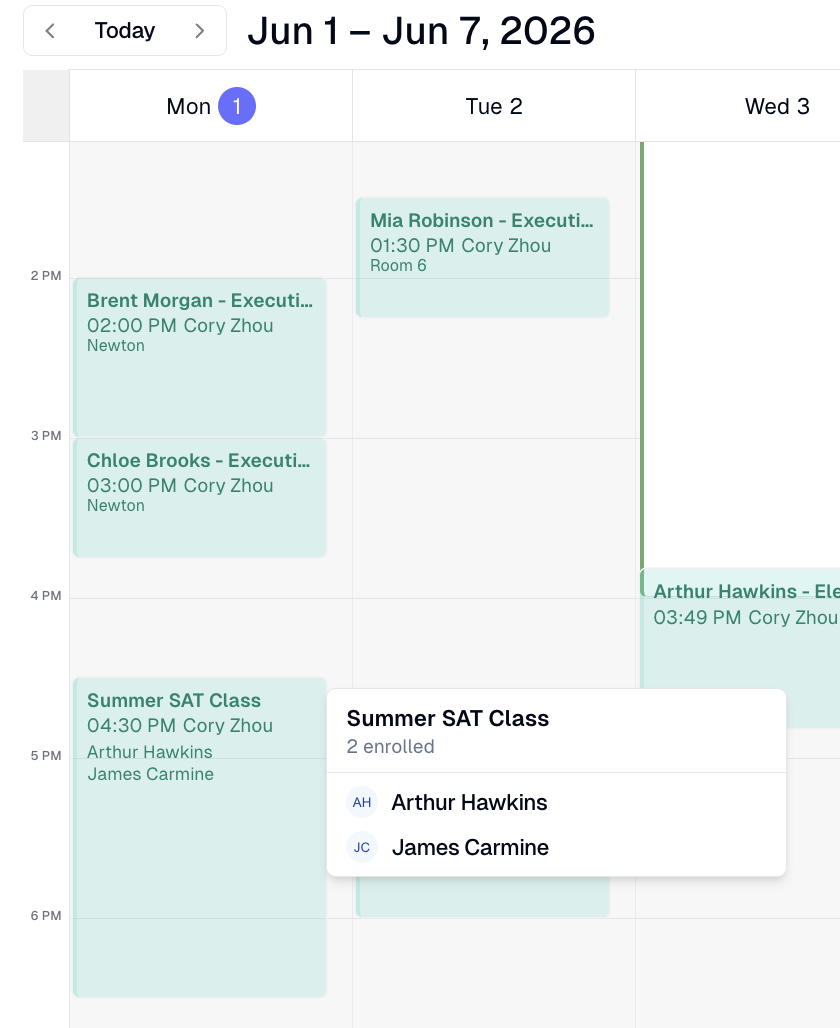
Group class rosters visible on calendar blocks
Group-class session blocks on the calendar now show enrolled student names inline, with a +X overflow indicator. Hovering a block on desktop opens a popover with the full roster and attendance status (Present / No-show / Pending).
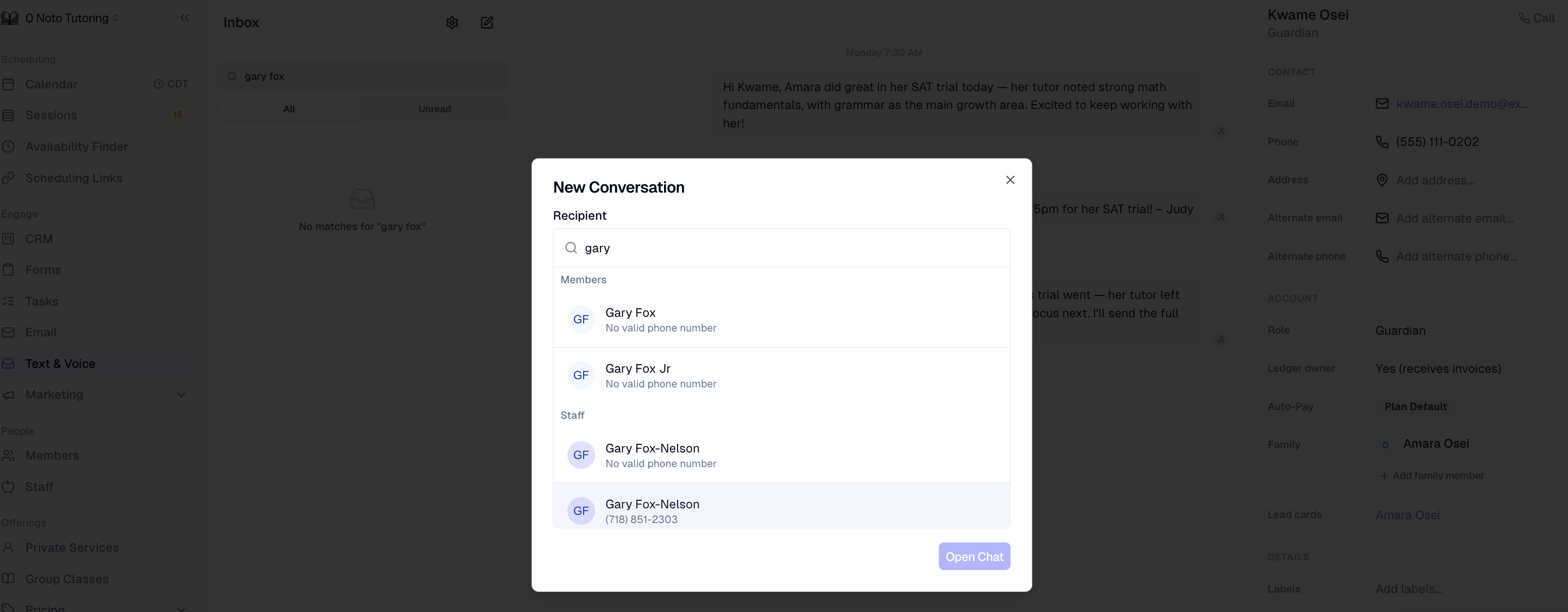
Text staff members directly from the inbox
Staff members now appear as recipients in the new-conversation picker, with their own inbox threads, side card, and composer. Inbound texts from staff phones are also recognized and routed into the correct thread automatically.
Clone existing email templates in one click
Users can now duplicate any email template directly from the templates table. The clone is saved as "{name} (Copy)" and immediately opens in the editor, so teams can iterate on existing designs without starting from scratch.

More payment plans available for recurring self-scheduling
Head to Self-Scheduling, open a scheduling link, and go to the Service and pricing section to configure recurring booking. With this update, the Payment Plan selector now includes repeating k-pack and postpay plans alongside existing options — so you can assign whichever plan best fits your clients' billing needs. Clients booking through the link will enroll on that plan automatically when they pick a recurring weekly slot.
Learn how: More payment plans available for recurring self-scheduling