Connecting a custom email domain for marketing
Last updated: August 19, 2026
Noto's Marketing Suite sends campaigns and automated emails from a custom address on your own business domain. This keeps emails on-brand and reduces the chance they land in spam. This marketing email setup is separate from the system messages and personal emails.
To send marketing emails, you must use an address on a registered domain your business owns — free provider addresses such as Gmail, Yahoo, or Outlook.com are not supported.
Where to set it up
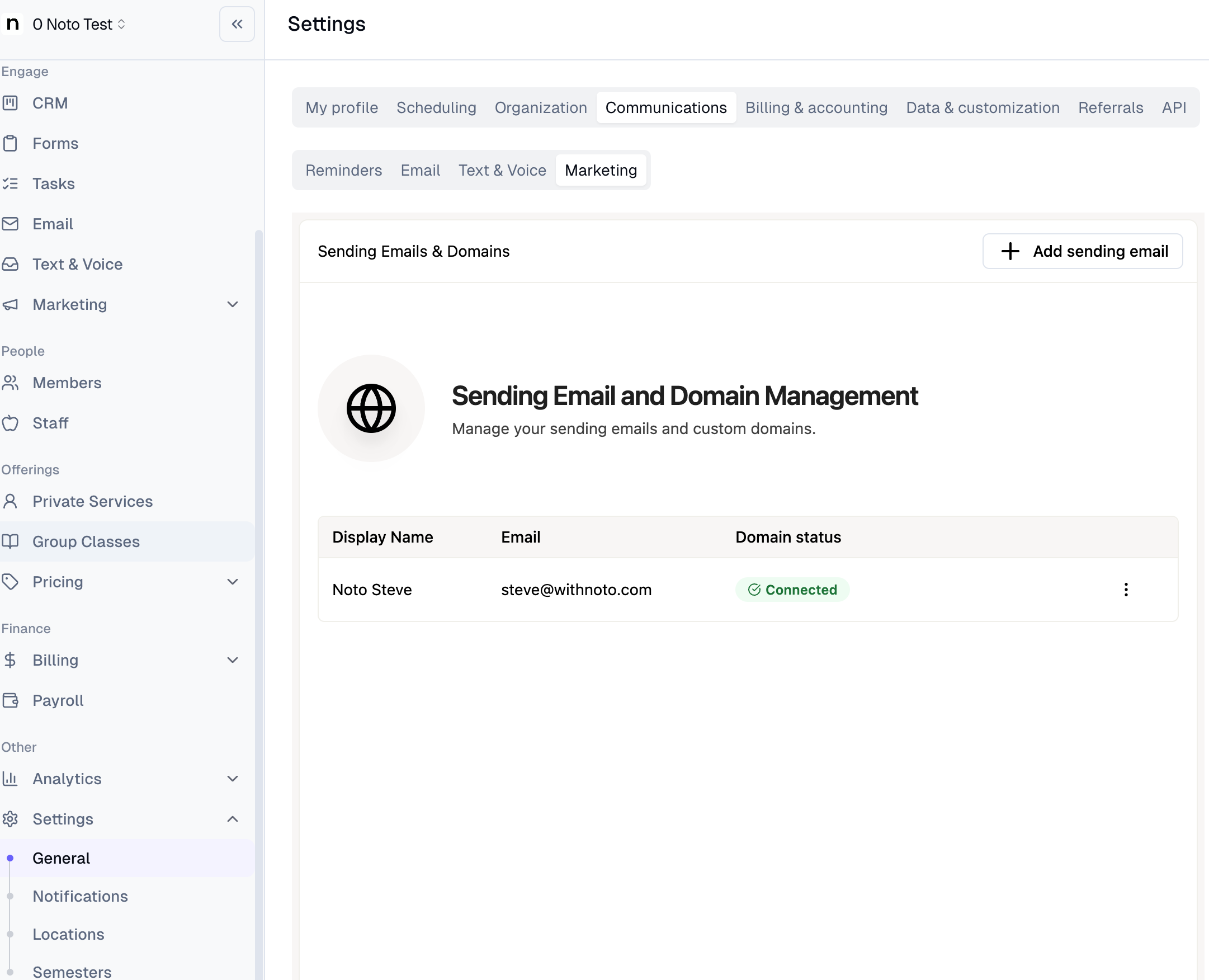
You can connect a custom sending email from two places:
From settings: go to Settings → General → Communications → Marketing. Note that this is separate from Settings → General → Communications → Email, which controls personal sending and organizational transactional email — not marketing campaigns.
From a campaign or trigger: open Campaigns or Triggers, open any campaign or trigger, create an email step, click the default address under "Sending email address," then click + Add a new email.
Setup steps
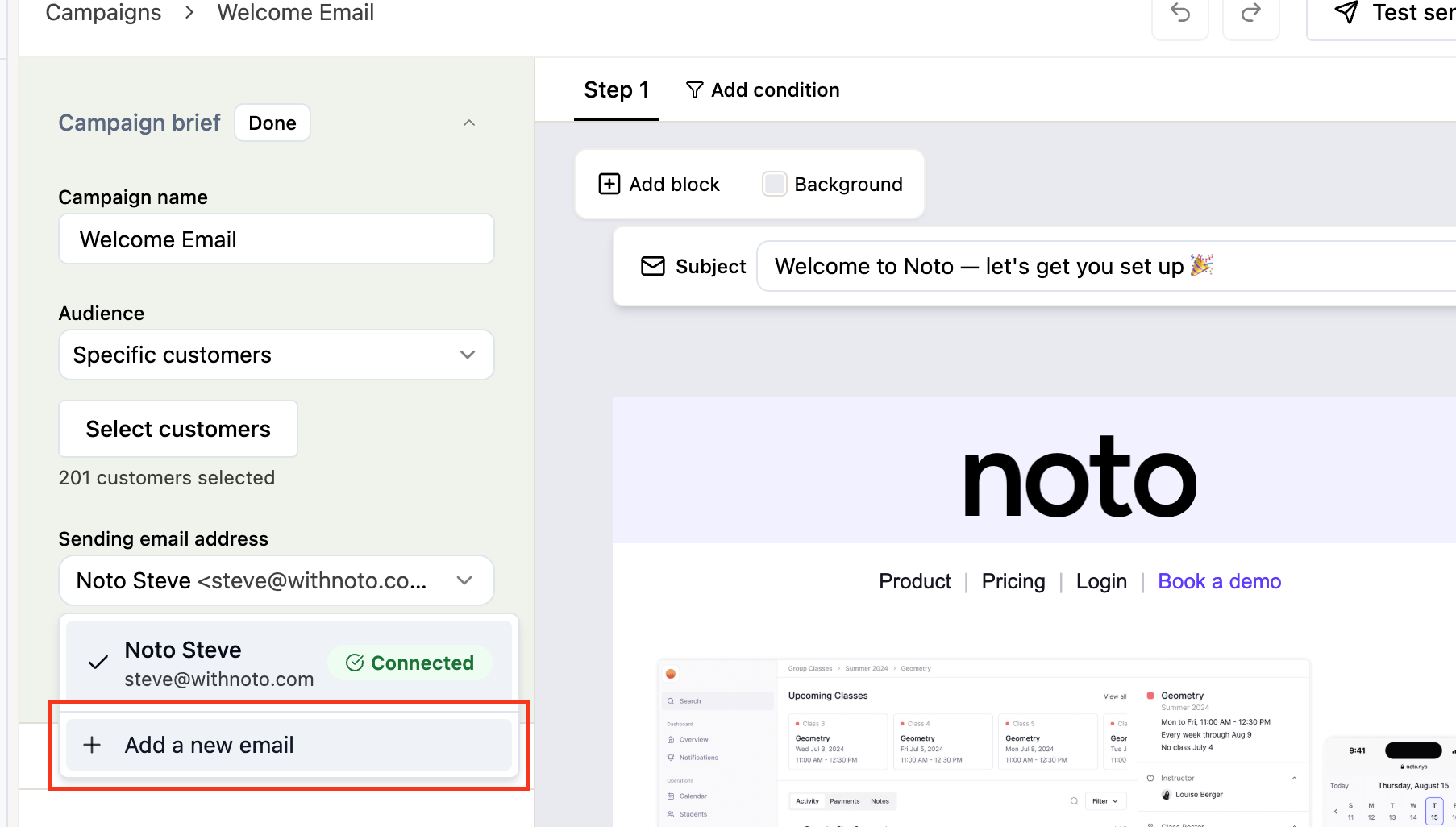
In a campaign or trigger email step, click the default sending address and choose + Add a new email.
Enter the email address and display name, then click Continue.
Click Connect domain and follow the prompts. Noto uses Entri to verify your domain.
Log in to your domain provider inside the Entri flow and complete verification.
Verification should take a few minutes but can take up to 24 hours, if it takes longer there's something wrong. After that, the address becomes available as a sending option.
If your domain provider is supported, Entri links the domain automatically — no DNS or CNAME work required. If your provider isn't in the automatic flow, you can complete a manual CNAME setup instead. For the manual setup, you can just copy the CNAME records and add them directly under DNS Records on your domain provider.
Limits and gotchas
Sender alias approval: Should be connected and verified in a few minutes but in some cases may take up to a day. This is usually the last thing standing between you and your first campaign.
Who can connect the domain: the person who initiates the domain link may be the only one able to reconnect it later, so document the account they used.
If you are adding DNS records manually: Some domain providers like Namecheap only require subdomains under the host field, because they will automatically append it. Including the domain name in the host field in these cases will result in a broken link
Host name on DNS records | What goes in Namecheap's Host field |
|---|---|
|
|
|
|