Marketing triggers
Last updated: July 29, 2026
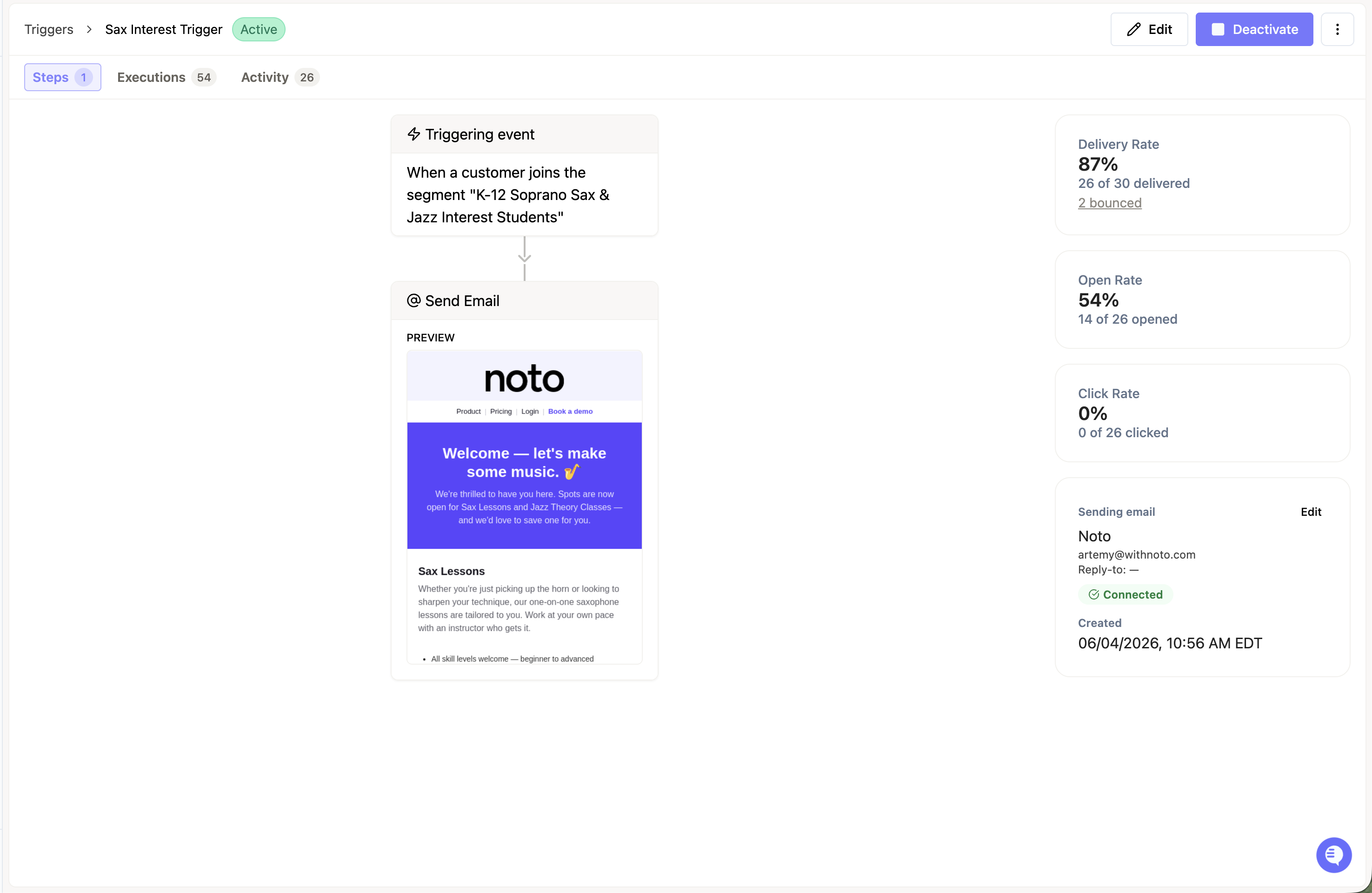
Triggers are automated emails (and, where supported, texts) that send when a member is created, is their birthday, or joins a segment. They're part of Noto's Marketing Suite and are useful for welcome sequences, lead nurture, onboarding, review requests, and other lifecycle communication that should run without you clicking send each time. You manage them from the Triggers page.
How triggers work
A trigger fires when a member enters a segment you've defined. The segment decides who gets the messages; the trigger decides what they receive and when.
Every trigger has four parts:
Trigger condition — the event that fires the sequence (a segment-join).
Segment — the audience filter that determines who enters the trigger.
Actions — one or more emails sent in sequence. Templates can be AI-generated or built by hand.
Timing — the delay between steps (send immediately, then follow up two days later, and so on).
Once you activate a trigger, it runs on its own.
How to create a trigger
Define or select a segment for the audience you want to reach.
Set the trigger condition — when a member joins that segment.
Add one or more email steps, using an existing template or creating a new one.
Set the timing between steps.
Save and activate. The trigger runs automatically from that point forward.
Segments are reused across triggers and campaigns, so it's worth building them thoughtfully — you can filter on member fields (standard and custom), CRM stage or lead status, and enrolled services and status.
Common use cases
Triggers work well any time a member crossing into a segment should kick off a message or a short sequence. Examples customers run today:
Welcome email when a new student becomes active
Multi-step onboarding sequences with delays between messages
Lifecycle communications across the student journey
Drip campaigns tied to a CRM stage change (for example, a lead moving to "Interested")
Using reviews inside a trigger
You can include a review link as a step in a trigger sequence. Smart routing sends 5-star reviewers to Google and keeps lower ratings internal, so you can ask for reviews at scale without risking your public rating.
Limits and gotchas
Segment-join delay. After a member enters a segment, the trigger can take 20–30 minutes to fire.
No reply-based branching. Sequences cannot currently stop or branch based on whether a contact replied.
No native "X hours before a lesson" trigger. Time-based pre-event sends aren't built in natively. The workaround is to sync the next-lesson date to a contact field, build a segment for members whose next lesson is within the target window, and trigger off segment entry.