How do I send marketing emails to guardians based on their dependents' information?
Last updated: July 29, 2026
In Noto, certain information you are tracking about your members might only be kept at the dependent level such as custom fields that measures the student's grade, subject, and school. Oftentimes, you want to create campaigns to target guardians based on the attributes of their dependents. For example, all guardians who have dependents who are in a specific grade.
This guide shows you how to segment guardians based on their dependents custom fields, labels, or enrollment information.
How guardian contacts work in marketing campaigns
Every member in Noto is a contact you can send marketing emails to. For each dependent member, Noto automatically creates a guardian contact based on their email and phone, but in inherits the dependent’s labels, custom fields, enrollments, and other attributes.
Example
Let's say we have a guardian called James Johnson, who has two dependents with custom fields that track their Interested Subjects:
Dependent | Interested Subjects |
|---|---|
Emma Johnson | Math |
Liam Johnson | English |
We create two additional contacts called Guardian of Emma, and Guardian of Liam.
Contact | Interested Subject | |
|---|---|---|
Guardian of Emma | jamesjohnson@gmail.com | Math |
Guardian of Liam | jamesjohnson@gmail.com | English |
This allows you to target the guardians of dependents who are who meet a specific criteria (i.e., interested in Math).
How do I send to guardians based on dependent information?
Create your segment using any dependent attribute, such as:
Labels
Custom fields
Enrolled services
Since we've already created guardian contacts that inherit the dependents' attribute, the segment will automatically include the dependent's guardians. This allows you to target guardians using attributes that only exist on the dependent.
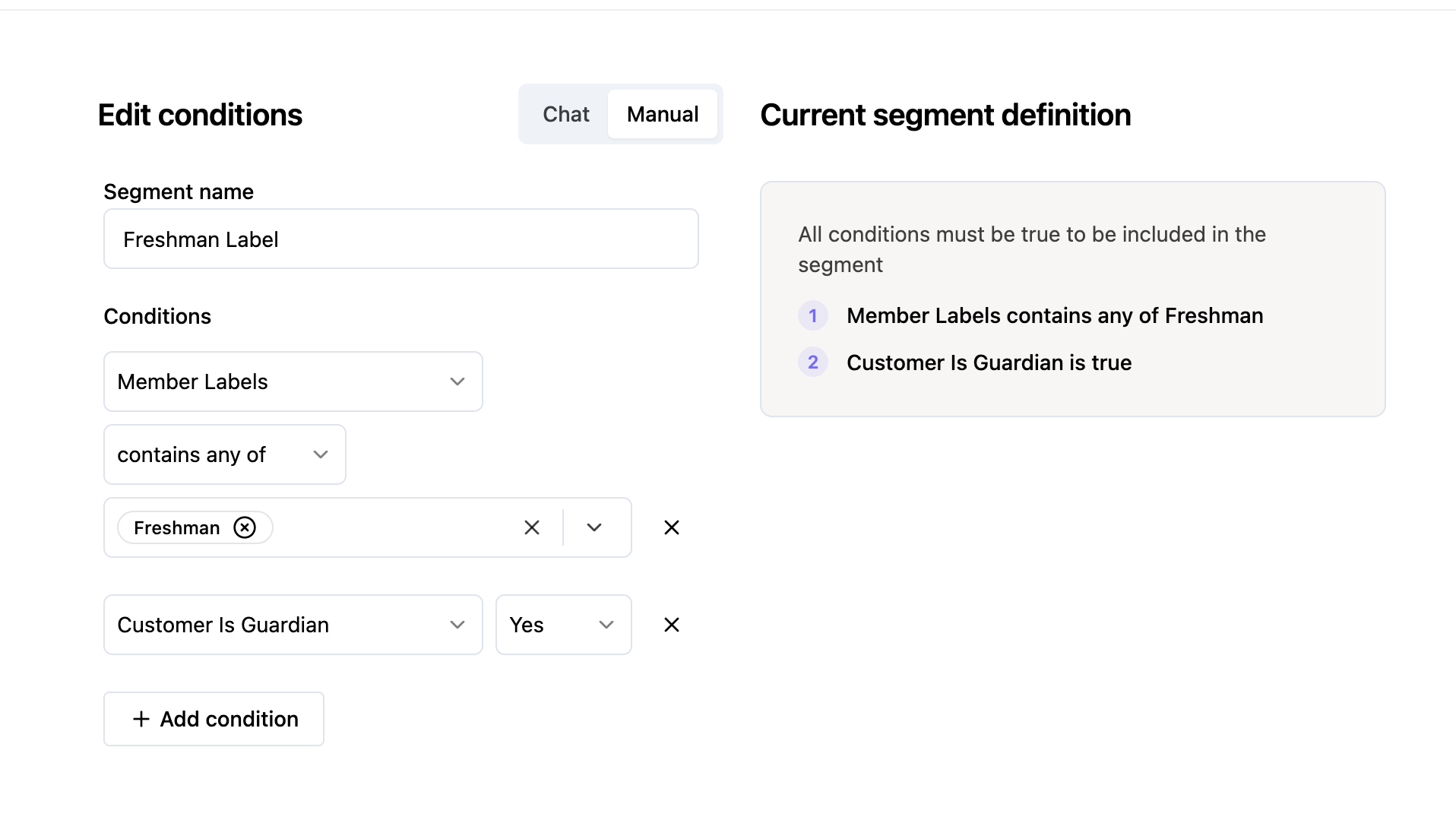
How do I send only to guardians and exclude the dependents?
In some cases, you might also have the email of the dependents in the segment. If you only want to target the guardians, simply add another filter for "Customer is Guardian".