Trigger a marketing automation when attendance is marked
Last updated: August 18, 2026
Noto can fire a marketing automation the moment a staff member marks attendance for a student in a session. This lets you send follow-ups like a thank-you after a first class, a milestone email after a set number of sessions, or a re-engagement text after a no-show. Automations are built in the marketing triggers area.
How the trigger works
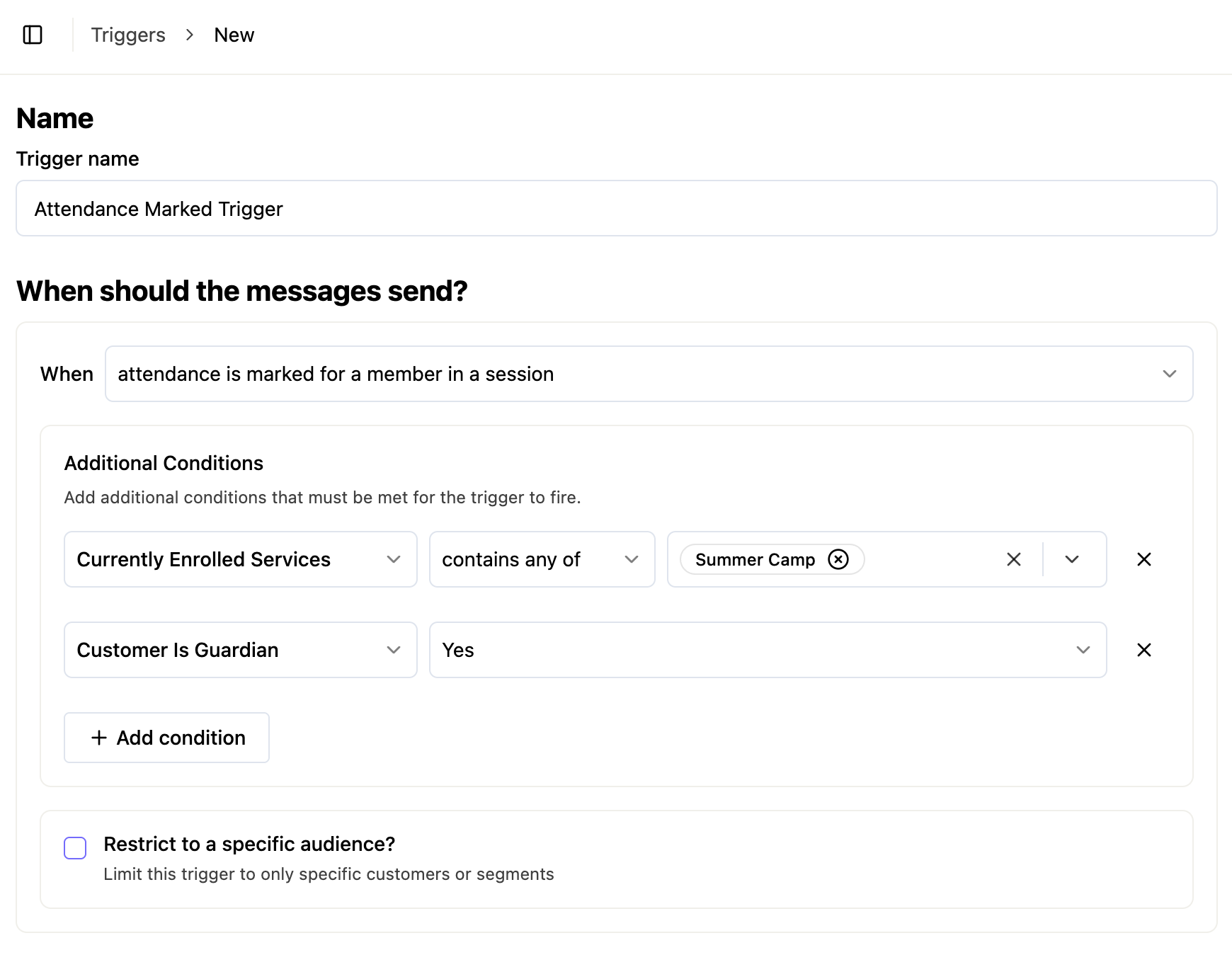
The trigger is called "Attendance is marked for a member in a session." When someone on your staff marks a student's attendance, Noto waits about 60 seconds, verifies the attendance state, and then sends the event to your marketing automation. The short delay protects against accidental marks — if the attendance is changed or removed within that window, the automation does not fire.
A few behaviors to know:
Un-marking attendance does not fire the trigger. Only a confirmed mark counts.
Members not yet synced to marketing automations are skipped silently. They will not trigger the event until they sync.
The event carries the attendance status and the customer, so you can branch your automation on either.
Filtering by attendance status
You can scope the trigger to one or more attendance states:
Present
Cancel
Late cancel
No-show
Pending is not supported as a trigger state — the automation only runs once attendance reaches a final status.
Filtering by service/class
The trigger itself does not have a direct service filter. If you want an automation to run only for attendance in a specific service (for example, only group piano lessons), add a "Currently enrolled in" customer condition to the automation.
Be aware of the tradeoff: this condition checks whether the member is currently enrolled in that service, not whether the attendance mark came from that service. If a student is enrolled in more than one service, marking attendance in any of them can satisfy the condition. For clean scoping, use this with students whose enrollments do not overlap the service you are targeting.
Example use cases
Send a confirmation after a student attends a session.
Send a follow up if a student is marked as a no show.
Trigger a re-engagement flow when attendance is marked No-show or Cancel.
Limits and gotchas
~60-second delay before firing. Automations do not run instantly — expect roughly a minute between the attendance mark and the trigger.
Pending attendance does not trigger anything. The mark must be Present, Cancel, Late, or No-show.