What's New — September 10, 2026
Last updated: September 10, 2026
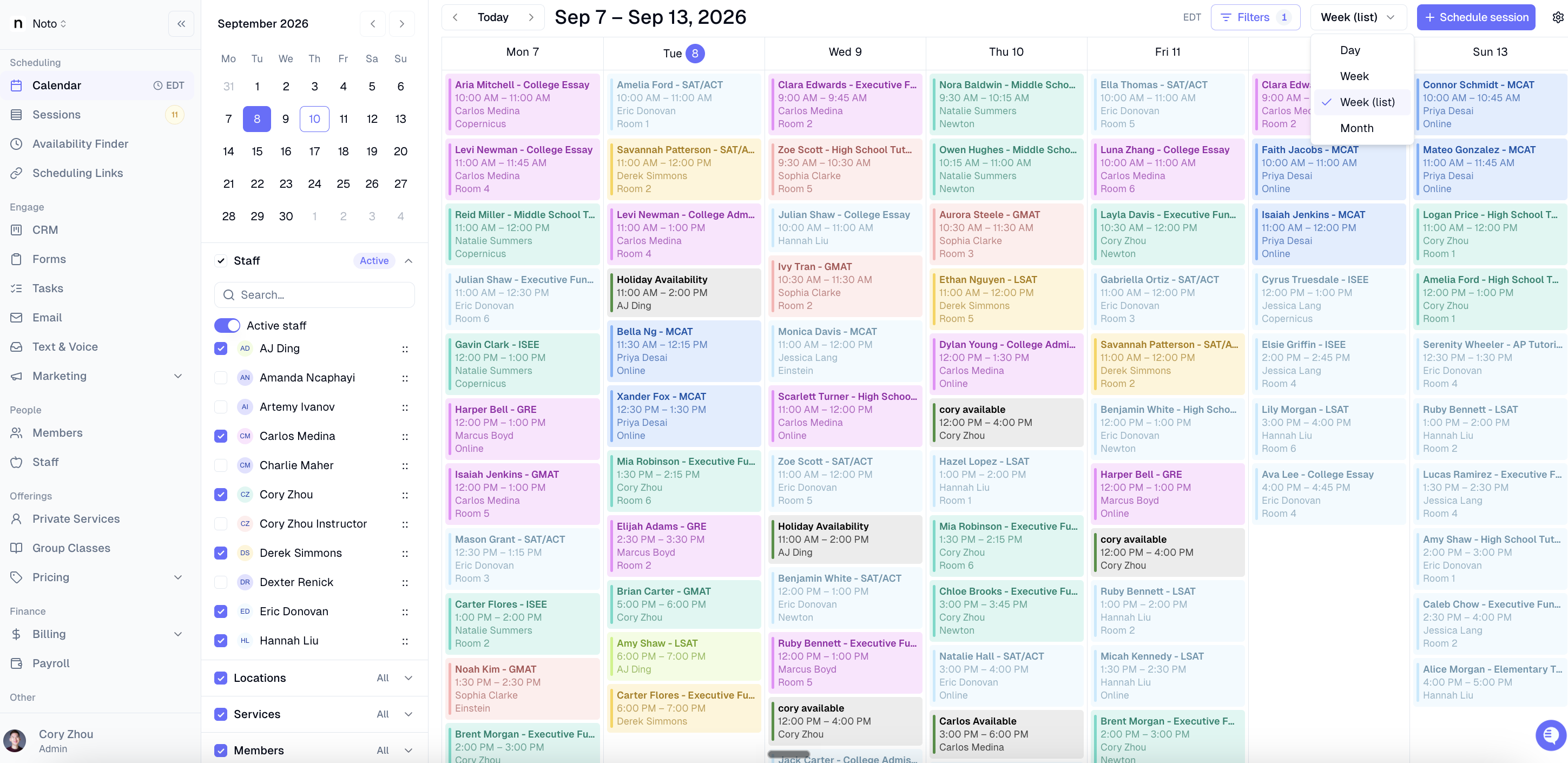
New Week list view added to calendar
The schedule calendar now includes a Week (list) view, giving staff a compact, agenda-style breakdown of sessions by day across the current week — available on both desktop and mobile.
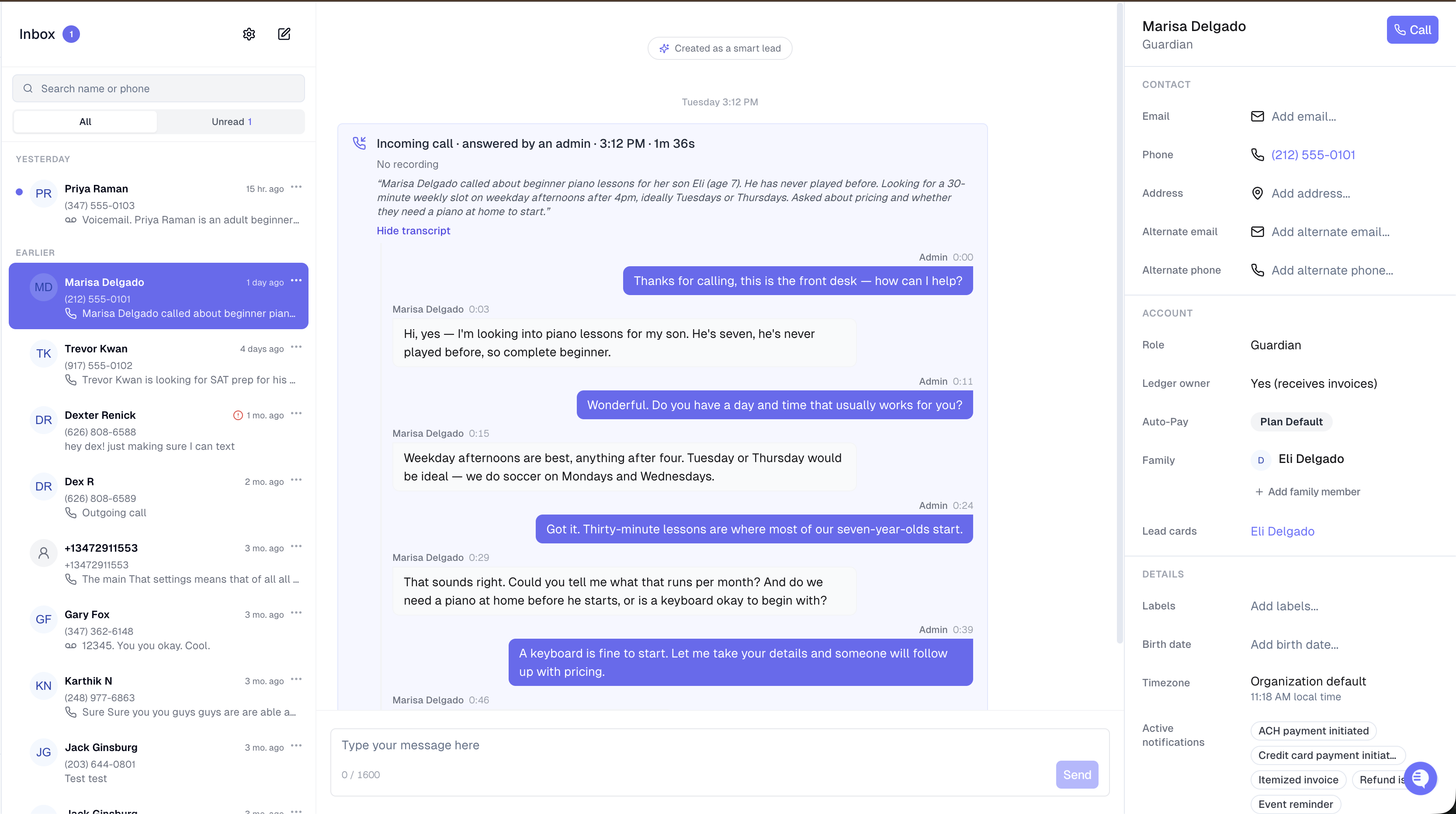
Smart lead detection now works on inbound calls
Inbound phone calls and voicemails are now transcribed and scanned for new leads automatically — no setup required. Smart Lead Detection is enabled by default on all numbers, so orgs start capturing callers as leads without touching a setting.
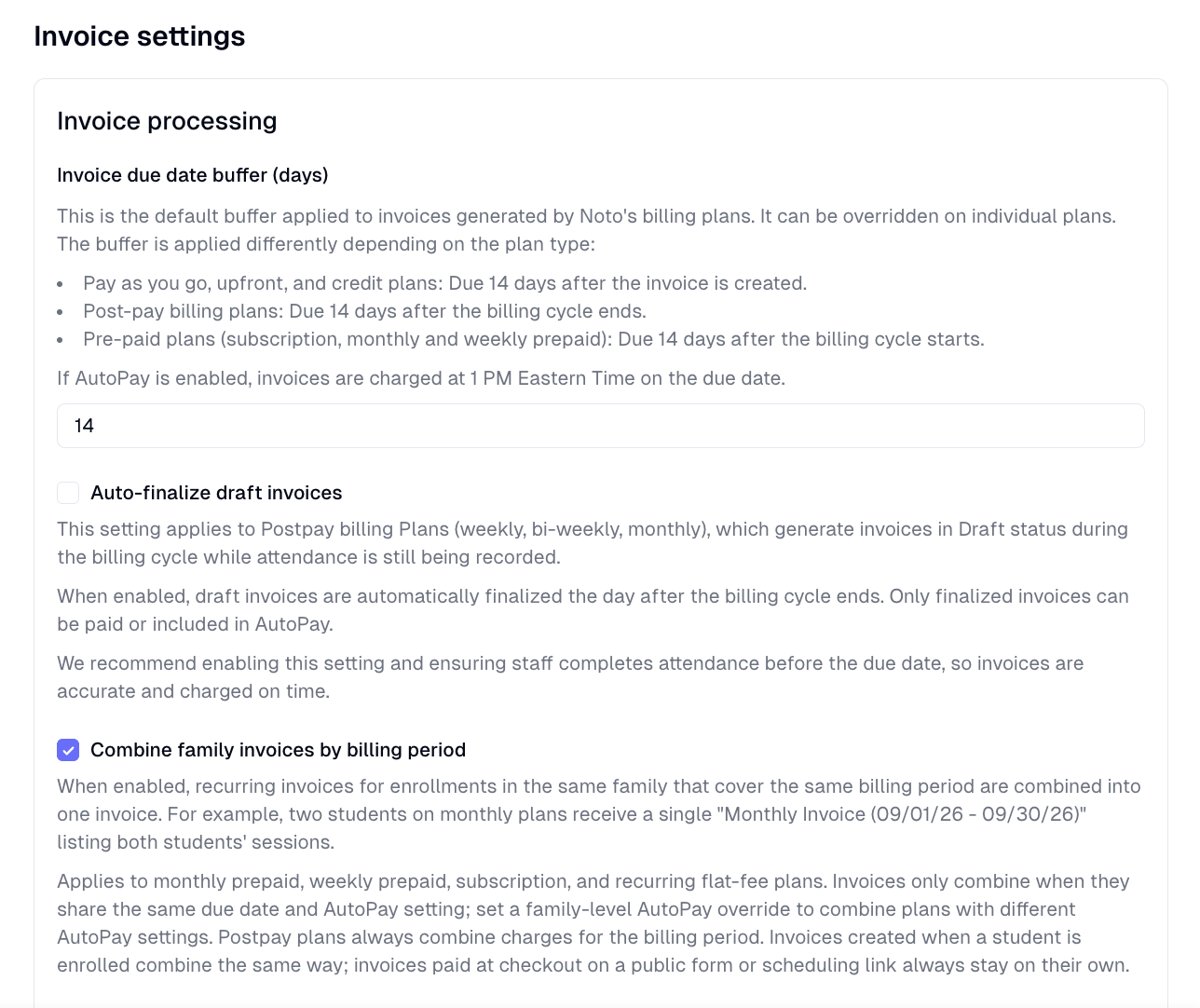
Combine family invoices by billing period
Orgs can now opt in to consolidate all of a family's recurring charges for the same billing period into a single invoice — so two siblings or one student with multiple enrollments get one "Invoice for September 2026" instead of one per enrollment. This can be enabled in Settings -> General -> Billing & Accounting.
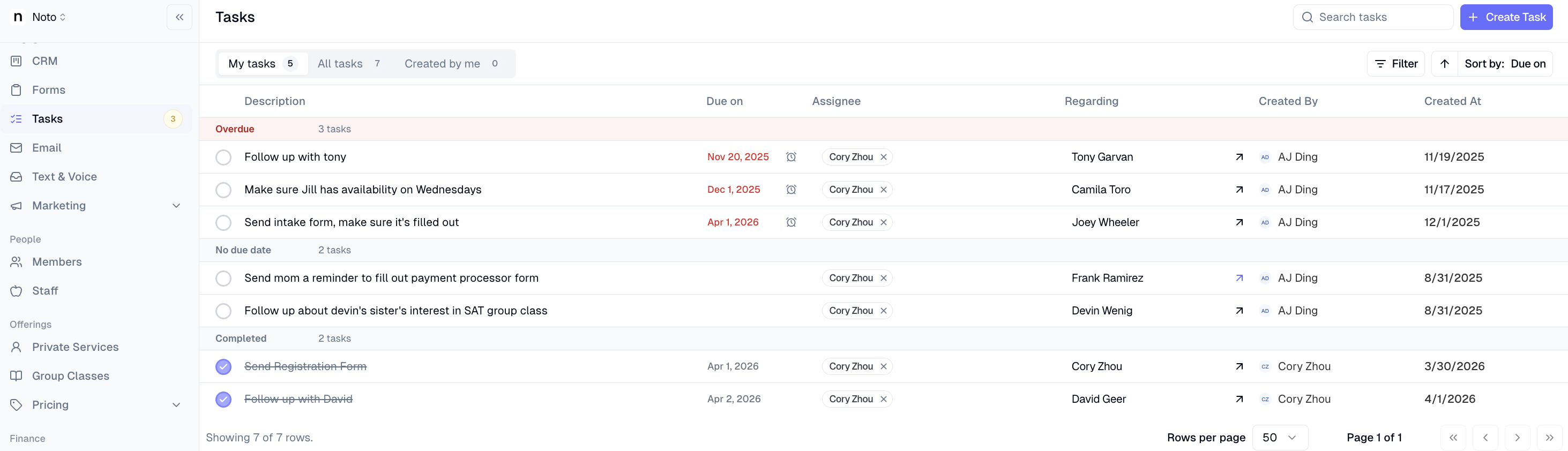
Redesigned task view
The tasks page now has three scope tabs — My tasks, All tasks, and Created by me — each with a badge showing open task count. Tasks sorted by due date group under labeled headers: Overdue, Today, This week, Later, No due date, and Completed. A search bar lets staff filter by task description or related member name. Default view opens to the current user's To Do tasks, sorted by due date ascending.
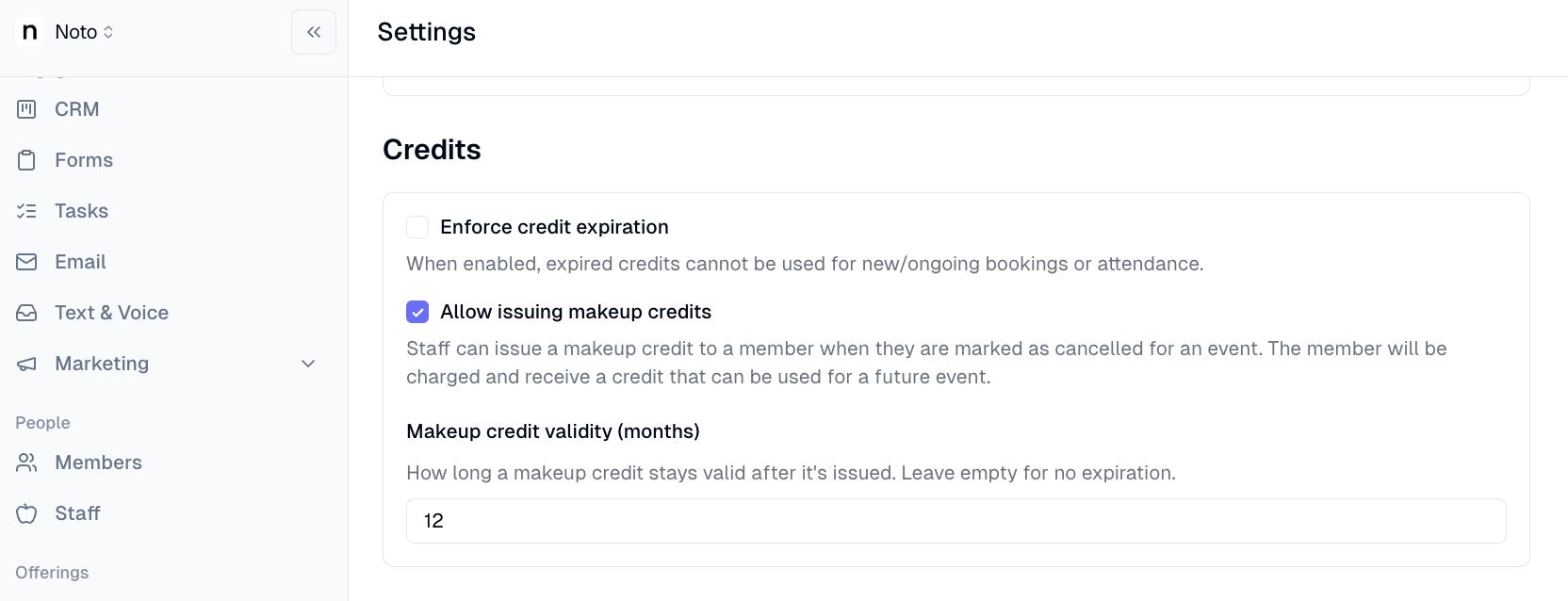
Makeup credit expiration now configurable per org
Orgs can now set a custom makeup credit validity window (in months) instead of the previous hardcoded 1-year expiration. The new setting lives under Settings > General > Billing & Accounting and applies when a makeup credit is issued for a cancelled session.
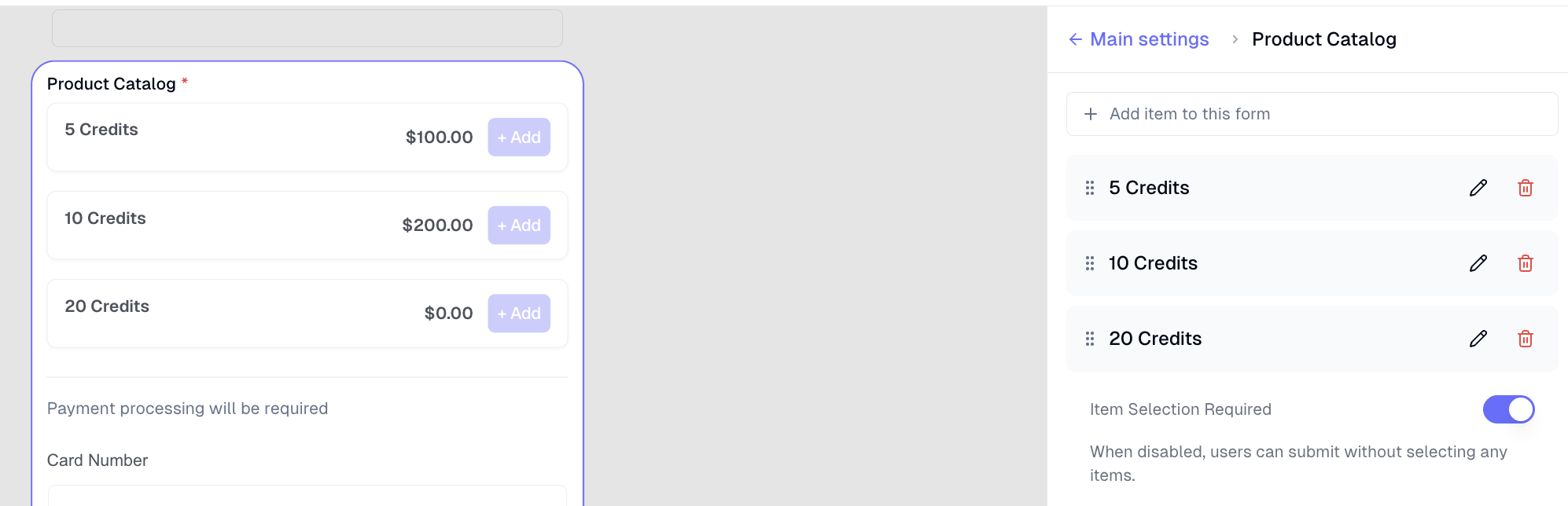
Drag-and-drop reorder catalog items per form
Form builders can now drag and reorder product catalog items directly in the form builder sidebar. The custom order is saved per form and reflected on the public/preview form, without affecting the org-wide catalog order.
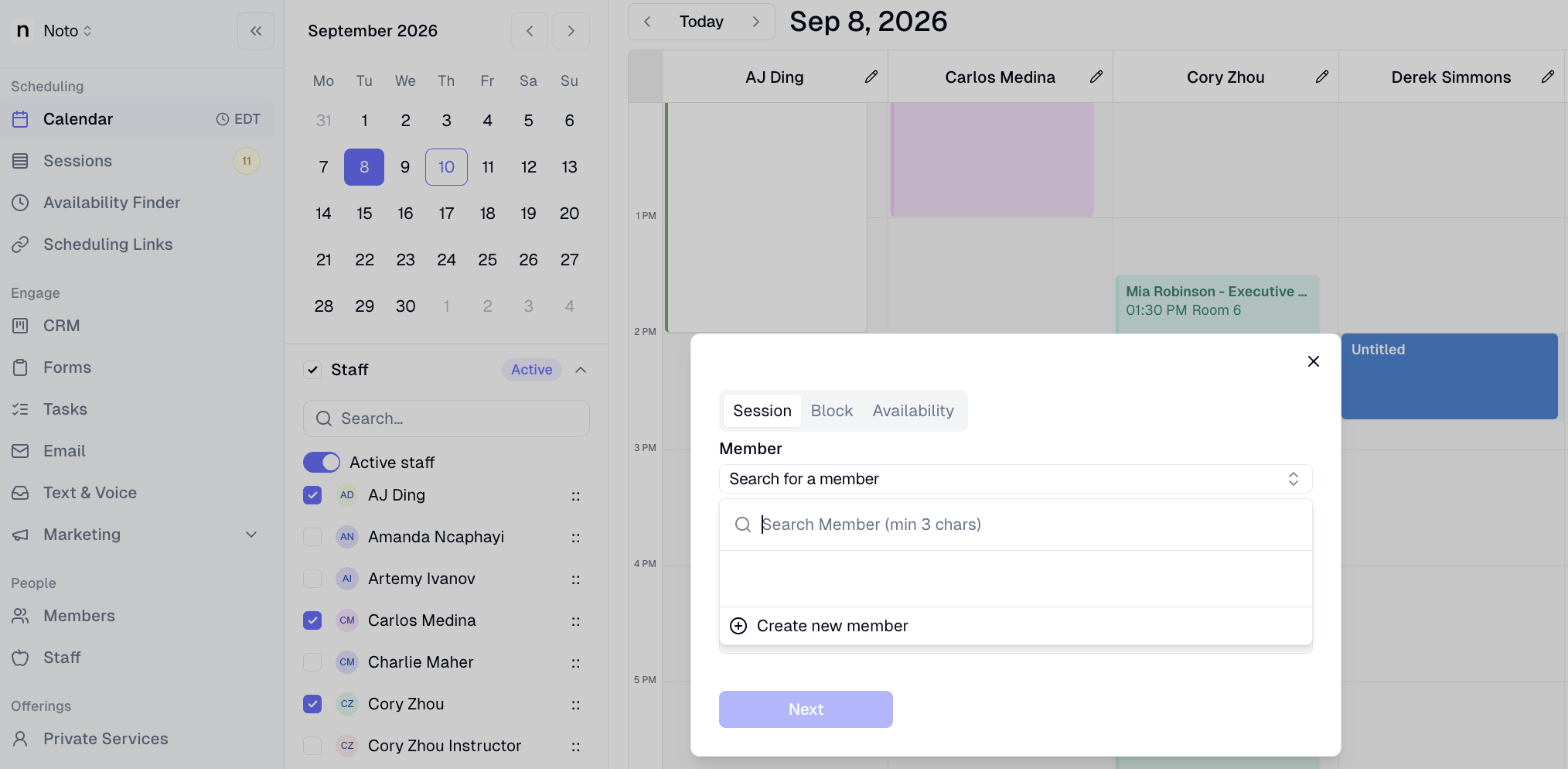
Create members inline while scheduling a session
Admins can now create a new member directly from the calendar's Schedule Session member picker — no need to leave the scheduling flow. The new member is auto-selected and enrollment continues seamlessly from where they left off.
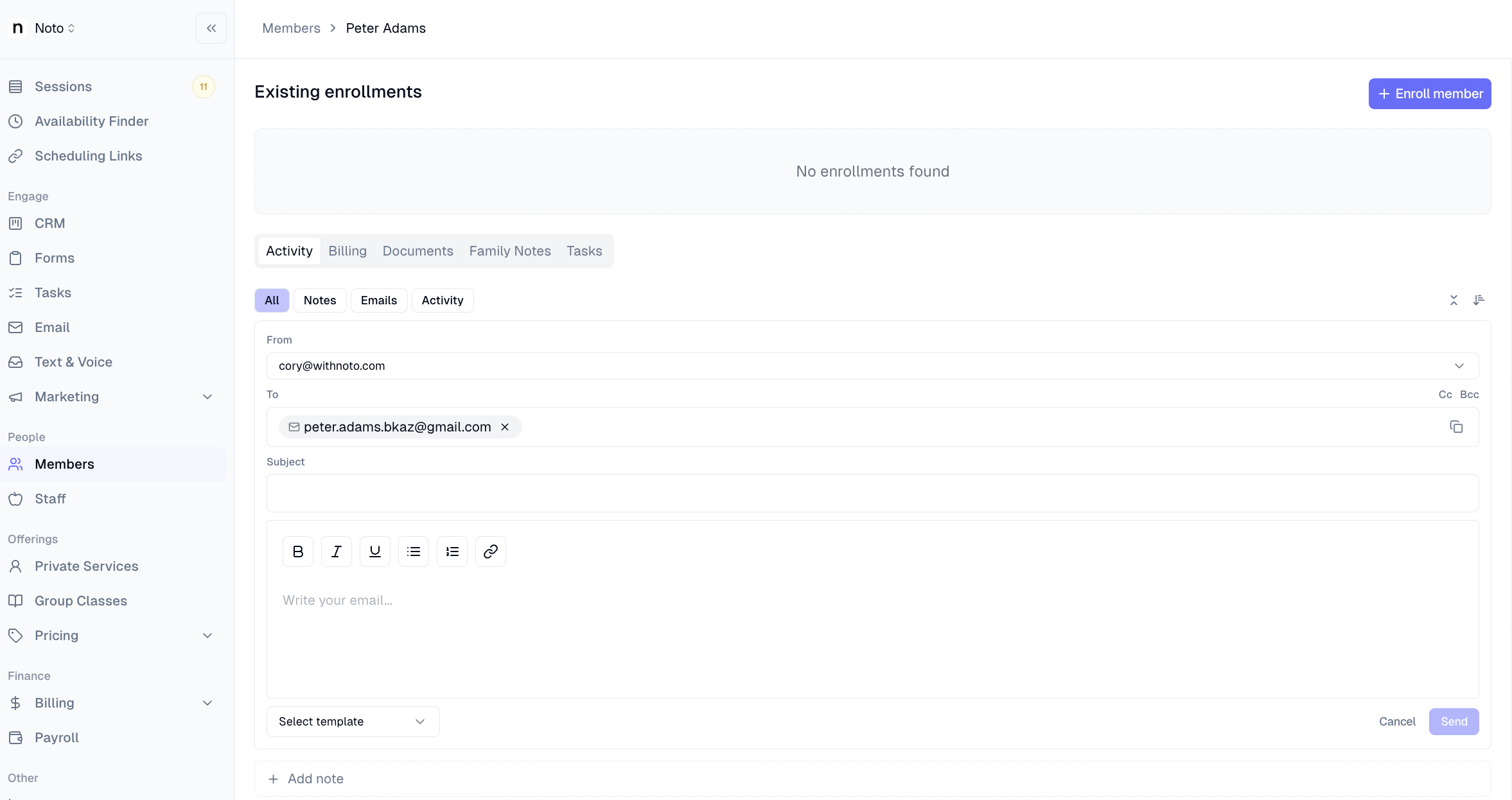
Send emails directly from the member page
Staff can now compose and reply to emails from the member page's Activity tab — the same composer previously only available in the Lead sheet. Sent emails appear instantly in the timeline via optimistic updates.
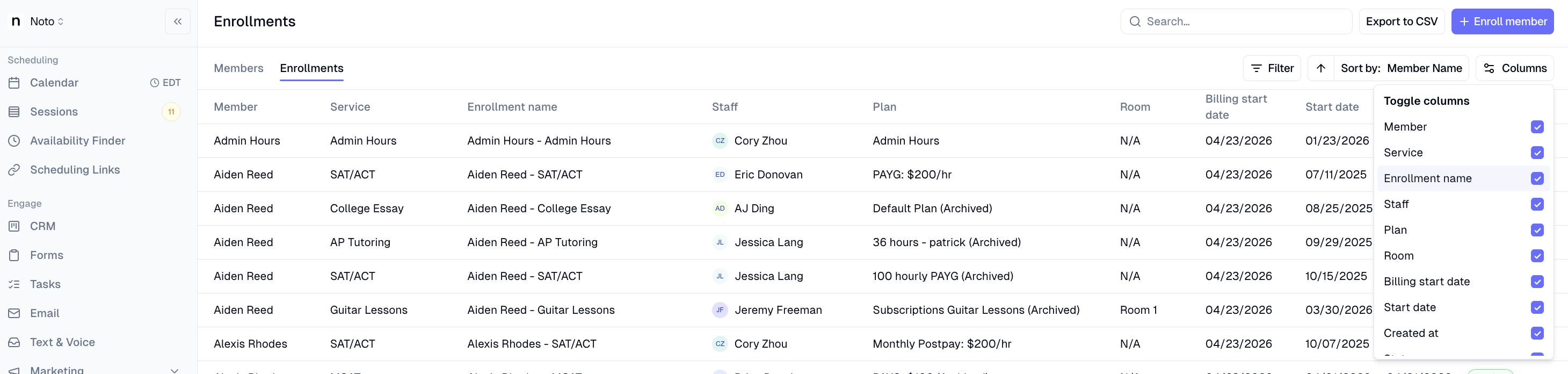
Enrollments table customized columns
Use the new Columns button to choose exactly which columns appear in the table — show or hide any column to match how you work. Your column preferences are saved automatically, so the layout you set is waiting for you the next time you return.